

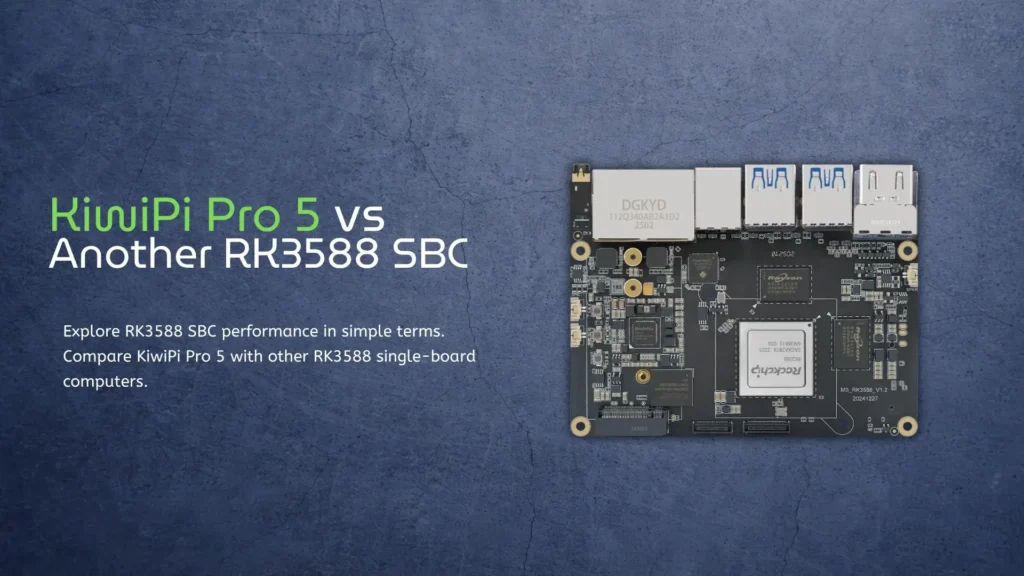
If you’ve been looking into small but powerful computers, you’ve probably come across the term RK3588 SBC. It sounds technical, but the idea is actually simple. A single-board computer is just a full computer built onto one small board. You plug in power, storage, and a screen, and it works like a mini PC. For a comparison with the newer RK3576, check out RK3576 vs RK3588.
The RK3588 is the brain of many of these boards. It’s a chip made by Rockchip, and it’s known for being fast, efficient, and flexible. You’ll find it inside different boards like the KiwiPi 5 Pro and others such as the Rock Pi 5 or similar RK3588-based devices.
Let’s break this down in a very simple way and compare how these boards actually feel in real use.
What is an RK3588 SBC?
An RK3588 SBC is just a small computer powered by the RK3588 chip. That chip has eight CPU cores. Four are fast and handle heavy tasks. Four are slower but save power when you don’t need speed. This helps the system stay cool and efficient.
It also has a strong GPU for graphics and video. It can play 4K and even 8K video, which is impressive for such a small board. There is also an NPU inside, which is used for AI tasks. This means things like object detection, voice processing, or image recognition can run directly on the device without needing a cloud server.
In simple terms, it’s a small box that can act like a desktop, a media center, a server, or even a small AI machine.
While RK3588-based boards offer strong performance, many users still compare them with more mainstream options. For a simple breakdown, you can check this Raspberry Pi 5 vs KiwiPi Pi 5 Pro comparison to see how they differ in real use.
RK3588 SBC: what’s actually different?
At first glance, most RK3588 single-board computers look similar because they use the same chip. But when you start using them, small differences matter a lot.
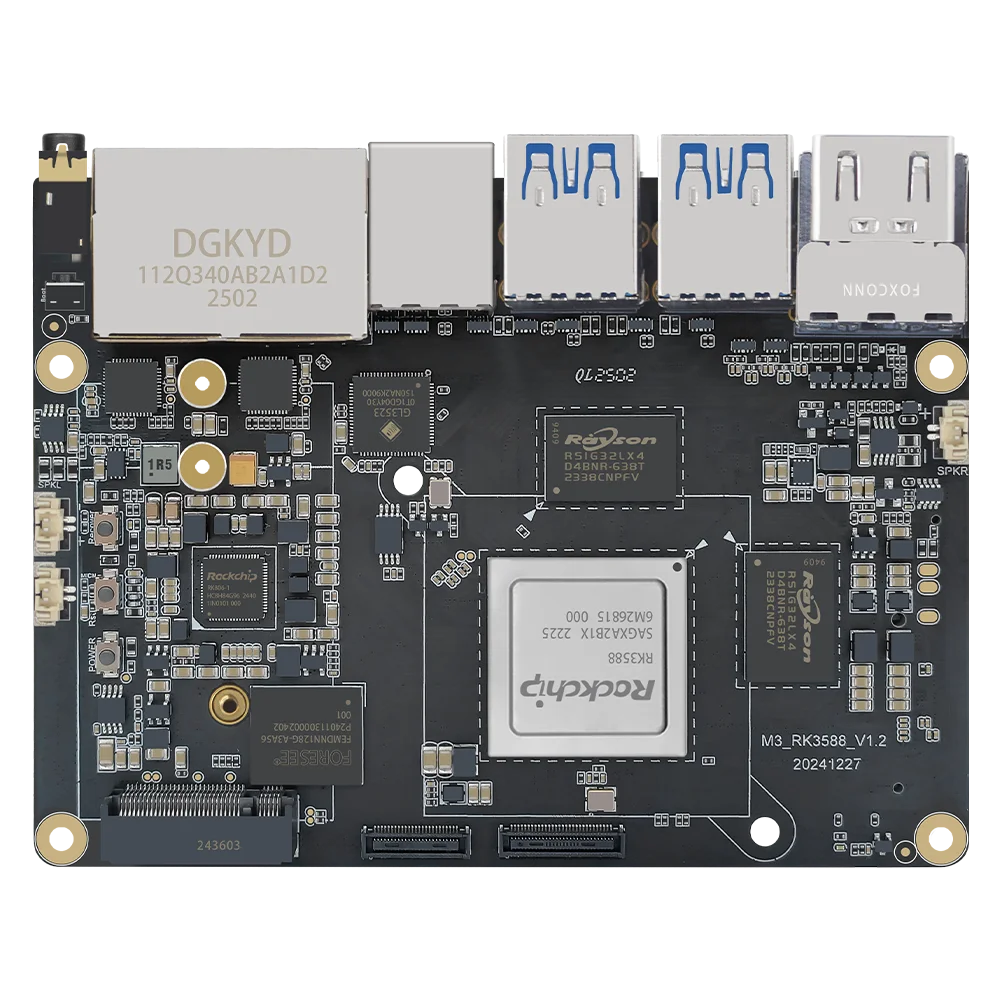
Here is a simple comparison to make things clear:
| Feature | KiwiPi 5 Pro (RK3588) | Typical RK3588 SBC (e.g. Rock Pi 5 class) |
| CPU | RK3588 (8-core) | RK3588 (8-core) |
| GPU | Mali-G610 | Mali-G610 |
| NPU | Up to 6 TOPS | Up to 6 TOPS |
| RAM options | 8GB / 16GB LPDDR4/5 | 4GB / 8GB / 16GB |
| Storage | eMMC + NVMe support | NVMe + microSD |
| Video output | HDMI + possible multi-display | HDMI / DisplayPort |
| OS support | Android + Linux (custom builds) | Linux + Android |
| Cooling | Usually pre-optimized | Often needs user setup |
| Use focus | AI, edge computing, general use | General SBC / DIY |
When you look at this table, it might seem like everything is the same. But in practice, the experience can feel different. If you plan to use external drives, you may also need to manually mount them in Linux. You can follow a simple guide on how to mount sda1 in Raspberry Pi.
Also, you have to read some technical information about Mali-G610.
Real-world performance
When you turn on an RK3588 SBC, the first thing you notice is speed. Compared to older boards, everything feels instant. Apps open quickly. The system doesn’t lag when you move windows or browse the web.
With something like the KiwiPi 5 Pro, the setup is often more ready out of the box. Cooling is usually better planned, so the board can run at full speed longer without slowing down. On some other RK3588 boards, you may need to add a fan or adjust settings yourself.
If you use it as a desktop, both types of boards can handle web browsing, video playback, and even light development work. Watching 4K video is smooth. Even multiple tasks at once feel fine because of the eight-core CPU.
If you use it as a server, the difference comes from stability. Some boards are tuned better for long uptime. Others may need more tweaking.
RK3588 SBC for AI and Edge Computing
One big reason people choose an RK3588 SBC is the built-in NPU. This is a small engine designed for AI tasks. It can process things like camera input or speech locally.
With a board like KiwiPi 5 Pro, this feature is often easier to access because the software is already prepared. On other boards, you might need to install extra drivers or tools.
For example, you could run a simple AI model that detects objects from a camera. The board can do this in real time without sending data to the internet. That’s useful for privacy and speed.
In simple terms, it turns your small computer into something that can “see” and “understand” basic things.
Storage, expansion, and connectivity
Another practical difference between RK3588 single-board computers is how you connect storage and devices.
Most boards support NVMe SSDs, which are fast and make the system feel like a real PC. Some also include eMMC storage, which is built-in and more stable than microSD cards.
KiwiPi 5 Pro often focuses on giving stable storage options out of the box. Some other boards rely more on user choice, which is good if you like to customize but less convenient if you want something simple.
Connectivity is usually similar. You get USB ports, Ethernet, and sometimes Wi-Fi and Bluetooth. Some boards add extra features like PCIe expansion or multiple display outputs.
Software and ease of use
This is where many people notice the biggest difference.
All RK3588 SBC boards can run Linux. Many also support Android. But how easy it is to install and use these systems depends on the board. With some boards, you download an SBC image, flash it, and everything works. With others, you may need to adjust settings, fix drivers, or search forums for solutions.
KiwiPi 5 Pro tends to focus on making this process smoother. That means fewer steps and less troubleshooting. Other boards are more DIY, which can be fun if you like experimenting but frustrating if you just want something that works.
Heat, power, and long-term stability
The RK3588 is powerful, and power means heat. If a board gets too hot, it slows down. This is called thermal throttling.
Boards with better cooling design can keep high performance longer. This matters if you run heavy tasks like video encoding or AI models. In everyday use, you might not notice it. But in longer sessions, it becomes important. A well-cooled RK3588 SBC feels more stable and consistent.
Power usage is still quite low compared to a full desktop PC. That’s why people use these boards for servers or always-on devices.
Who should choose an RK3588 SBC
If you are just curious and want to try a small computer, any RK3588 single-board computer will already feel very powerful.
But, if you want something simple and ready, a board like KiwiPi 5 Pro makes sense because it reduces setup time.
If you need to build and customize, other RK3588 boards might be more interesting. They give you more control but also require more effort.
For AI experiments, edge computing, or media streaming, KiwiPi 5 Pro RK3588 Single-board computer is one of the best choices right now in this size and price range.
Conclusion
An RK3588 SBC is basically a small but powerful computer that can handle many tasks, from simple desktop use to AI processing. The chip inside is the same across different boards, but the experience depends on design, cooling, and software support.
When comparing something like KiwiPi 5 Pro to another RK3588 single-board computer, the real difference is not raw performance. It’s how easy it is to use, how stable it feels over time, and how much work you need to put in.
If you want a smoother experience, go for a board that is more ready out of the box. If you like experimenting and tweaking, other boards can be just as powerful but require more setup.
In the end, they are all based on the same strong foundation. The RK3588 is what makes them fast. The rest is about how that power is delivered to you.
FAQ
What is an RK3588 SBC in simple terms?
It is a small computer built on one board, powered by the RK3588 chip. You can use it like a mini PC, server, or media device.
Is RK3588 powerful enough for daily use?
Yes. It can handle web browsing, video playback, and even light development work without problems.
Can I use RK3588 for AI projects?
Yes. It has a built-in NPU that can run AI models locally, which is useful for edge computing tasks.
What operating systems does it support?
Most RK3588 single-board computers support Linux and Android. Some also have custom builds for specific use cases.
Do I need cooling for RK3588 SBC?
Yes. The chip is powerful and produces heat. Good cooling helps maintain performance.
Is KiwiPi 5 Pro better than other RK3588 boards?
Not always better in raw power, but often easier to use and more stable out of the box, depending on your needs.
- RKDevTool Guide for KiwiPi 5
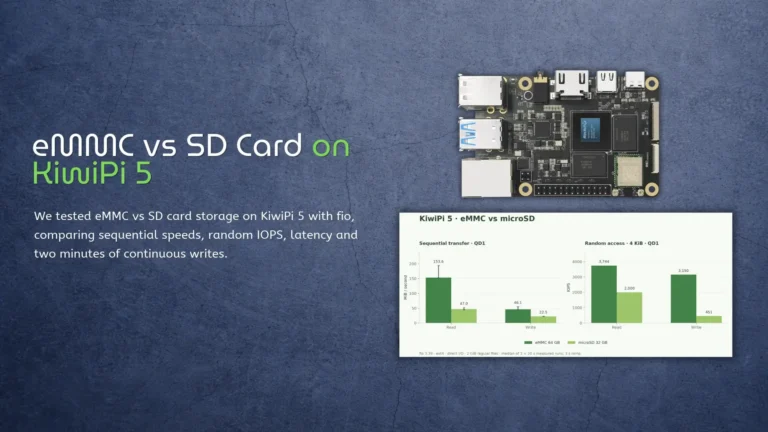
- eMMC vs SD Card on KiwiPi 5
- KiwiPi 5 as a Single-Board Server
- How to Use Rockchip Batch Tool
- KiwiDrop: File Sharing for Windows and Linux
- How to Check Disk Space in Linux
- How to Check CPU Temperature in Linux