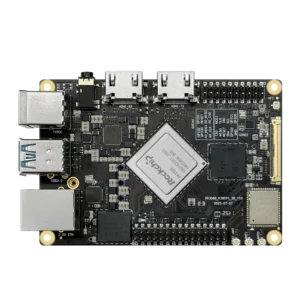


After testing HDMI-IN on RK3588 with Kiwipi 5B, I ran into a very simple problem. Recording video work, but CPU usage goes up fast.
At first, I was using software for hardware video encoding. It works, but not for long runs or real-time pipelines, so I switched to hardware video encoding. And that’s where the board started to behave completely differently, though I had to change file permissions for the scripts.
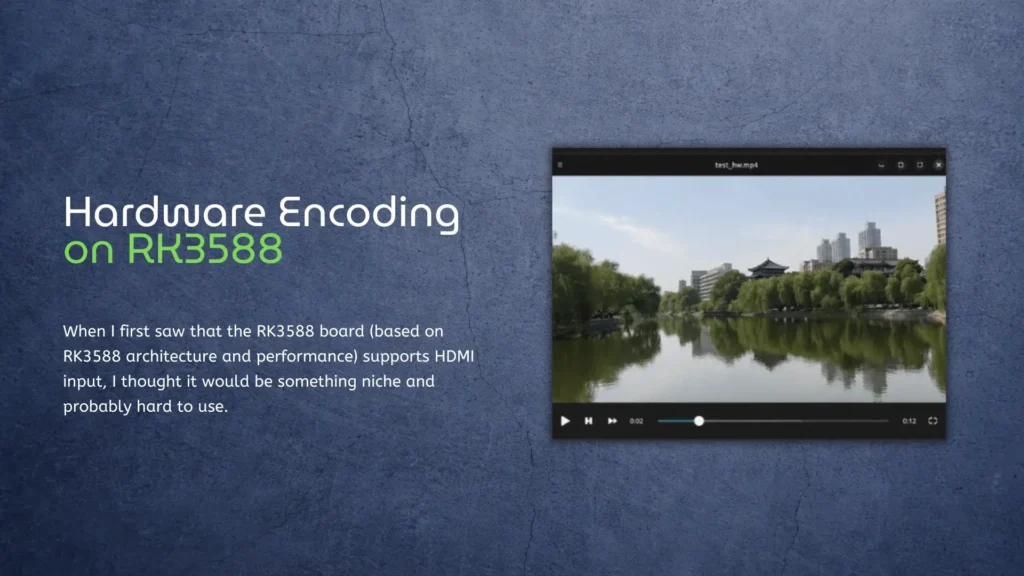
What Hardware Video Encoding Actually Means Here
On RK3588, video encoding is not done by the CPU; there is a dedicated hardware block (VPU). It handles H.264 and H.265 encoding directly. And this is not a small feature.
The chip supports real-time encoding up to 8K resolution, which means the encoding is designed to run continuously without loading the CPU.
So instead of:
- CPU doing everything
- frames getting delayed
You get:
- dedicated pipeline
- stable throughput
- much lower CPU usage
Switching From Software to Hardware Video Encoding
At first, I used something like this:
x264enc
It works, but CPU usage can easily go above 100%. Then I switched to Rockchip hardware encoding.
On RK3588, this usually goes through:
- MPP (Media Process Platform)
- or hardware-enabled ffmpeg / gstreamer plugins
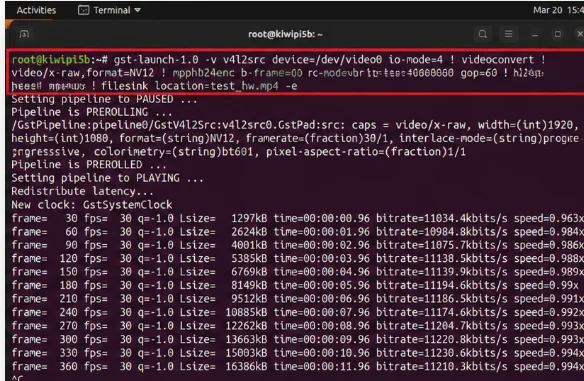
For example, using GStreamer:
gst-launch-1.0 v4l2src device=/dev/video0 ! videoconvert ! mpph264enc ! mp4mux ! filesink location=test.mp4
Same idea as before.
But completely different behavior.
What Changed in Practice
The difference is immediate; CPU usage drops a lot. The system becomes stable, even under continuous recording. And most importantly, latency is more predictable.
With software encoding:
- delay grows over time
- system feels inconsistent
With hardware encoding:
- delay is stable
- pipeline doesn’t collapse
This is exactly what hardware encoders are designed for — offloading work from CPU while keeping real-time performance consistent.
Why This Matters for HDMI-IN
This is where everything connects; HDMI-IN gives you the raw video. Hardware encoding makes it usable.
Without hardware encoding: 1) HDMI-IN is just a demo 2) not practical for real systems
With it you can record, stream and process video continuously. That’s the difference between testing and actually building something.
Turning It Into a Streaming Node
After switching to hardware encoding, I tried a simple pipeline:
- HDMI input
- encode
- send over network
And it worked, no frame drops, no CPU spikes.
A capture and encoding setup can keep storage, Ethernet, and USB devices busy at the same time, so check the KiwiPi 5 Pro power requirements before adding bus-powered peripherals.
This basically turns the board into a small streaming device. And if you combine it with something like your CPU and RAM performance test results, it becomes obvious why this works — the system has enough headroom even when doing multiple tasks.
RK3588 Really Stands Out?
What surprised me is how balanced the system is. We have: 1) HDMI input 2) hardware encoder 3) NPU 4)GPU, and all working together.
If you look at the full picture in RK3588 architecture and performance overview, it makes sense why this pipeline feels smooth, so it’s not just about CPU power, it’s about having dedicated blocks for each task.
What Still Needs Work
It’s not perfect. You still need to find the right encoder (mpph264enc, ffmpeg-rkmpp, etc.), deal with formats and also test pipelines manually. Sometimes things just don’t start, formats mismatch. So it’s not plug-and-play, but once it works, it stays stable.
External Perspective
This isn’t just a Rockchip thing: hardware encoding is widely used in modern streaming systems because it offloads heavy processing and keeps real-time performance stable, as explained in this research on real-time video encoding performance.
Even modern GPU-based systems rely on hardware encoders for live video, because software encoding simply doesn’t scale well for real-time workloads
RK3588 just brings this capability into a small edge device.
Final Thoughts
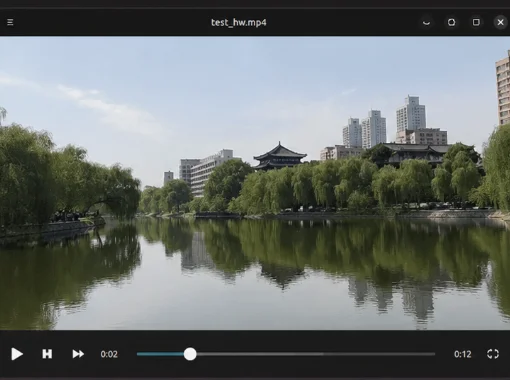
After testing HDMI-IN and hardware encoding together, the picture becomes clear. HDMI-IN alone is interesting. Hardware encoding alone is useful. But together, they turn the board into something much more practical, not just a dev board, but a real video processing node.
I spent another 100 hours breaking and fixing hardware encoding pipelines so you don’t have to. Same RK3588. Same HDMI-IN. But this time? No filter.