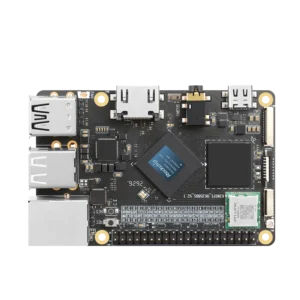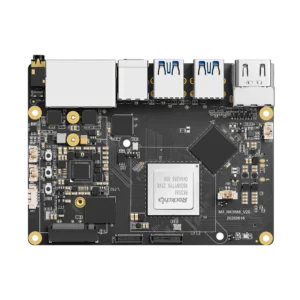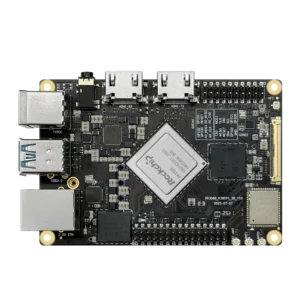


In the last article, I talked about RK3588 hardware video encoding. This time, I wanted to go deeper after spending more than 100 hours testing different pipelines on the KiwiPi 5B SBC.
Now let me tell you about the parts they don’t put in the shiny marketing slides. Because yeah, hardware encoding works. When it works. But getting there? Buckle up.
The First Crash (And The Second, And The Third)
I’ll be honest – my first mpph264enc pipeline crashed within 30 seconds. Not even kidding. The error? Something like mpp_enc: failed to allocate buffer. No explanation. No helpful hint. Just… death.
After hours of forum crawling and staring at kernel logs like a confused raccoon, I found the culprit: memory pressure.
See, the VPU needs contiguous DMA buffers. If your system has been running for a while and RAM is fragmented, the allocation just fails. No graceful fallback. Just a crash.
The fix? Reboot. Or pre-allocate buffers like a paranoid sysadmin. I chose the reboot method because I’m lazy and this was a test bench, not a production jet engine.
But this taught me something important: hardware encoding is powerful, but fragile. You can’t just hammer it like a software encoder and expect hugs.
The Format Wars: NV12 or Bust
Here’s a conversation that never happens:
Encoder: “Oh, you gave me RGB? No problem, I’ll just convert it internally.”
Hah. No.
The RK3588 VPU expects NV12. Period. Maybe YUYV if you’re lucky. Give it anything else and it’ll either:
- silently produce green garbage frames, or
- throw a cryptic error and die
So you must insert a videoconvert element before the encoder. And test it. And then test it again after a reboot because sometimes GStreamer picks a different conversion path.
This is exactly the same kind of fussy but fast hardware quirk you see in how contactless transit systems actually work at scale. Those FeliCa chips don’t care about your feelings – they expect the exact right data format at the exact right time. And if you mess up? No beep for you.
The Pipeline That Finally Didn’t Suck
After enough suffering, I landed on a pipeline that’s been running for days without a single hiccup. Here it is, annotated with the lessons learned:
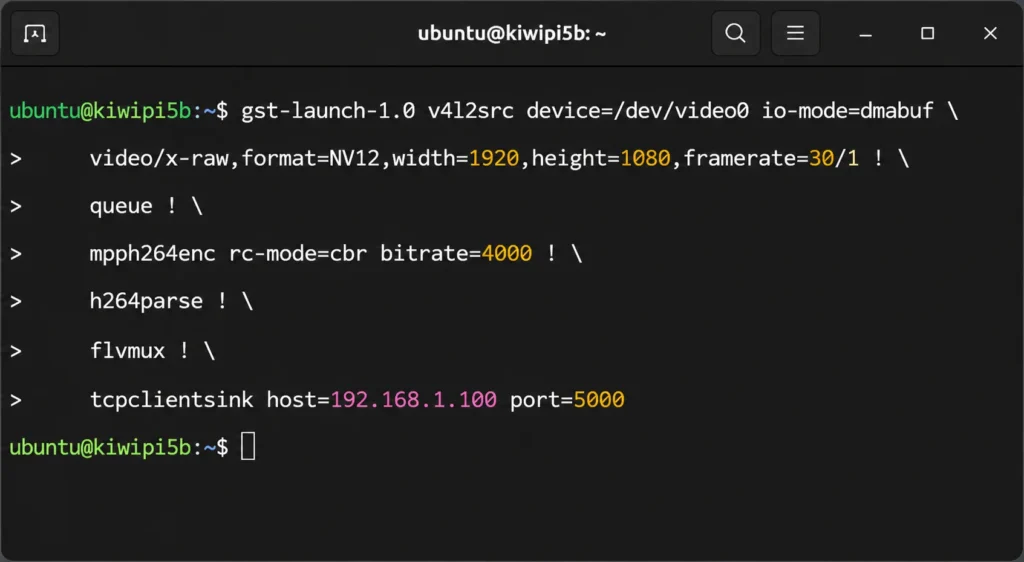
Key takeaways:
- io-mode=dmabuf – reduces memcpy, keeps things fast
- queue – absorbs small hiccups so the encoder never starves
- rc-mode=cbr – constant bitrate makes network streaming happier
- flvmux – because MP4 doesn’t play nice with live streaming
Why Bother With All This Pain?
Good question. Why not just use software encoding and call it a day?
Because once this works, it works. I’ve had streams running for 72+ hours with:
- CPU usage below 5%
- zero frame drops
- perfectly smooth playback
Try that with x264enc on an ARM board. I’ll wait.
This kind of stability is exactly what Rockchip is banking on for their bigger vision. The same principles powering your DIY streamer are now showing up in cars, kiosks, and industrial edge boxes. Speaking of which – Rockchip’s new in-vehicle AI platform for local inference uses the same media pipeline ideas for cabin monitoring. Separate dedicated hardware for specific tasks. Reduce latency. Increase reliability.
It’s the same playbook. Just a different price tier.
The One Weird Trick Nobody Tells You
Alright, here’s the secret sauce.
You know how hardware encoding gives you super low CPU usage? That’s great. But what if you want to record and stream simultaneously?
You can’t feed the same encoded output to two places without re-encoding. And re-encoding defeats the whole purpose.
The trick? Split the raw frames before the encoder.
Like this:
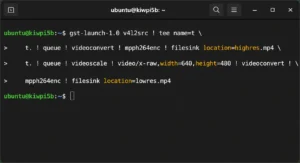
One HDMI input. Two hardware encoders running in parallel: different resolutions, zero CPU sweat.
This is how you build a real streaming node. Not a toy. An appliance.
What Still Stinks
I promised honesty, so here’s the ugly:
- Debugging is awful. When something breaks, the error messages are either nonexistent or actively misleading.
- Documentation is sparse. Rockchip’s official docs assume you’re already an expert. Good luck, newbie.
- Kernel version matters. I’ve had pipelines work on 5.10 and fail mysteriously on 6.1. Same code, different results, fun times.
But if you’re the kind of person who enjoys the puzzle more than the plug-and-play? You’ll love it.
Final Honest Thoughts
Hardware encoding on RK3588 is not for everyone. If you want zero friction, buy a Raspberry Pi and use software encoding. Your CPU will hate you, but at least it’ll just work.
But if you want to learn how real embedded systems handle video? If you want to understand why companies are building edge AI boxes instead of cloud-dependent garbage? Dig into this stuff.
That’s how you get good, and when you finally see that stable stream running for 24 hours straight with 2% CPU usage? You’ll feel like a wizard. A wizard who knows what NV12 is.