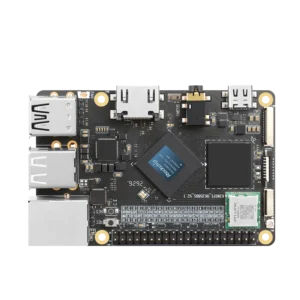


We ran a Python web application on an 8GB KiwiPi 5 and tested it over Gigabit Ethernet. We built the application, KiwiPi Server Lab, specifically for this experiment; it’s a test program, not a released monitoring product.
At 32 concurrent connections, this single-board server returned a median 5,063 HTML responses per second. Reading 120 history records from SQLite brought that down to 1,481. The board and server configuration stayed the same; the requests did different work and returned different amounts of data.

The KiwiPi 5 test system
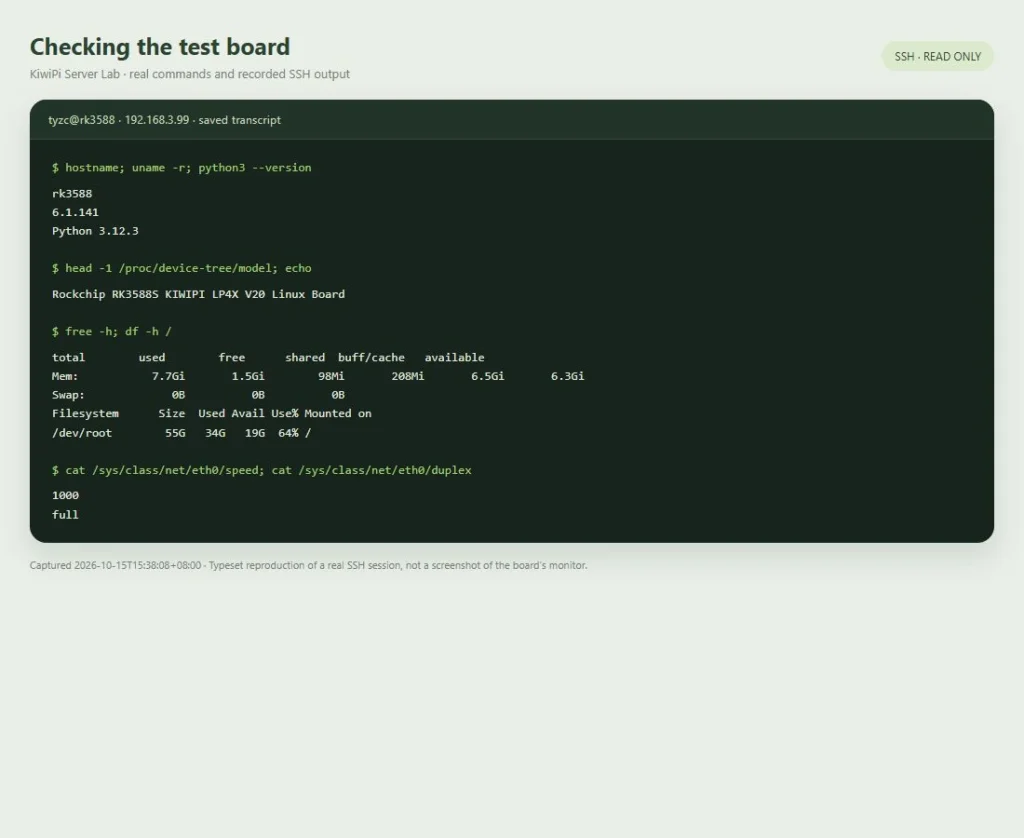
The board ran Ubuntu 24.04.3 LTS, kernel 6.1.141, and Python 3.12.3. Its RK3588S has four Cortex-A55 and four Cortex-A76 cores, with 8GB of installed RAM. The app and database lived on eMMC, and both the board and the separate Windows load-generator PC used wired Gigabit Ethernet.
The installed image exposed CPU frequency limits of 1.8GHz and 2.352GHz, with the schedutil governor changing clocks automatically. That’s the configuration behind these results, even though the product page lists a different maximum A76 frequency. Swap was off.
We left GNOME and the KiwiDrop local file sharing app running. During the 30-second baseline, total CPU usage already averaged 37.3%, with the SoC at 41.3°C. We used a heatsink and fan with no enclosure; room temperature was approximately 26°C. Power came through USB-C; adapter ratings and actual consumption weren’t measured.
| Component | Tested configuration |
|---|---|
| Board and SoC | KiwiPi 5, RK3588S, V20 device-tree identification |
| CPU | 4 × Cortex-A76 and 4 × Cortex-A55 |
| CPU limits exposed by this image | A76 up to 2.352GHz; A55 up to 1.8GHz; automatic schedutil governor |
| Memory | 8GB installed; about 7.73GiB visible to Linux; no swap |
| Application storage | Onboard eMMC; ext4 root filesystem |
| Network | Ethernet at 1,000Mbit/s, full duplex |
| Operating system | Ubuntu 24.04.3 LTS; Linux 6.1.141 |
| Web stack | Python 3.12.3; Gunicorn 23.0.0; four workers with two threads each |
| Cooling and power | Heatsink and fan, no enclosure; USB-C power |
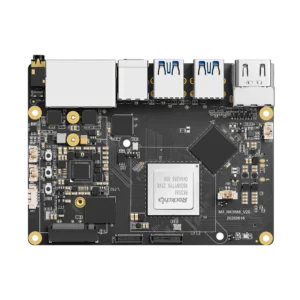
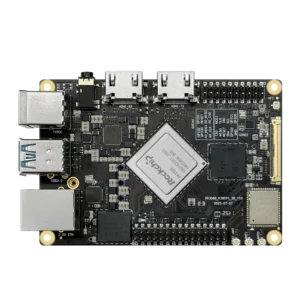
Other boards in the KiwiPi series
The series has higher-spec options when a server needs more storage or network bandwidth. The KiwiPi 5 Pro board uses RK3588, with up to 32GB RAM, two 2.5GbE ports, and an M.2 2280 slot connected through PCIe 3.0 x4. KiwiPi 5B development hardware also uses RK3588 and provides an M.2 2280 PCIe 3.0 slot for an NVMe SSD.
Those are useful expansion options for a database or networked-storage project. Both models retain the four-A76, four-A55 CPU arrangement, so the specifications alone don’t establish a CPU-performance advantage over this KiwiPi 5. Neither was included in our test, and the throughput results below apply only to the tested board.
A web app built for this test
A separate collector reads Linux telemetry once a second, writes a record to SQLite, and atomically replaces a JSON snapshot. The dashboard polls every five seconds and shows CPU, temperature, memory, and storage use. It runs on the board, with no CDN assets or cloud backend.
The three tested routes have deliberately different jobs. / returns the dashboard’s HTML, /api/current reads the existing snapshot, and /api/history?limit=120 opens a read-only SQLite connection and returns 120 records as JSON. The HTML is loaded into each worker’s memory at startup. Requesting the current snapshot doesn’t resample all the sensors. Fetching the HTML doesn’t reproduce a browser session with its subsequent API and logo requests.
The collector keeps up to 24 hours of history in SQLite WAL mode. SQLite’s write-ahead logging documentation explains how readers and a writer can run concurrently; here, one collector writes while the web workers read. Those small, frequently accessed queries aren’t a benchmark of raw eMMC speed or a large database.
Gunicorn 23.0.0 served the WSGI app through four gthread workers, with two threads per worker and a five-second HTTP/1.1 keep-alive. We didn’t put Nginx, TLS, or HTTP/2 in front of it.
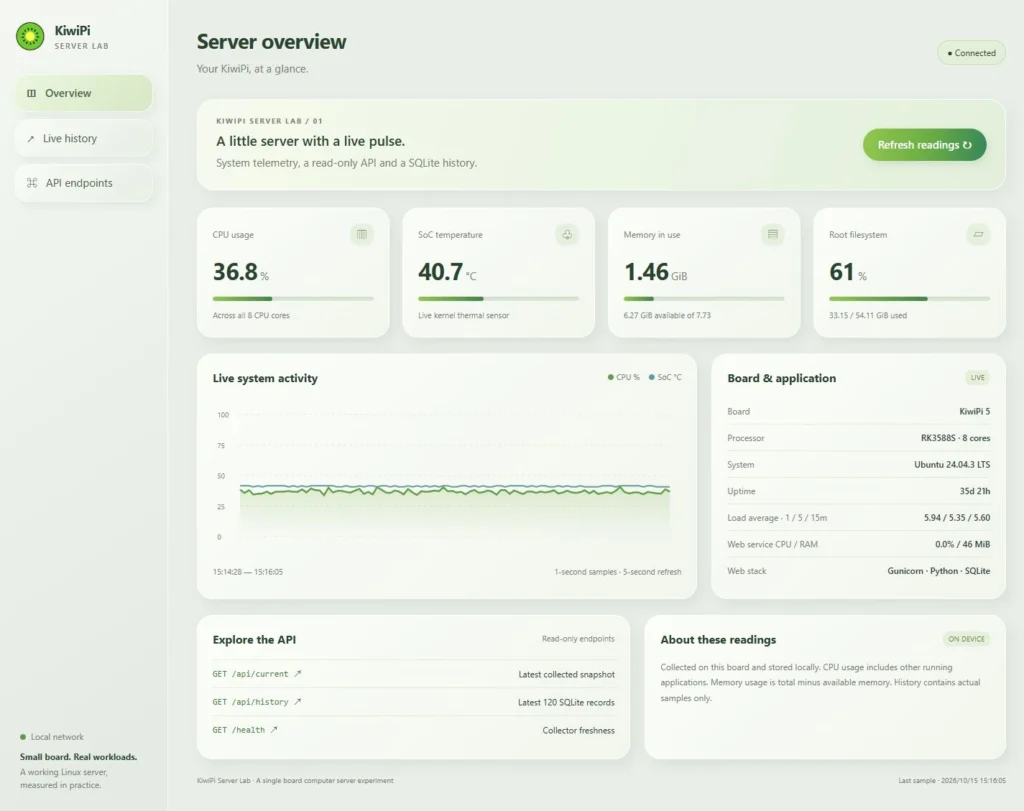
Starting the lab application
With the lab files in ~/kiwipi-server-lab, the tested installation and start commands were:
Bash
cd ~/kiwipi-server-lab
python3 -m pip install --target vendor -r requirements.txt
sh start.sh
Dependencies stayed in the application’s vendor directory. The script started separate transient systemd user services for the collector and web app, without replacing existing services. If you’re administering from a Mac, connecting to the board over SSH gives you a terminal for these commands.
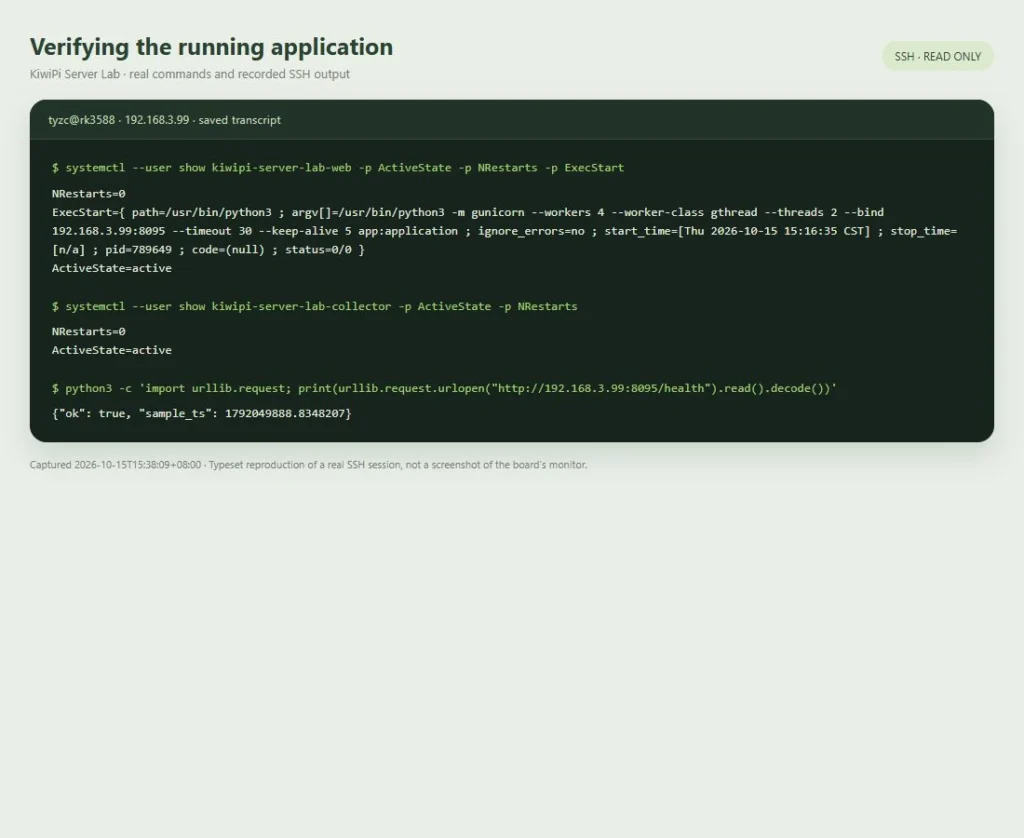
The test app listened on 192.168.3.99:8095; another board needs its own address through LAB_BIND. It has no authentication and was used on the local test network. The services weren’t enabled at boot. To stop both:
Bash
systemctl --user stop kiwipi-server-lab-web kiwipi-server-lab-collector
HTTP throughput and latency
What the generator measured
A separate Core i7-12700KF PC running Node.js 24.19.0 sent requests through 1, 8, or 32 persistent connections. Each connection waited for its response and immediately requested another, without user think time. After baseline collection and warmups, we ran each route at each connection count three times for 20 seconds: 27 measured runs, with the route order rotated between repetitions.
Latency covered the time from request creation to receipt of the complete response at the client. All HTTP statuses were checked, while response bodies were checked on a sample. The final short runs and five-minute run completed 1,470,216 responses, with zero recorded HTTP/transport errors and zero failures among 1,906 sampled body checks. Warmups and an interrupted pilot are excluded; the pilot exposed a client-side body-validation bug fixed before the final series.
HTML and JSON results
These are medians of three runs. The RPS range shows the lowest and highest run; p95 is the median of the three runs’ individual p95 values, not a pooled percentile across all requests.
| Request | Connections | Responses/s | Run range | p95 ms |
|---|---|---|---|---|
| HTML page | 1 | 454 | 452–471 | 5.4 |
| HTML page | 8 | 2,472 | 2,424–2,528 | 10.6 |
| HTML page | 32 | 5,063 | 4,967–6,383 | 18.0 |
| Current snapshot | 1 | 377 | 377–388 | 6.7 |
| Current snapshot | 8 | 1,707 | 1,191–1,780 | 14.4 |
| Current snapshot | 32 | 3,116 | 2,260–6,180 | 30.9 |
| SQLite history | 1 | 156 | 148–157 | 12.4 |
| SQLite history | 8 | 991 | 975–1,060 | 17.5 |
| SQLite history | 32 | 1,481 | 1,437–1,539 | 36.1 |
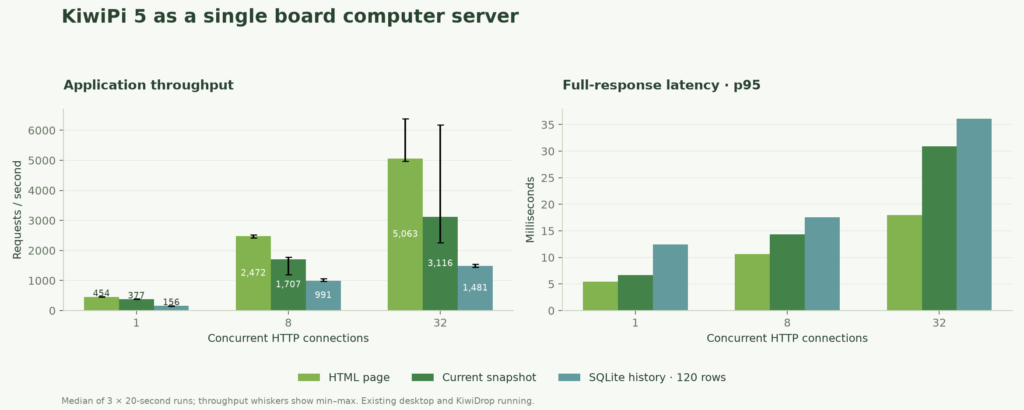
More connections raised total throughput, but also raised latency. For history, p95 went from 12.4ms at one connection to 36.1ms at 32. The board was answering more requests overall, while an individual request generally waited longer.
The snapshot endpoint also varied a lot: 2,260–6,180 responses/s at 32 connections. We didn’t isolate the reason. Background work, scheduling, automatic clocks, and caches remained variables, so 6,180 isn’t a sensible figure to present as its typical speed.
The history response also fills the network
The five-minute history run returned about 74.3kB per response on average. Dividing its recorded response-body bytes by elapsed time gives roughly 910Mbit/s of payload, before HTTP and network overhead, on a 1Gbit/s link.
That makes network capacity a plausible constraint, rather than proof that SQLite or the CPU had reached its limit. We didn’t record NIC-level utilisation or repeat the test with a faster link. Reducing the response size would be a useful next experiment.
Five minutes of continuous requests
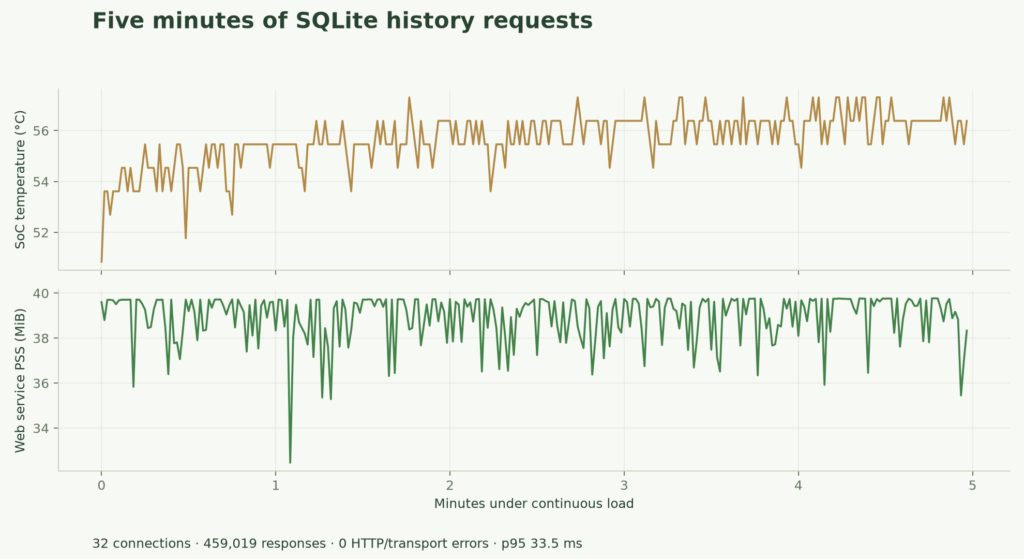
The history endpoint then ran for 300 seconds at 32 connections. It completed 459,019 responses at 1,530 responses/s, with p95 at 33.5ms and p99 at 43.5ms. There were no recorded HTTP/transport errors or failed sampled body checks during that run.
The highest sampled SoC temperature across the measured runs and continuous test was 57.3°C. The hottest reading from any thermal zone was 60.1°C; those are different measurements. Our guide to reading Linux CPU temperatures covers identifying the sensors. The cooling here included a fan, and these readings don’t prove the absence of every kind of throttling.
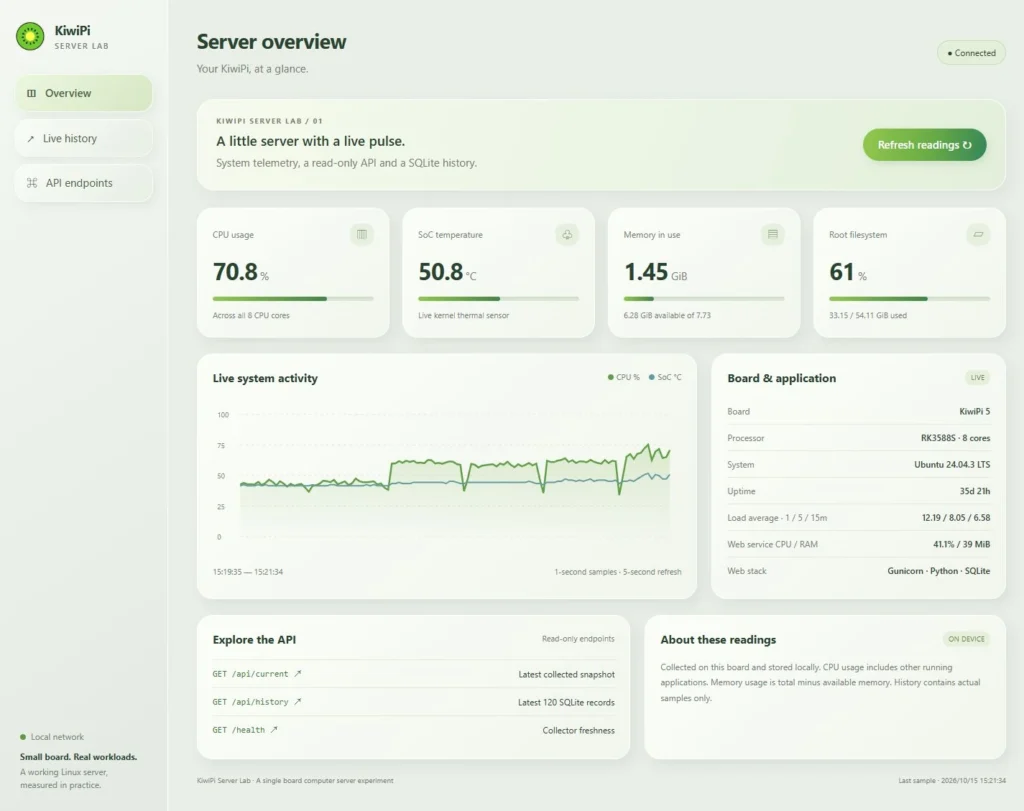
For the 32-connection history runs, median average total CPU usage was 67.7%, with the web service at 40.6% of the board’s eight-core capacity. That web-service figure excludes the collector. Other applications were still contributing to the whole-system total.
Web-service memory, measured as summed proportional set size (PSS), ranged from 32.5 to 39.8MiB during the five-minute run. It started at 39.6MiB and ended at 38.3MiB. That’s a short observation with no sustained increase, not a long-term leak test or the memory cost of the whole system.
Afterward, SQLite quick_check returned ok, and both lab services were active with zero recorded restarts. Functional checks also covered stale telemetry, invalid history parameters, and rejected requests. The screenshots show individual moments; the table reports aggregated runs.
FAQ
What can a single-board computer server run
This experiment supports using KiwiPi 5 for a small internal dashboard or local telemetry API with similar requests. A different application needs its own measurements. We didn’t test WordPress, large database writes, file uploads, TLS, or another board for comparison.
Do 32 connections mean 32 users
No. The generator sent another request immediately after each response. Browser users pause, fetch several resources, and may trigger different queries. These connection counts don’t establish a supported user count.
Is this enough evidence for an always-on server
It’s enough to describe this short LAN experiment. Before relying on a single-board server around the clock, extend the run, test your actual workload, and check recovery after restarting the services or board. The next useful result would come from those tests, rather than another peak RPS figure.