

Open Terminal on the Mac and enter:
ssh alex@192.168.1.50
Replace alex with the Linux account name and 192.168.1.50 with the address of the machine you want to reach.
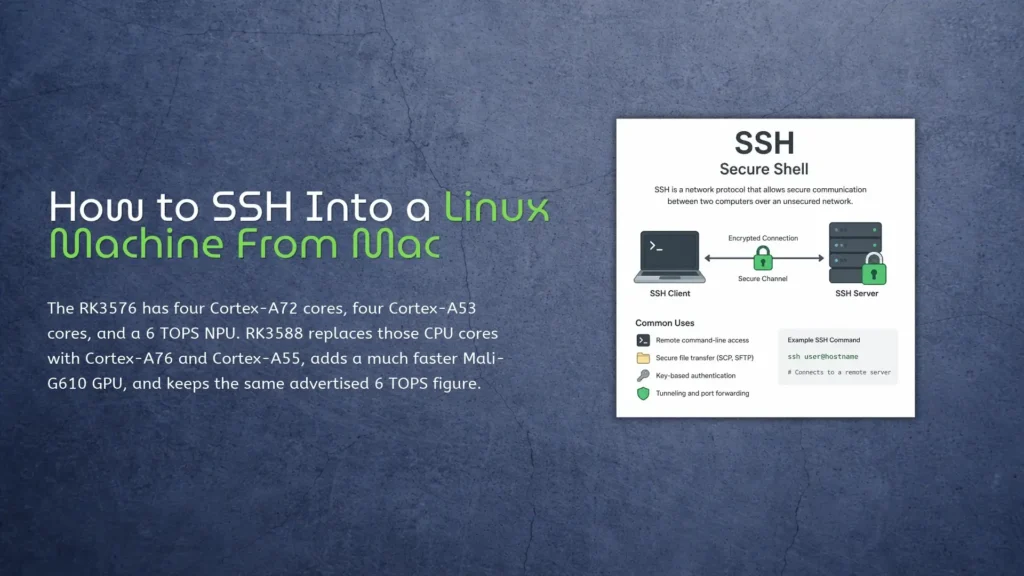
There is no SSH client to install on the Mac. macOS already includes OpenSSH, although Apple’s Terminal connection guide also describes a menu-based connection method.
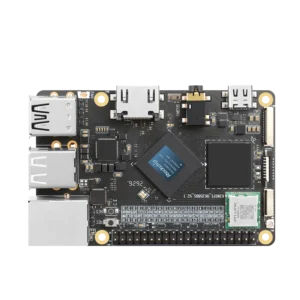
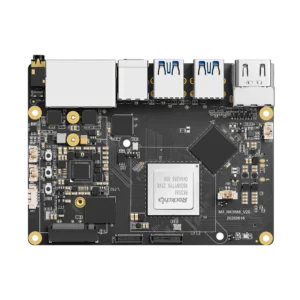
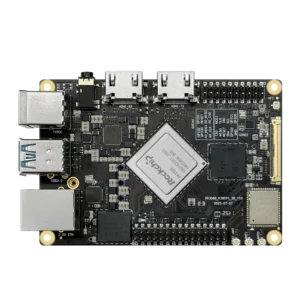
For a KiwiPi 5 Linux board, the easiest setup is to put the Mac and the board on the same local network. Ethernet removes a few variables during the first boot. Wi-Fi is fine once the board has joined the correct network.
Prepare the Linux Machine
Install the SSH server
The Mac already has an SSH client. The Linux machine needs the server half.
Debian and Ubuntu images use the openssh-server package. Some board images include it; others don’t. Run this on the Linux machine:
sudo apt update
sudo apt install openssh-server
sudo systemctl enable --now ssh
Then check the service instead of assuming the package installer started it:
systemctl status ssh --no-pager
Look for:
Active: active (running)
Other distributions may call the service sshd. That difference is worth checking before spending half an hour debugging the network. The Ubuntu OpenSSH server documentation uses ssh.service for current Ubuntu releases.
There is one awkward case. If the board has no display, serial console, or first-boot configuration and SSH is disabled, the Mac cannot enable it remotely. You need local access once, or an image that allows SSH configuration before the first boot.
Find the username and IP address
Run two commands on the Linux machine:
whoami
hostname -I
whoami prints the current account name. hostname -I lists the addresses assigned to the machine.
On an ordinary home network, the useful address will often look like 192.168.1.50 or 10.0.0.50. If the command returns several addresses, use the one belonging to the same LAN as the Mac. Container and VPN interfaces can add addresses that won’t work for this connection. If you are troubleshooting from a Chromebook instead, the Crosh terminal on a Chromebook offers ping and gateway checks that can confirm basic reachability before you try SSH.
Connect From Mac Terminal
Open Terminal from Applications > Utilities, or find it with Spotlight. Then enter the Linux account and address:
ssh alex@192.168.1.50
Accept the host key
The first connection normally displays a host-key fingerprint:
The authenticity of host ‘192.168.1.50’ can’t be established.
The authenticity of host '192.168.1.50' can't be established.
Are you sure you want to continue connecting (yes/no/[fingerprint])?
This is the Linux machine identifying itself.
For a board you have just installed on your own LAN, the prompt is expected. On an unfamiliar network, compare the fingerprint with the one shown on the Linux console before accepting it. Typing yes without looking is common, but it removes most of the point of that warning.
SSH will then ask for the Linux account password. Terminal displays no dots or asterisks while you type. The blank line is normal.
After login, the prompt belongs to the remote machine. Commands now run on the KiwiPi, not on the Mac. Use exit to close the session:
exit
Once SSH works, you can run tests without leaving a monitor and keyboard connected to the board. The KiwiPi 5 benchmark results include examples using sysbench and memtester on an RK3588S system.
The same remote session is useful for managing external storage. If a USB drive appears as /dev/sda1, the procedure to mount an SDA1 drive is essentially the same on Raspberry Pi OS, Debian, and a KiwiPi Linux image.
Give the machine a short name
Typing an IP address is manageable until there are three boards on the desk and DHCP moves one of them.
Add an entry to ~/.ssh/config on the Mac:
Host kiwipi
Host kiwipi
    HostName 192.168.1.50
    User alex
The same connection now takes:
ssh kiwipi
The config file can also hold a different port or private-key path. More importantly, it keeps those details out of whatever deployment command you write six months later. The same alias also works with SCP, so you can transfer files from Mac to Linux without repeating the address, username, key, or port.
Add an SSH Key
Password login is fine for the first test. For regular administration, a key is faster and avoids entering the account password for every connection.
The private key remains on the Mac. Only its public half goes to the Linux machine.
Create an Ed25519 key:
ssh-keygen -t ed25519 -C "mac-to-kiwipi"
The default file location is sensible. Set a passphrase unless the key belongs to a narrowly controlled automated job.
macOS does not always include ssh-copy-id, so the following command uses tools that are normally available already:
cat ~/.ssh/id_ed25519.pub | ssh alex@192.168.1.50 \
  'umask 077; mkdir -p ~/.ssh; cat >> ~/.ssh/authorized_keys'
Open another Terminal window and test the key while the original SSH session remains open. This matters if you later change the server configuration: a typo is less of a problem when one working session still exists.
Do not disable password authentication merely because the copy command returned no error. A successful login with the key is the test that counts.
Fix Common SSH Errors
Connection refused
Connection refused usually means the Mac reached that address, but no SSH server accepted the connection.
Check the service locally:
systemctl status ssh
Also confirm the address. An old DHCP lease can leave you trying to connect to an entirely different device.
Connection timed out
A timeout or No route to host is usually a network problem. The Mac and board may be on separate VLANs, the board may have received another address, or a guest Wi-Fi network may be blocking communication between clients.
Fix that route before editing sshd_config. Server settings won’t repair a network path that does not exist.
Permission denied
Permission denied means the server answered but rejected the login.
Check the Linux username first. The local account name on the Mac has nothing to do with the remote account.
For key authentication, also check the remote permissions:
chmod 700 ~/.ssh
chmod 600 ~/.ssh/authorized_keys
The Linux file permission guide explains what these numeric modes change and why an SSH server may reject an incorrectly protected authorized_keys file.
Host identification changed
A reinstalled board gets a new SSH host key. The same warning can also appear when DHCP assigns its former address to another machine.
Verify the new fingerprint first. If the change is legitimate, remove the stored entry:
ssh-keygen -R 192.168.1.50
Don’t delete the warning merely because it interrupts the connection. It is there for a reason.
For access outside the local network, use a VPN instead of forwarding port 22 from the router by default. SSH encrypts the session, but a public login endpoint still attracts automated password attempts and requires additional hardening.
FAQ
Does a Mac have SSH built in?
Yes. macOS includes the OpenSSH client, which runs directly in Terminal. A separate SSH application is optional.
How do I find the Linux IP address?
Run hostname -I on the Linux machine. If several addresses appear, choose the LAN address reachable from the Mac.
Why does SSH say connection refused?
The address responded, but the SSH service is probably stopped, missing, or listening on another port. Check the service on the Linux machine.
Can I SSH into KiwiPi 5 over the internet?
Yes, but a VPN is usually the cleaner option. Direct port forwarding turns the board into a public login target and adds security work that a local SSH setup does not need.