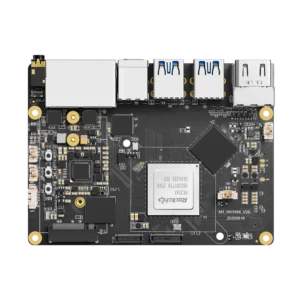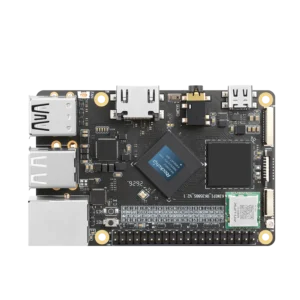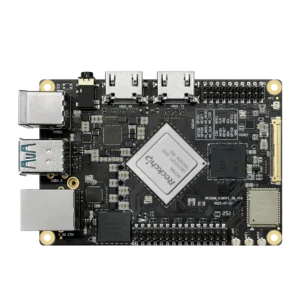


Rockchip RK3588’s eight-core CPU has four Cortex-A76 cores and four Cortex-A55 cores. Amlogic A311D2 has four Cortex-A73 cores and four Cortex-A53 cores, with Khadas listing clocks of 2.2GHz and 2.0GHz respectively for its VIM4.
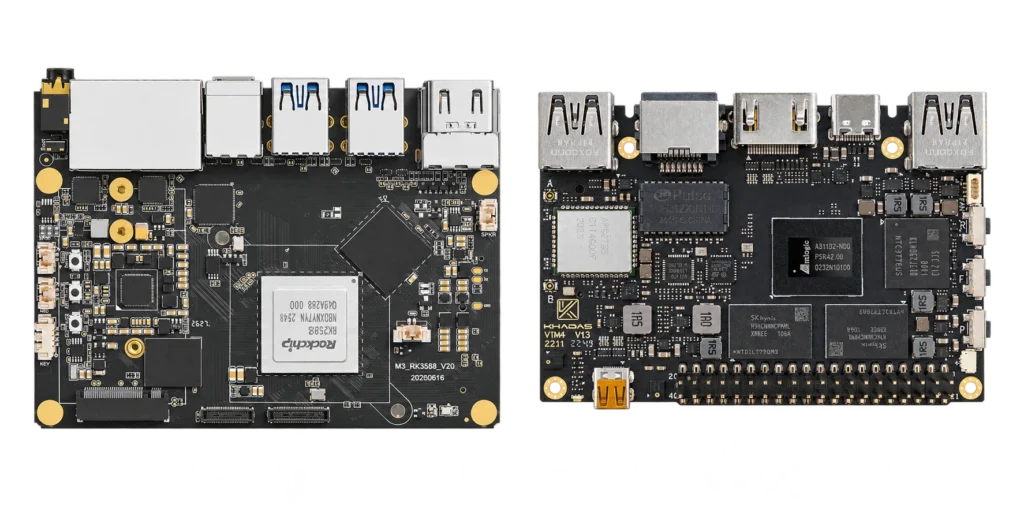
There are useful differences beyond the CPU. KiwiPi 5 Pro and Khadas VIM4 give us two actual boards to compare, including their SSD connections, Ethernet ports, and Linux documentation. This comparison uses those specifications; we haven’t run a head-to-head benchmark.
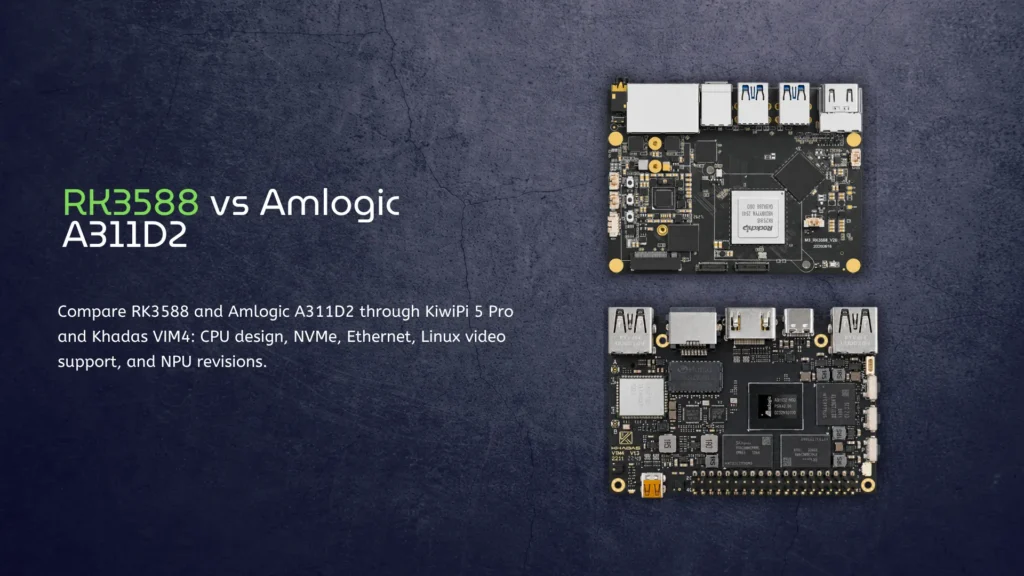
CPU and GPU
The Cortex-A76 CPU architecture is newer than the Cortex-A73. For a board that will compile software, run a browser, and handle several services, I’d start by looking at RK3588. It also has four newer A55 efficiency cores, though the scheduler and cooling still affect how much work the system gets through.
But a percentage would need measurements. The two chips both have eight cores, and their maximum clock speeds won’t tell you how long a build takes. A useful test would keep the source tree, compiler, storage, and build options consistent, then record sustained performance and power at the wall.
RK3588 uses Mali-G610 MC4 graphics; A311D2 uses Mali-G52 MP8. Those names describe different GPU generations, so counting MC4 against MP8 doesn’t give you a performance ratio. And on Linux, the driver available in the board’s image can matter more than an advertised graphics API.
| Specification | RK3588 / KiwiPi 5 Pro | A311D2 / Khadas VIM4 |
| CPU | 4× Cortex-A76 + 4× Cortex-A55 | 4× Cortex-A73 + 4× Cortex-A53 |
| GPU | Mali-G610 MC4 | Mali-G52 MP8 |
| NPU | 6 TOPS neural processing unit | None on V12; 3.2 TOPS on V13A and later |
| Board RAM | LPDDR4X; options up to 32GB | 8GB LPDDR4X |
| Board NVMe connection | M.2 2280, PCIe 3.0 x4 | M.2 2280, PCIe 2.0 x1 |
| Board Ethernet | 2× 2.5GbE | 1× Gigabit Ethernet |
For an existing video application, I’d check its playback or capture path before replacing the board. A faster CPU won’t repair missing hardware acceleration in the application you’re using.
NVMe, Ethernet, and RAM
KiwiPi 5 Pro connects its M.2 2280 NVMe slot over PCIe 3.0 x4. VIM4 also takes a 2280 NVMe SSD, but Khadas specifies PCIe 2.0 x1 for that connection. So you can use an SSD on either board; RK3588 gives the drive a much wider connection in this implementation.
That still leaves the drive, filesystem, and workload to account for. Small synchronous writes won’t scale with the interface’s theoretical bandwidth. For large transfers or several services accessing storage together, though, the extra bandwidth is worth having.
The network ports make the storage difference more relevant. KiwiPi 5 Pro has two 2.5GbE ports, against VIM4’s single Gigabit Ethernet port. A file server serving clients over one Gigabit connection may hit that limit before exhausting its SSD. Moving more data across faster interfaces gives the storage connection more work to do.
Choosing the RAM configuration
Memory also changes the board choice. VIM4’s specification lists 8GB of LPDDR4X and 32GB of eMMC storage. KiwiPi 5 Pro lists an 8GB configuration, with options up to 32GB of RAM. The eMMC capacity belongs in a separate column – it’s storage, and won’t give a container more working memory.
Choose that RAM capacity when ordering. Neither board has a laptop-style memory slot. If your services already need more than 8GB, comparing CPU clocks on the 8GB configurations won’t solve the problem.
Video support in Linux
VIM4 has a micro-HDMI input rated for 4K60, alongside its HDMI output. That’s a useful connection for capture work, provided the supplied software exposes the format and frame rate your application needs. Check the capture example on the intended OS image before planning the rest of the pipeline around it.
Khadas lists H.264/H.265 encoding up to 4K50 for A311D2. Rockchip lists H.264/H.265 encoding up to 8K30 for RK3588, and AV1 decoding up to 4K60. Be careful with the last figure: RK3588’s support for 8K decoding in other formats doesn’t extend AV1 to 8K.
Check the encoder and driver
The software instructions are more specific than those codec lists. Khadas documents VIM4 hardware encoding on its vendor 5.4 and 5.15 kernels, with Amlogic encoder tools and GStreamer components. For hardware video encoding on RK3588, applications commonly use Rockchip MPP. Installing FFmpeg alone doesn’t establish that either hardware path works.
The graphics stack deserves the same check. Khadas has an Ubuntu 24.04 Panfrost guide that changes the driver configuration and removes conflicting closed-source libraries. That’s useful documentation, but it also means you should identify the installed graphics stack before following acceleration instructions intended for another image.
NPU support depends on the revision
The VIM4 revision is particularly important for AI. Khadas identifies the older V12 board with A311D2 Rev B as having no NPU. V13A and later use A311D2-N0D Rev C with a 3.2 TOPS NPU. An older review saying “VIM4 has no NPU” can therefore describe the board correctly and still mislead someone buying a later revision.
RK3588 has a 6 TOPS NPU and uses the RKNN software stack. VIM4’s NPU has its own conversion and runtime tools, including Khadas’s KSNN Python interface. A compiled RKNN model won’t transfer straight across. Start from the supported source model and check the conversion requirements for each target.
Comparing TOPS ratings for edge AI won’t predict application speed. Model support, quantization, frame preparation, and post-processing all affect the result. Run the same model and input data on both systems if inference latency is the reason for choosing between them.
Which board would I choose?
For a new server with fast networking and NVMe storage, I’d choose the RK3588 board here. The PCIe connection, two 2.5GbE ports, and larger RAM options are concrete reasons for that choice. They also give the comparison something firmer than an untested claim about CPU speed.
If a VIM4 already handles your capture or playback job, establish what needs improving before replacing it. For a new purchase, check the exact revision, OS image, and working peripheral examples first. Those checks are quick compared with rewriting an application around a different media or NPU runtime.
FAQ
Does A311D2 have an NPU?
Check the revision. Khadas lists no NPU for VIM4 V12 with A311D2 Rev B, and a 3.2 TOPS NPU for V13A and later with A311D2-N0D Rev C.
Can both boards use an NVMe SSD?
Yes. VIM4 specifies an M.2 2280 connection over PCIe 2.0 x1. KiwiPi 5 Pro specifies M.2 2280 over PCIe 3.0 x4.
Is RK3588 twice as fast?
We don’t have a matched test supporting that claim. Compare the application you intend to run, including its hardware acceleration, cooling, and storage access.