





Cortex-A76 Architecture Explained
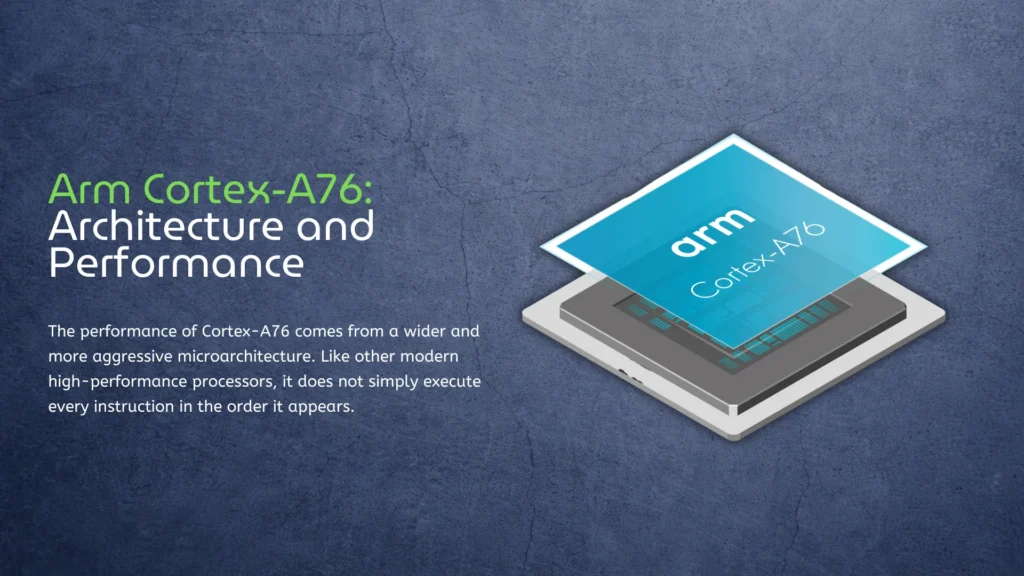
The performance of Cortex-A76 comes from a wider and more aggressive microarchitecture. Like other modern high-performance processors, it does not simply execute every instruction in the order it appears. The core predicts which instructions will be needed next, identifies operations that do not depend on each other, and sends them to different execution units in parallel. This allows the CPU to continue working even when one part of the instruction stream is waiting for data.
Software does not need to be written specifically for out-of-order execution. The processor handles it automatically, although well-optimized applications and modern compilers are generally better at providing enough independent work to use the available hardware effectively.
Wider Instruction Processing
Cortex-A76 can decode up to four instructions per clock cycle, compared with three on Cortex-A72. It also has more execution resources for integer calculations, floating-point operations, memory access, and branch processing. The advantage is most visible in complex workloads such as browsers, code compilation, databases, compression, and operating-system tasks.
This is why clock speed alone does not provide a reliable comparison between Arm processors. A Cortex-A76 running at 2.2 GHz can be considerably faster than a Cortex-A72 at a similar frequency because the newer core can complete more useful work during each cycle.
Out-of-Order Execution and Branch Prediction
Programs regularly encounter small delays. An instruction may be waiting for data from system memory while several unrelated operations are already ready to run. Cortex-A76 can look ahead, identify those independent instructions, and execute them before the delayed operation has finished. Compared with earlier Cortex cores, it can track a larger instruction window and keep more of its execution hardware occupied.
Arm also improved branch prediction. Loops, conditions, function calls, and returns force the processor to predict which instructions will be required next. A correct prediction keeps the pipeline moving, while a mistake means discarding speculative work and returning to the correct path. Better prediction reduces these interruptions, particularly in browsers, scripting languages, compilers, and other software with complicated control flow.
Cache Design
Each Cortex-A76 core has separate 64 KB L1 instruction and data caches, along with a configurable private L2 cache. Manufacturers can also add a larger shared cache at the cluster or SoC level. Frequently accessed instructions and data remain close to the CPU, avoiding the much longer delay involved in retrieving them from system memory.
The final cache configuration depends on the processor. Rockchip gives the four Cortex-A76 cores in RK3588 a combined 2 MB of L2 cache, while the Broadcom BCM2712 used in Raspberry Pi 5 provides 512 KB of L2 cache per core and a shared 2 MB L3 cache. These differences help explain why two Cortex-A76 processors running at similar frequencies may not deliver identical results.
DynamIQ and Mixed-Core Designs
Cortex-A76 supports Arm DynamIQ, allowing manufacturers to combine performance and efficiency cores within the same processor. Rockchip uses four Cortex-A76 and four Cortex-A55 cores in both RK3588 and RK3588S. Linux can assign browsers, compilers, and other demanding applications to the larger cores while background services and lighter tasks run on the more efficient A55 cluster.
The CPU configuration is identical in the two Rockchip processors. Most of the practical RK3588 and RK3588S differences concern peripheral connectivity rather than CPU performance. Broadcom uses a different design in BCM2712, combining four Cortex-A76 cores without a smaller efficiency cluster. This works well for a compact computer connected to a stable power source, although Raspberry Pi 5 requires suitable cooling to maintain its performance under prolonged load.
Cortex-A76 vs Cortex-A72
Cortex-A72 and Cortex-A76 are both 64-bit, out-of-order Arm cores, but they represent noticeably different generations. Cortex-A72 appeared in 2015 and later became familiar to SBC users through processors such as Rockchip RK3399 and Broadcom BCM2711. Cortex-A76 arrived in 2018 with a wider front end, larger caches, improved branch prediction, and support for DynamIQ.
| Feature | Cortex-A72 | Cortex-A76 |
| Announced | 2015 | 2018 |
| Decode width | 3 instructions per cycle | 4 instructions per cycle |
| L1 instruction cache | 48 KB | 64 KB |
| L1 data cache | 32 KB | 64 KB |
| Cluster technology | Traditional big.LITTLE | DynamIQ |
| Common SBC processors | RK3399, BCM2711 | RK3588, BCM2712 |
| General performance | Suitable for moderate workloads | Considerably stronger per core |
The difference is especially noticeable in workloads that depend on single-threaded performance: modern websites, software compilation, emulation, archive compression, and desktop applications. Cortex-A72 remains capable enough for lightweight servers, media playback, basic Linux desktops, and many embedded systems, but Cortex-A76 provides a more responsive experience when applications place sustained pressure on the CPU.
Real products often widen this gap further. RK3399 combines Cortex-A72 with a 28 nm manufacturing process and older memory technology, while RK3588 moves to 8 nm silicon, faster memory, and four Cortex-A76 performance cores instead of two. Our overview of the Rockchip RK3399 architecture shows how capable the older processor still is, but also why RK3588 belongs to a substantially newer performance class.
Cortex-A76 vs Cortex-A55
Cortex-A76 and Cortex-A55 are not competing designs. The A76 is a large out-of-order core intended for demanding applications, while the A55 is a smaller in-order core optimized for efficiency. Manufacturers combine them because most systems do not need maximum CPU performance every second.
| Feature | Cortex-A76 | Cortex-A55 |
| Main priority | Performance | Energy efficiency |
| Execution model | Out-of-order | In-order |
| Core size | Larger | Smaller |
| Power consumption | Higher | Lower |
| Typical workloads | Browsers, compilation, emulation | Background services, monitoring, light tasks |
In RK3588, the Cortex-A55 cluster can handle system services, network activity, and less demanding threads without keeping the larger cores busy. When heavier work begins, Linux moves the relevant threads to Cortex-A76; under a full multicore workload, both clusters can operate together. This provides eight CPU cores without the heat and power requirements of using eight large Cortex-A76 cores.
Cortex-A76 vs Cortex-A78
Cortex-A78 appeared in 2020 as a later development of Arm’s high-performance CPU line, following both Cortex-A76 and Cortex-A77. It retains the same general role but improves branch prediction, memory performance, execution efficiency, and sustained performance under limited power budgets. The newer core can therefore deliver more performance without requiring a proportional increase in power consumption.
| Feature | Cortex-A76 | Cortex-A78 |
| Announced | 2018 | 2020 |
| Architecture | Armv8-A | Armv8-A |
| Decode width | 4 instructions per cycle | 4 instructions per cycle |
| L1 instruction cache | 64 KB | 32 or 64 KB |
| L1 data cache | 64 KB | 32 or 64 KB |
| Maximum private L2 | 512 KB | 512 KB |
| Main design goal | Major increase in peak performance | Better sustained performance and efficiency |
| Common applications | SBCs, smartphones, Chromebooks | Smartphones and embedded platforms |
The difference is evolutionary rather than transformative. Cortex-A78 is generally faster and more efficient, but it does not make Cortex-A76 obsolete. In an SBC or embedded computer, memory bandwidth, cooling, storage performance, and the number of available performance cores can matter more than the difference between the two CPU architectures.
Availability also plays an important role. RK3588 has a mature software ecosystem, strong multimedia hardware, a capable NPU, and a wide selection of commercial boards. Choosing a less common processor solely because it uses a newer CPU core does not necessarily result in a better complete platform.
Processors Using Cortex-A76
Cortex-A76 first appeared in premium mobile processors. Huawei’s Kirin 980, introduced in 2018, was the first commercial SoC based on the architecture. It combined Cortex-A76 and Cortex-A55 cores using a 7 nm manufacturing process. Qualcomm, Samsung, and MediaTek subsequently used Cortex-A76 or customized cores based on its design in smartphones, tablets, and Chromebooks.
The architecture later found a second life in single-board computers and embedded systems. These applications have longer product cycles than smartphones and place greater value on stable software, predictable performance, and long-term availability.
| Processor | CPU configuration | Typical applications |
| Huawei Kirin 980 | 4× Cortex-A76 + 4× Cortex-A55 | Premium smartphones |
| MediaTek Helio G99 | 2× Cortex-A76 + 6× Cortex-A55 | Smartphones and tablets |
| MediaTek Kompanio 828 | 4× Cortex-A76 + 4× Cortex-A55 | Chromebooks |
| Broadcom BCM2712 | 4× Cortex-A76 | Raspberry Pi computers |
| Rockchip RK3588 | 4× Cortex-A76 + 4× Cortex-A55 | SBCs, industrial systems, edge AI |
| Rockchip RK3588S | 4× Cortex-A76 + 4× Cortex-A55 | Compact SBCs and consumer devices |
| MediaTek Genio 360 | 1× Cortex-A76 + 5× Cortex-A55 | Edge AI and IoT devices |
The MediaTek Genio 360 is a good example of how manufacturers still use Cortex-A76 in new products. Instead of building a conventional four-plus-four CPU, MediaTek combines one A76 performance core with five Cortex-A55 efficiency cores. This provides stronger single-threaded performance when required without making the entire processor larger and more power-hungry.
Rockchip RK3588 and RK3588S
Rockchip RK3588 is probably the most important Cortex-A76 processor in the current high-performance SBC market. Its four A76 cores are usually specified at up to 2.4 GHz, although board manufacturers may select lower operating frequencies to reduce heat or power consumption. Four Cortex-A55 cores handle less demanding work, while a shared 3 MB L3 cache connects the CPU clusters to the wider memory system.
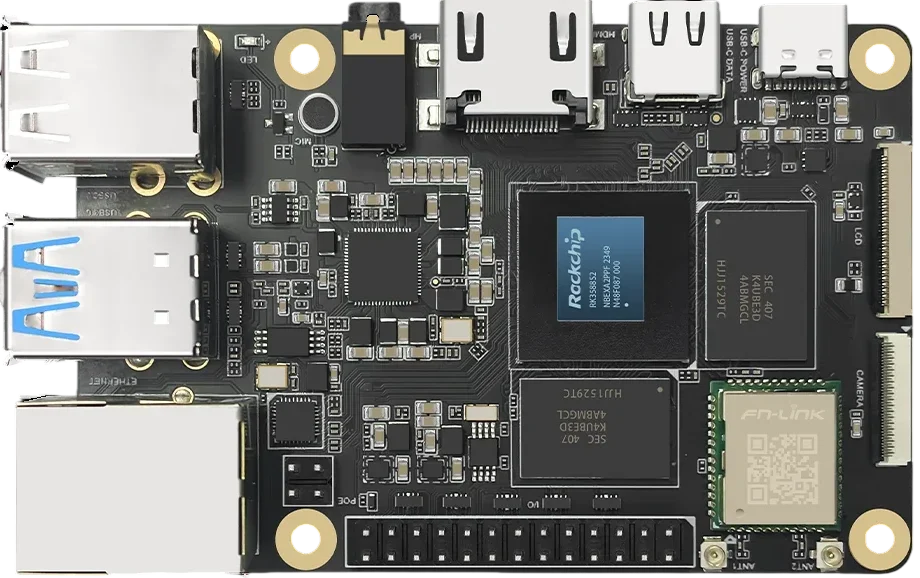
The processor also includes Mali-G610 MC4 graphics, a 6 TOPS NPU, hardware decoding for video up to 8K, and a broad collection of PCIe, SATA, Ethernet, USB, camera, and display interfaces. RK3588S retains the same CPU, GPU, and NPU combination but removes or reduces some of the external I/O available on the full RK3588.
This means an RK3588S board can deliver essentially the same CPU performance as an RK3588 board when cooling, memory, and clock settings are comparable. The full processor becomes more valuable when a design needs additional PCIe lanes, multiple Ethernet controllers, or more flexible storage and display connectivity.
Broadcom BCM2712
Broadcom BCM2712 brought Cortex-A76 to the Raspberry Pi platform and alternatives. It uses four cores clocked at up to 2.4 GHz, with 512 KB of private L2 cache per core and a shared 2 MB L3 cache. Raspberry Pi describes the resulting CPU and I/O performance as roughly two to three times higher than Raspberry Pi 4 in common workloads.
The improvement does not come from Cortex-A76 alone. BCM2712 also uses faster LPDDR4X memory, while the separate RP1 controller provides much of Raspberry Pi 5’s external I/O. Nevertheless, the stronger CPU cores are the main reason the board feels considerably more responsive when running a desktop, opening complex websites, compiling software, or working with storage-intensive applications.
Our Raspberry Pi 5 comparison illustrates how two boards built around Cortex-A76 can target different uses. Raspberry Pi 5 benefits from its mature ecosystem and broad community support, while KiwiPi 5 Pro provides eight CPU cores, an integrated NPU, more multimedia hardware, and the richer connectivity of the full RK3588.
Cortex-A76 Performance in Real Devices
The CPU core establishes the potential level of performance, but the complete device determines how much of it is actually available. Clock speed, memory bandwidth, cache configuration, operating-system support, cooling, and power limits can all change the result.
A passively cooled board may reach its advertised frequency for a short benchmark and then reduce its clock speed as temperatures rise. An actively cooled device can maintain higher performance during software compilation, video processing, emulation, or prolonged multicore workloads. Storage also matters: a fast NVMe drive will make the same CPU feel more responsive than a slow microSD card, particularly during application launches, updates, and builds.
Frequently Asked Questions
Is the Arm Cortex-A76 a 64-bit processor?
Cortex-A76 is a 64-bit CPU core based on the Armv8-A architecture. It supports modern 64-bit operating systems and applications, including Linux and Android. Support for 32-bit software depends on the SoC configuration and operating system rather than the Cortex-A76 name alone.
Is Cortex-A76 still good in 2026?
Yes. Cortex-A76 is no longer one of Arm’s newest performance cores, but it remains fast enough for Linux desktops, web browsing, software development, media servers, containers, emulation, and many industrial applications. Processors such as RK3588 and BCM2712 also combine it with modern memory, graphics, storage, and peripheral interfaces.
How fast is Cortex-A76?
Performance depends on clock speed, cache, memory bandwidth, cooling, and the surrounding SoC. In general, Cortex-A76 offers considerably stronger per-core performance than Cortex-A72 and Cortex-A55. A well-cooled Cortex-A76 system running at 2.2–2.4 GHz can provide a responsive desktop experience, although it will not match the fastest current Arm or x86 processors.
Is Cortex-A76 better than Cortex-A72?
Cortex-A76 is significantly faster than Cortex-A72 at similar clock speeds. It can decode more instructions per cycle, has larger L1 caches, improved branch prediction, and a wider out-of-order execution engine. This advantage is particularly visible in browsers, software compilation, emulation, compression, and other CPU-intensive applications.
Is Cortex-A78 better than Cortex-A76?
Cortex-A78 is a newer and generally more efficient architecture. It improves sustained performance, branch prediction, and memory handling, but the CPU core is only one part of a processor. An RK3588 device with four Cortex-A76 cores, good cooling, and fast memory may still outperform a lower-end SoC using fewer Cortex-A78 cores.
Which processors use Cortex-A76?
Well-known Cortex-A76 processors include Rockchip RK3588 and RK3588S, Broadcom BCM2712, Huawei Kirin 980, MediaTek Helio G99, and several MediaTek Kompanio and Genio platforms. These processors appear in smartphones, Chromebooks, single-board computers, industrial devices, and edge AI systems.
Does Raspberry Pi 5 use Cortex-A76?
Yes. Raspberry Pi 5 uses the Broadcom BCM2712 with four Cortex-A76 cores running at up to 2.4 GHz. Each core has 512 KB of L2 cache, while the processor includes a shared 2 MB L3 cache. Raspberry Pi 4 uses the older Cortex-A72 architecture.
Does RK3588 use Cortex-A76?
RK3588 and RK3588S both combine four Cortex-A76 performance cores with four Cortex-A55 efficiency cores. They use the same basic CPU, GPU, and NPU configuration, so their CPU performance is generally similar when clock speeds, memory, and cooling are comparable.
Is Cortex-A76 good for gaming and emulation?
Cortex-A76 provides enough single-threaded performance for many native Android games and a broad range of emulators. Actual results depend heavily on the GPU, graphics drivers, operating system, and cooling. The Mali-G610 GPU in RK3588, for example, makes it a much stronger gaming platform than an older SoC that happens to use a capable CPU but has weaker graphics.
Does Cortex-A76 need active cooling?
The CPU core itself does not always require a fan, but high-performance SBCs based on Cortex-A76 usually benefit from active cooling. A heatsink may be sufficient for light or intermittent use, while prolonged compilation, emulation, AI workloads, or multicore processing can cause an inadequately cooled processor to reduce its clock speed.