

exec format error means Linux couldn’t execute the file Docker tried to start. A binary built for another CPU architecture is one cause; a script without a valid interpreter line is another.
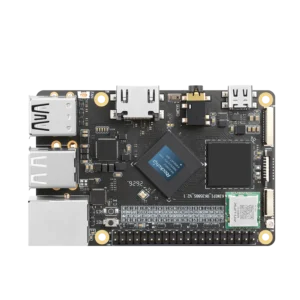
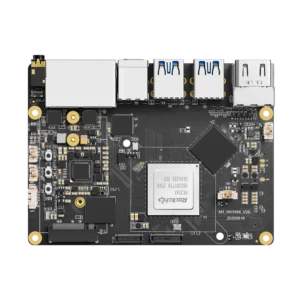
On a KiwiPi 5 running 64-bit Ubuntu, check for a linux/arm64 image first. The RK3588S uses Arm cores, so an amd64 executable from an Intel or AMD machine won’t run natively. The ARM and x86 software compatibility article explains the wider software difference; here, the job is to find which file Docker actually tried to execute.
Check the host and image
Run these checks in a terminal on the KiwiPi. If Docker isn’t installed yet, install Docker on Ubuntu before continuing:
Bash
uname -m
docker info --format '{{.OSType}}/{{.Architecture}}'
docker context show
The first command checks the Linux kernel you’re connected to. The second checks the Docker server (which can be a different computer if you use a remote context). On 64-bit Arm, you may see aarch64 for the machine and arm64 or aarch64 in Docker’s output. For x86-64, the corresponding names are x86_64 and amd64.
Then inspect the local image that failed. Replace myapp:latest with its actual name and tag:
Bash
docker image inspect myapp:latest \
  --format '{{.Os}}/{{.Architecture}}'
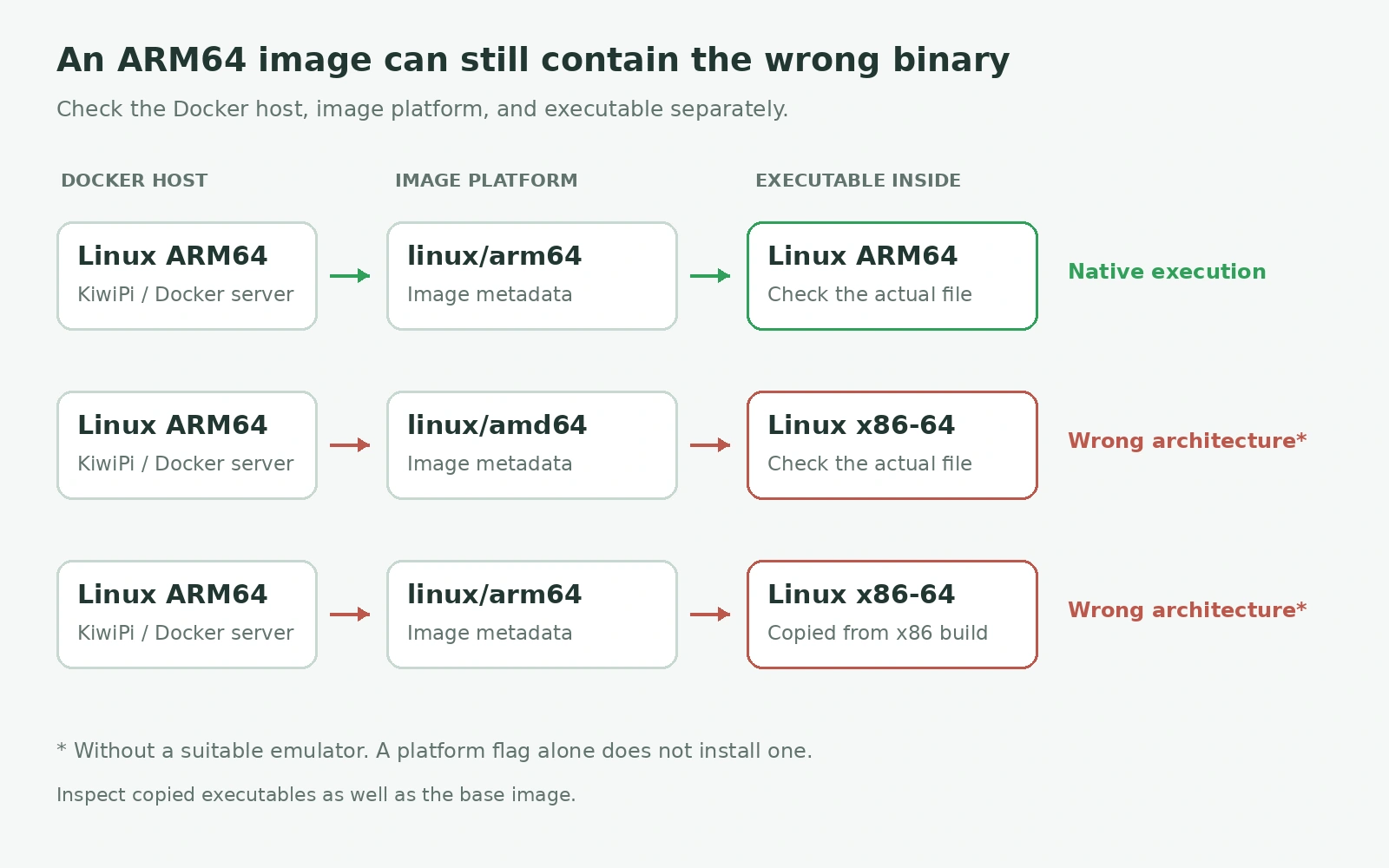
If the server is Arm64 and the image says linux/amd64, you have an architecture mismatch. Restarting Docker won’t rebuild that image.
And if both say Arm64, don’t stop there. Image metadata describes the image, but a Dockerfile can still copy an x86 executable into an Arm64 base image. That copied program has its own architecture.
Pull the ARM64 variant
Docker’s image inspection commands also let you check the variants in a registry, before downloading one. For example:
Bash
docker buildx imagetools inspect nginx:stable-alpineLook for linux/arm64 (possibly with /v8). An error saying no matching manifest for linux/arm64/v8 means Docker couldn’t select a suitable image during the pull. That’s earlier than an executable failing at startup.
For an image that supplies an Arm64 variant, select it explicitly and run a small check:
Bash
docker pull --platform linux/arm64 nginx:stable-alpine
docker run --rm --platform linux/arm64 \
  nginx:stable-alpine nginx -v
If a required application only ships x86 binaries, check for an Arm release or source build before changing the board. The RK3588 and Intel N100 comparison covers this software constraint when choosing between an Arm SBC and an x86 system.
But --platform doesn’t translate machine code. Asking for linux/amd64 on the KiwiPi requires suitable emulation; changing the flag alone doesn’t provide it. Docker’s multi-platform build documentation describes the emulation and native-builder options, including the performance cost of emulated builds.
Rebuild your application
For your own application, rebuild the existing Dockerfile for the board:
Bash
docker buildx build --platform linux/arm64 \
  --load -t myapp:arm64 .
docker run --rm myapp:arm64
Run this from the directory containing the Dockerfile and its required files. On the KiwiPi, an Arm64 builder can execute Arm64 build steps natively. Building on an x86 PC instead requires a builder that can execute those steps through emulation or an Arm node, unless the Dockerfile cross-compiles without executing target binaries.
Check every downloaded executable and COPY instruction, too. COPY ./myapp /usr/local/bin/myapp copies the file you already built; it doesn’t recompile it. Build that executable for Linux Arm64, or compile it in a suitable build stage. A macOS Arm64 binary is still a macOS binary.
For Compose projects, check for a leftover platform: linux/amd64 setting. Remove it to allow native selection when the image supports it, or set platform: linux/arm64. Then recreate the service with docker compose up -d. A platform setting can’t add an Arm64 variant that the publisher never built.
Check the entrypoint script
If the failing path is entrypoint.sh, inspect the script as well as the image. A script can work when you type sh entrypoint.sh and still fail when Docker executes the file directly.
For a POSIX shell script, put #!/bin/sh on the first line and make sure /bin/sh exists inside the image. A Bash script needs Bash, not just a different filename. The Linux executable format documentation describes how the interpreter line works.
POSIX shell
#!/bin/sh
exec /usr/local/bin/myapp "$@"
Check the source file before rebuilding:
Bash
file entrypoint.sh
sed -n '1,3l' entrypoint.sh
Windows CRLF endings appear as \r$ in the second command. Save the script with LF endings and no byte-order mark. A missing interpreter or a carriage return in its path may produce no such file or directory, so keep the full error message when diagnosing it.
Execute permissions are a separate check. For a script you own, chmod +x entrypoint.sh sets the executable bit; it won’t fix the wrong CPU architecture. Rebuild the image after correcting a script copied into it.
Once the container starts, test the application you intend to keep running. The KiwiPi single-board server test shows a web workload on the board, but successful startup here doesn’t establish throughput, memory use, or restart behavior for your application.
| Error or finding | What to check | Next action |
|---|---|---|
exec format error | Image and executable architecture; script header | Use a native build or repair the entrypoint |
no matching manifest | Platforms available for the exact registry tag | Choose a tag with ARM64 support or build it |
permission denied | Executable bit and filesystem permissions | Correct permissions for the intended file |
no such file or directory | Path, script interpreter, line endings, ELF loader | Check the named file and its interpreter |
FAQ
Is this always the wrong architecture?
A Docker exec format error isn’t always an architecture problem. Check the file named in the message, the Docker server’s architecture, the image platform, and any script interpreter before rebuilding.
Does sudo fix exec format error?
Running the container with sudo won’t translate an executable or repair its header. Use elevated privileges only where your Docker installation requires them; a permission error needs its own diagnosis.
Can the KiwiPi NPU run x86 containers?
The NPU doesn’t run ordinary container executables. An Arm64 container can call supported acceleration software when the appropriate runtime and devices are available, but that doesn’t make an x86 program compatible with the CPU.