

chmod u+x deploy.sh is probably the command you need when a copied script returns Permission denied. It gives the file’s owner execute permission and leaves the other mode bits alone. This often happens after copying files to a Linux machine with SCP, since SCP preserves the original file mode.
That’s the easy case. Before changing anything, run ls -l and check whether the problem is actually the mode, the owner, or the filesystem. Throwing 777 at all three is how a small permissions issue turns into a weird security issue.
Check the File First
Start with the file itself:
| Bash ls -l deploy.sh |
| Output -rw-r–r– 1 user user 842 Sep 10 10:20 deploy.sh |
Here’s the useful part. The first character says what the entry is (- means a regular file), and the next nine characters come in three groups: rw- for the owner, r– for the group, and r– for everyone else. So the owner can read and edit this file. Nobody can execute it.
The letters are exactly what they look like: r is read, w is write, and x is execute. The selectors are nearly as simple. u means owner, g means group, o means other users, and a means all three.
Directories are the one part that catches people. On a directory, x means traverse. A user may be able to list the names inside a directory and still fail to open them because the directory has r but no x. Linux isn’t being random there, although it certainly feels that way the first time.
Change Only the Broken Part
Symbolic chmod Commands
Symbolic modes are the readable version of chmod, and they’re usually the safer choice for a one-off fix:
| Bash chmod u+x deploy.shchmod g+r settings.inichmod o-r private.txtchmod a-x old-script.sh |
The + adds a bit, – removes one, and = replaces the selected set. So chmod u=rw,go=r settings.ini gives the owner read and write access, then gives the group and everyone else read-only access. It doesn’t quietly change anything outside those sets.
Numeric chmod Values
Numeric modes do the same job in octal. Read is 4, write is 2, and execute is 1. Add them for each of the three permission groups: owner, group, other. That’s where 7 (rwx), 6 (rw-), and 5 (r-x) come from.
Two values show up constantly:
| Bash chmod 644 settings.inichmod 755 deploy.sh |
644 works for a normal file that its owner edits and everyone else only reads. 755 adds execute permission for all three groups, which makes sense for a shared script or a directory people need to enter. It does not mean Linux, please make this work somehow.
And then there’s chmod 777. Yes, it often makes the error disappear. It also lets every local user modify the target, including service accounts you may have forgotten were there. On a test board that can seem harmless, right up until a service runs a file someone else could replace. Fix the missing bit or the owner instead.
When chown Is the Actual Fix
If ls -l shows root root beside files you expect to edit as your normal account, chmod isn’t the first thing to reach for. This commonly happens after unpacking or building a project with sudo. Change the file owner:
| Bash sudo chown “$USER”:”$(id -gn)” settings.inisudo chown -R “$USER”:”$(id -gn)” project/ |
The first command handles one file. The second handles the directory and everything below it. Useful, but read the path twice before pressing Enter. Recursive ownership changes don’t stop at the files you had in mind.
Recursive Permissions and USB Drives
Files and Directories Need Different Modes
chmod -R 755 project/ looks convenient and is usually too broad. It marks ordinary documents, configuration files, and private keys as executable along with the directories. Nothing useful happens to those files; the permission tree just becomes harder to reason about.
For a mixed project tree, split the operation:
| Bash find project -type d -exec chmod 755 {} \;find project -type f -exec chmod 644 {} \; |
Now directories remain traversable and regular files don’t acquire execute bits for no reason.
When chmod Appears to Do Nothing
An execute bit can’t override a filesystem mounted with noexec. Check the relevant mount with findmnt. If noexec is present, move the script to an executable filesystem or change the mount configuration (assuming the restriction wasn’t intentional). Running chmod again won’t produce a different answer.
FAT32 and exFAT are another common source of confusion on SBCs. They don’t store Unix ownership and mode bits like ext4 does, so Linux often derives the visible permissions from mount options. chmod may return successfully and the old permissions may come back after remounting. In that case the fix belongs in the mount options, and mounting external storage on Linux covers the practical side of that workflow.
File Permissions on KiwiPi 5
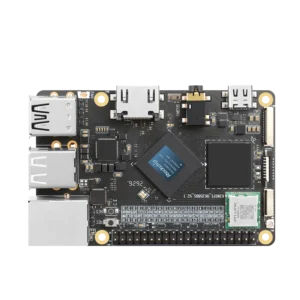
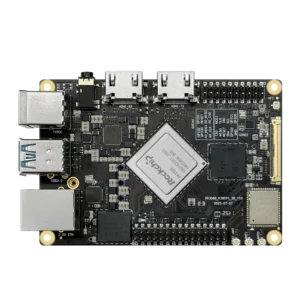
A KiwiPi 5 running Linux can have shell scripts on its system storage, project files on a USB drive, and cameras or serial adapters exposed under /dev. Those are three different permission problems. chmod handles mode bits on files. Mount options control what the filesystem allows. Device access usually comes from groups or udev rules. For a broader look at the board family, see the RK3588 SBC comparison.
Running sudo chmod 777 /dev/… is a temporary hack. Linux recreates device nodes at boot and when hardware reconnects, so your change disappears. Add the user to the group used by the installed Linux image, or add a narrow udev rule for that particular device. The exact group name can vary between distributions, which is why copying a random command from a forum sometimes does nothing.
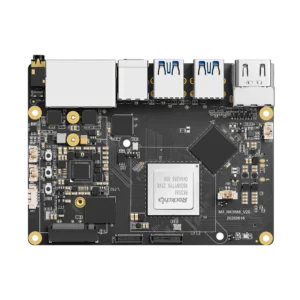
The same applies to a KiwiPi 5 Pro board, including projects on its NVMe drive. Start with ls -ld on the path. Check the owner and mode bits. Then check the mount options if those look correct. If it’s a script, also check the interpreter named on the first line. That sequence usually finds the problem without opening permissions any further. Once the bits are right, you can SSH into a Linux machine from a Mac and verify the fix from a remote shell.
FAQ
What Does chmod 755 Mean
It sets rwxr-xr-x: the owner can read, write, and execute, while the group and other users can read and execute. It is common for directories and executable scripts. It is not a sensible default for every file in a project.
How Do I Change a File Owner in Linux
Run sudo chown newowner:newgroup filename, then use ls -l filename to confirm the change. Add -R only when you really mean to change the entire directory tree.
Why Does chmod Not Change the Result
Check ownership, mount options, and the filesystem type. FAT and exFAT may derive permissions from mount options, while noexec blocks execution even when x is present. For scripts, check the interpreter path as well.
Is chmod 777 Safe
Usually, no. It lets every local user write to the target and often hides the real ownership or mount problem. Grant the specific permission required by the account or service using the file.