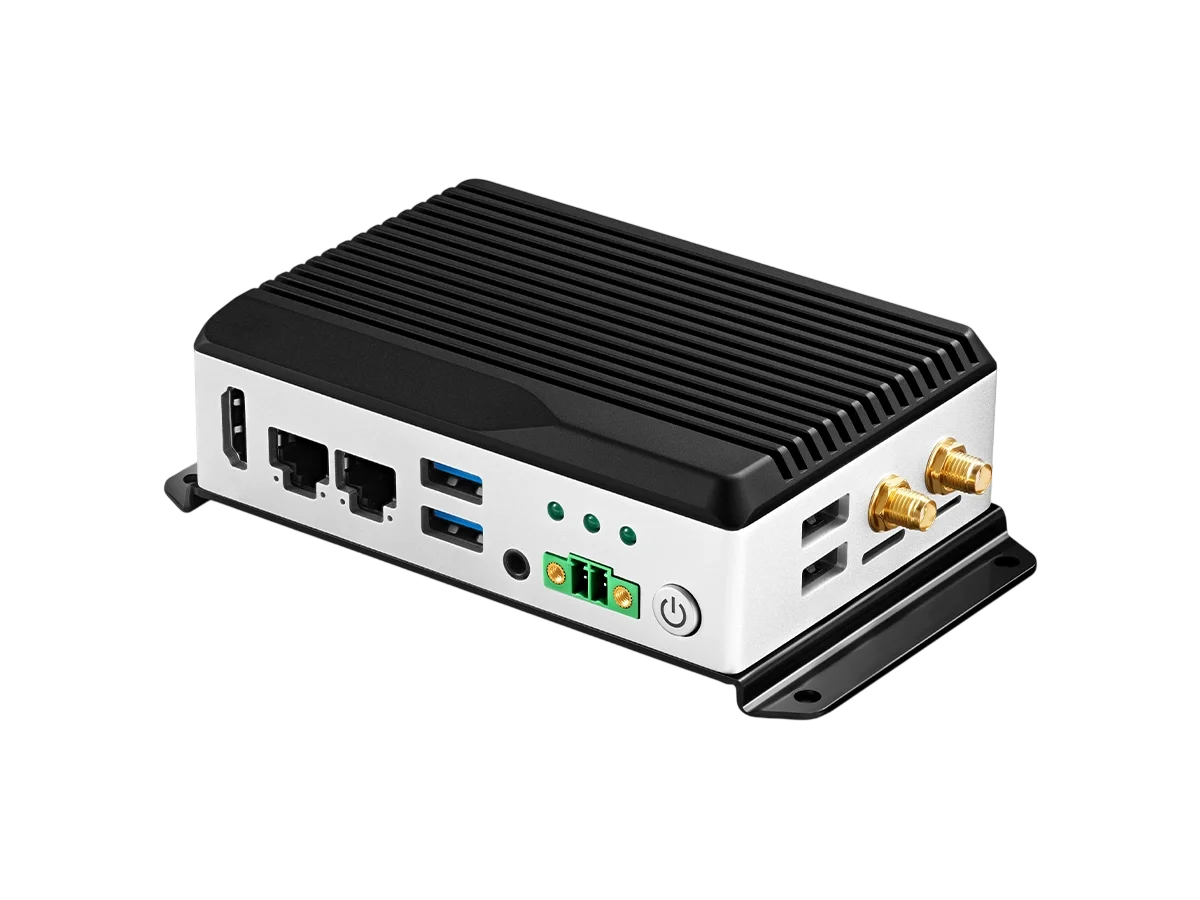


When we started designing Kiwi Box 5, we had a simple list of demands. Build a computer around the Rockchip RK3588. Add everything that Edge AI Box users are always missing, and don’t turn it into an overheating toy.
We looked at the market for industrial and hobbyist single-board computers and compact mini PCs. We saw users dealing with USB hubs, living with a single Ethernet port, and praying their power connector wouldn’t fall out at the worst possible moment. So we built Kiwi Box 5. This is not just another RK3588 box; this is a finished device for real tasks.
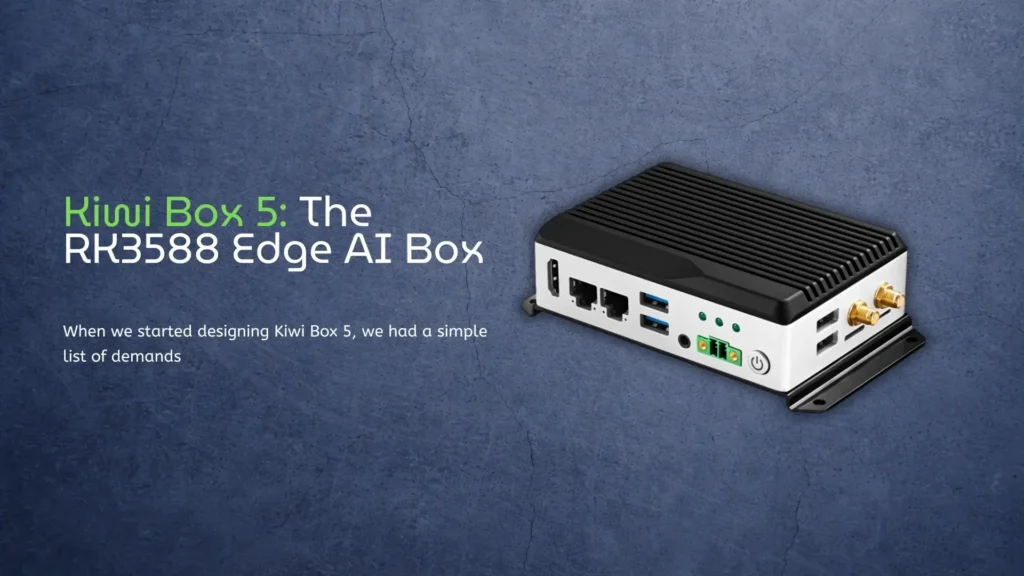
Kiwi Box 5: Our new Edge AI Box
At the heart of Kiwi Box 5 lies the Rockchip RK3588. If you want a deep dive into what this chip can do, we have prepared a complete RK3588 specs and performance guide.
Quick facts:
- 8 cores: 4x Cortex-A76 at 2.2GHz plus 4x Cortex-A55 at 1.8GHz, 8nm process
- Mali-G610 MC4 graphics with Vulkan 1.2 and OpenCL 2.0 support
- Triple-core NPU delivering 6 TOPS for on-device AI, no cloud needed
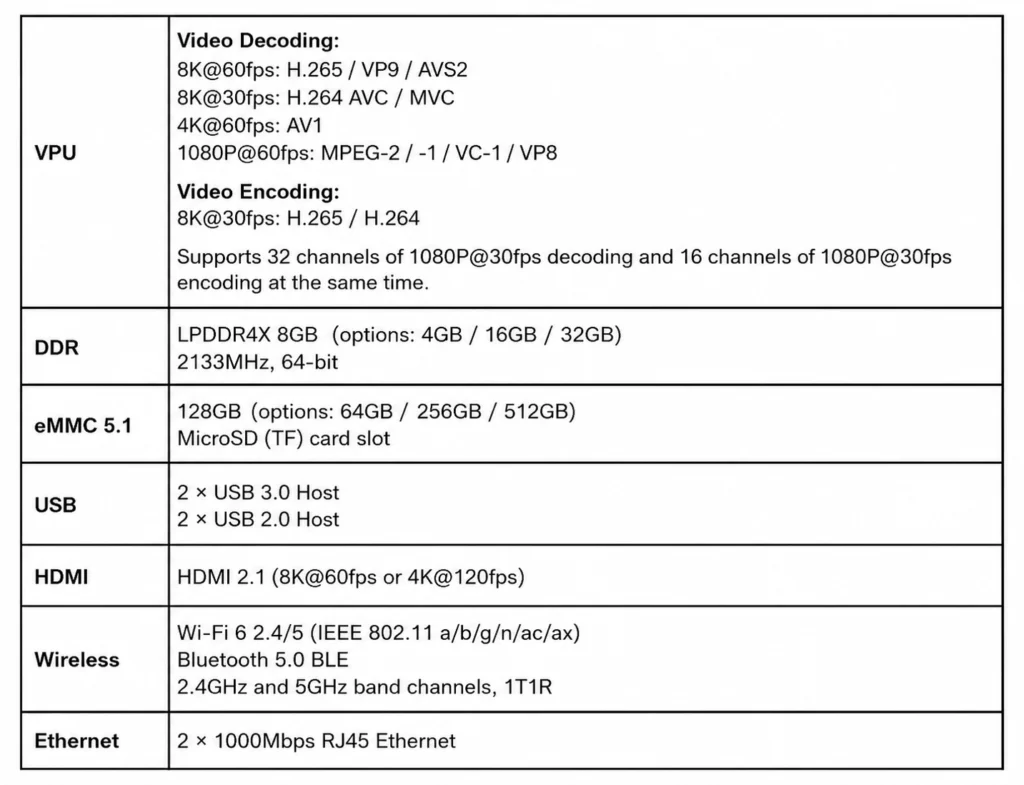
We did not cut corners on memory. The standard config is 8GB LPDDR4X (options for 4, 16, or 32GB) and 128GB eMMC 5.1 (options for 64, 256, or 512GB). Plus a MicroSD slot. Everything runs fast and stably.
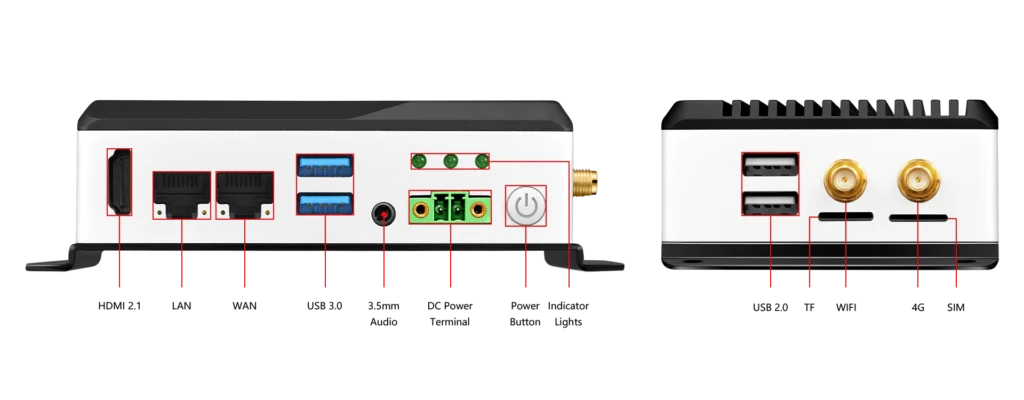
The first thing you notice when you look at the chassis: two Gigabit RJ45 ports. Why? Because any serious network gateway, router, or file server needs redundancy. Or link aggregation.
Load-balance traffic
You can run your own firewall on our Edge AI Box, load-balance traffic, or simply plug it into two different ISPs. This is not marketing fluff. We actually added two independent Ethernet controllers because our customers asked for them.
Add Wi-Fi 6 (2.4/5 GHz, IEEE 802.11 a/b/g/n/ac/ax) and Bluetooth 5.0 BLE. Wireless is for convenience during setup. Wired is for work.
If you have ever lost data because a DC barrel jack came loose from your mini PC, you will understand. We removed that risk physically. Kiwi Box 5 uses a Phoenix terminal with 3.81mm pitch for DC 12V.
You strip the wires, tighten the screws, and forget the problem exists. This is an industrial standard that consumer mini PC makers rarely use. We use it.
Power consumption is predictable:
- Idle: ~1.35W at 12V/110mA
- Typical load: ~4.8W at 12V/400mA
- Peak: ~15W at 12V/1250mA
We do not lie on the spec sheet. If you fully load the NPU, GPU, and all CPU cores, you will hit 15 watts. That is why there is enough room for passive cooling inside, and the aluminum chassis acts as a heatsink. Operating temperature range is 0°C to 80°C. For most industrial scenarios, that is plenty.
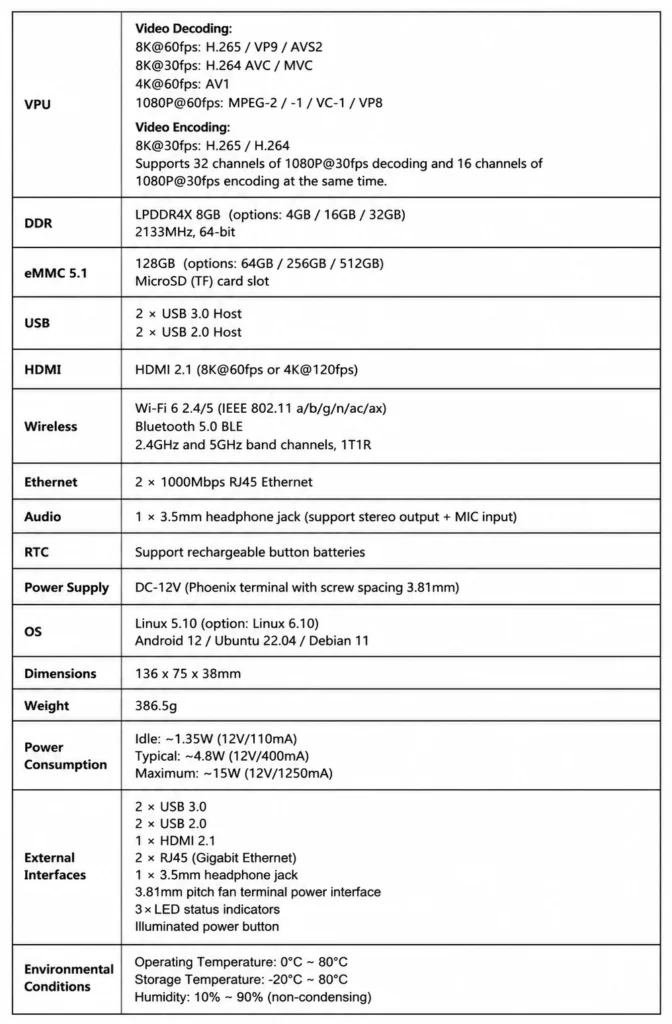
The VPU inside RK3588 is a good thing. Decoding:
- 8K at 60fps: H.265, VP9, AVS2
- 8K at 30fps: H.264 AVC, MVC
- 4K at 60fps: AV1
- 1080P at 60fps: MPEG-2, MPEG-1, VC-1, VP8
Encoding: H.265 and H.264 at 8K and 30fps.
What does this mean in practice? You can simultaneously decode 32 streams of 1080P at 30fps and encode 16 streams. Tasks that used to require a server rack. Now they fit in a box measuring 136 x 75 x 38mm.
The HDMI 2.1 output delivers 8K at 60fps or 4K at 120fps. Plug in any display, build video walls, run professional digital signage.
Kiwi Box 5 is a tool for: 1)Industrial controllers with long service life, 2)Edge AI computing (6 TOPS let you run object detection, speech recognition, and video analysis directly on the device), 3)Network gateways and routers, 4)Home servers and NAS, 5)Professional media players and surveillance systems.
The chassis includes a backlit power button and three LED status indicators. For those times when you need direct access to controls without a debugger.
Supported operating systems: Linux 5.10 (Linux 6.10 as an option), Android 12, Ubuntu 22.04, Debian 11. Everything works out of the box.
How we compare to the competition
We know there are other RK3588 mini PCs on the market, they are also powerful, but they almost always have compromises: poor cooling, broken drivers, only one network port, or awkward power connectors.
We tried to bring the best solutions into one compact chassis. If you are curious how other RK3588 devices compare to our KiwiPi 5 Pro, we prepared a detailed RK3588 SBC comparison featuring KiwiPi 5. In that article, we honestly break down the strengths and weaknesses of different options.
Kiwi Box 5 is our answer to the question: how do you build a powerful ARM edge AI computer that you can actually rely on? With stable power, dual networks, an honest thermal budget, and full readiness for 24/7 operation.
The bottom line
If you need industrial reliability, two Gigabit ports, screw-terminal power, and uncompromised RK3588 performance in a ready-to-use chassis, take Kiwi Box 5.