

SBCs for AI, NAS, and Desktop Use
Raspberry Pi 5 is still the easiest single-board computer to recommend. It has a mature operating system, an enormous accessory market, strong documentation, and a community large enough to solve most problems before you encounter them. That does not make it the best board for every job.
The moment a project needs more CPU cores, built-in eMMC, dual 2.5GbE, a dedicated AI accelerator, multiple camera inputs, or native x86 software, the Raspberry Pi’s advantages become less decisive. Several Raspberry Pi alternatives now offer much stronger hardware, although they usually ask you to accept a smaller software ecosystem in return.
For demanding environments, consider industrial single-board computers that prioritize longevity and wide-temperature operation.
This top 10 is therefore not a synthetic benchmark ranking. Each board is selected for a workload it handles particularly well. Two entries, KiwiPi 5 and KiwiPi 5 Pro, are our own devices; they are identified clearly and judged by the same practical criteria and limitations as the other boards.
Specifications were checked against manufacturer documentation available on July 13, 2026. Memory, storage, board revisions, and supported operating-system images can vary by configuration.
What Makes a Good Raspberry Pi Alternative?
Hardware is only half of the decision
A faster processor looks convincing in a comparison table, but an SBC is useful only when its software exposes the hardware properly. GPU acceleration, NPU runtimes, camera pipelines, video codecs, and GPIO libraries can all depend on a particular vendor kernel or operating-system image.
Raspberry Pi remains difficult to beat when documentation, HAT compatibility, and beginner support matter most. Alternatives become more attractive when the workload is defined clearly enough to justify trading some of that convenience for better I/O, storage, networking, or acceleration.
Four questions to answer before buying
-
- What will the board actually run? A Linux desktop, AI model, NAS, router, camera pipeline, or industrial application places very different demands on the hardware.
-
- Which software stack is required? CUDA and TensorRT point toward NVIDIA, x86 virtualization favors an Intel board, while RKNN matters for Rockchip NPUs.
-
- Where will the data live? Built-in eMMC, NVMe, SATA, and microSD differ greatly in speed, reliability, and ease of replacement.
-
- Which interfaces are non-negotiable? Count Ethernet ports, PCIe lanes, camera inputs, display outputs, USB ports, and expansion headers before comparing CPU scores.
Raspberry Pi Alternatives: Quick Comparison
| Board | Processor and memory | Storage and networking | AI capability | Best fit |
|---|---|---|---|---|
| KiwiPi 5 Pro | RK3588; 4-32GB LPDDR4X | eMMC, microSD, PCIe 3.0 x4 NVMe; dual 2.5GbE, Wi-Fi 6 | 6 TOPS NPU | Edge AI, video, gateways, OEM projects |
| NVIDIA Jetson Orin Nano Super | 6-core Cortex-A78AE; 8GB LPDDR5 | microSD and external NVMe | 67 sparse INT8 TOPS | CUDA, TensorRT, computer vision |
| Orange Pi 6 Plus | 12-core 64-bit platform; 16-64GB LPDDR5 | M.2 NVMe | 45 combined TOPS claimed | High-end ARM experiments and large-memory workloads |
| KiwiPi 5 | RK3588S; 4-32GB LPDDR4X | eMMC and microSD; Gigabit Ethernet, Wi-Fi 6 | 6 TOPS NPU | Compact Linux, multimedia, AI prototyping |
| Radxa ROCK 5B+ | RK3588; up to 32GB | eMMC, microSD, dual PCIe 3.0 x2 M.2; 2.5GbE, Wi-Fi 6 | 6 TOPS NPU | Storage, cameras, multi-display systems |
| ZimaBoard 2 | Intel N150; 8GB or 16GB LPDDR5x | eMMC, dual SATA, PCIe 3.0; dual 2.5GbE | No dedicated NPU | NAS, containers, routers, x86 software |
| BeagleY-AI | TI AM67A; 4GB LPDDR4 | microSD, PCIe x1; Gigabit Ethernet, 2.4GHz Wi-Fi 6 | 4 TOPS | Robotics, machine vision, open hardware |
| ODROID-M2 | RK3588S2; 8GB or 16GB LPDDR5 | 64GB eMMC, microSD, PCIe 2.1 x1 NVMe; Gigabit Ethernet | 6 TOPS NPU | Efficient headless Linux systems |
| Khadas Edge2 | RK3588S2; 8GB or 16GB LPDDR4X | 32GB or 64GB eMMC; Wi-Fi 6 | 6 TOPS NPU | Compact wireless ARM desktop and media use |
| Banana Pi BPI-M7 | RK3588; 8-32GB LPDDR4X | eMMC, microSD, M.2 NVMe; dual 2.5GbE, Wi-Fi 6 | 6 TOPS NPU | Compact network appliances and NVRs |
TOPS figures are not directly comparable across vendors; see our TOPS figures explained for a deeper dive.
Precision, sparsity, supported operators, memory bandwidth, and software optimization can matter more than the headline number.
The 10 Best Raspberry Pi Alternatives in 2026
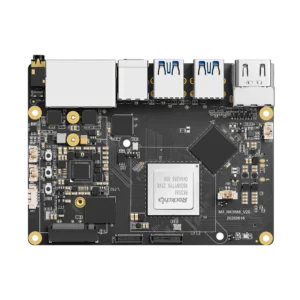
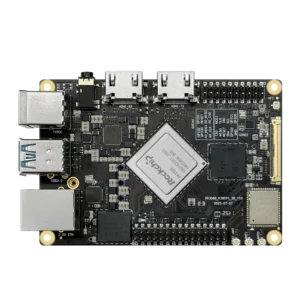
1. KiwiPi 5 Pro – Best for High-I/O Edge and OEM Projects
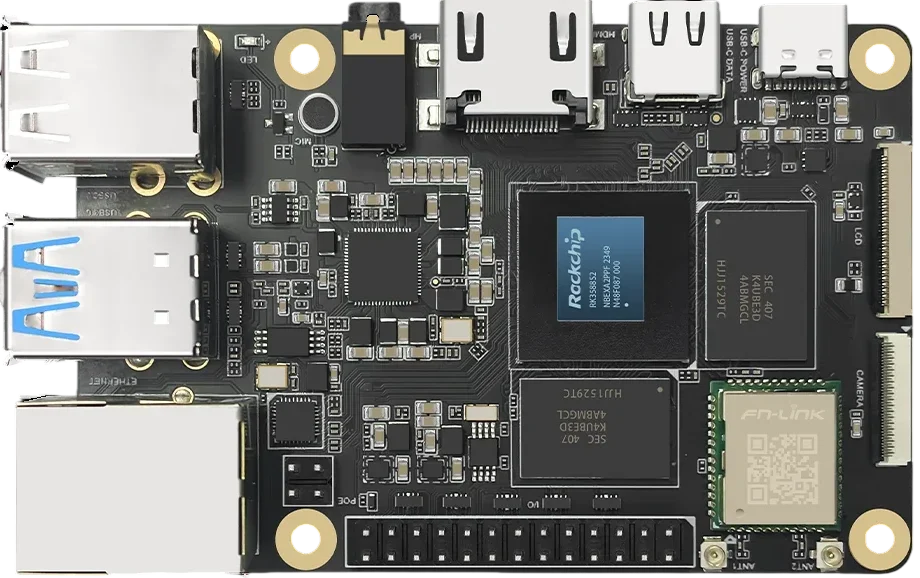
The KiwiPi 5 Pro specifications describe a board built around the full Rockchip RK3588 rather than the reduced-I/O RK3588S. Its CPU combines four Cortex-A76 cores at 2.2GHz with four Cortex-A55 cores at 1.8GHz, while the Mali-G610 MC4 GPU and 6 TOPS NPU handle graphics, media, and local inference workloads. Memory configurations range from 4GB to 32GB of LPDDR4X, with eMMC options from 64GB to 512GB.
The board-level I/O is the stronger reason to consider it. KiwiPi 5 Pro provides PCIe 3.0 x4 for an M.2 2280 NVMe SSD, two 2.5GbE ports, four USB 3.0 host ports, Wi-Fi 6, HDMI 2.1, a second HDMI 2.0 input/output connection, and M.2 plus Nano-SIM support for optional 4G or 5G modules. That combination suits edge gateways, smart NVRs, local video processing, and systems that need both fast storage and redundant networking.
The tradeoff is compatibility. Its 39-, 50-, and 60-pin expansion connectors are aimed at board-specific displays, cameras, and I/O rather than drop-in Raspberry Pi HATs, and peripheral support should be checked against the intended Linux or Android image before deployment.
2. NVIDIA Jetson Orin Nano Super – Best for CUDA and AI Development
The Jetson Orin Nano Super is not the most flexible general-purpose SBC in this list, but it has the clearest advantage for developers already using CUDA, TensorRT, or NVIDIA’s computer-vision stack. NVIDIA specifies a six-core Cortex-A78AE CPU, 1,024 Ampere CUDA cores, 32 Tensor Cores, 8GB of LPDDR5 with 102GB/s of bandwidth, and up to 67 sparse INT8 TOPS.
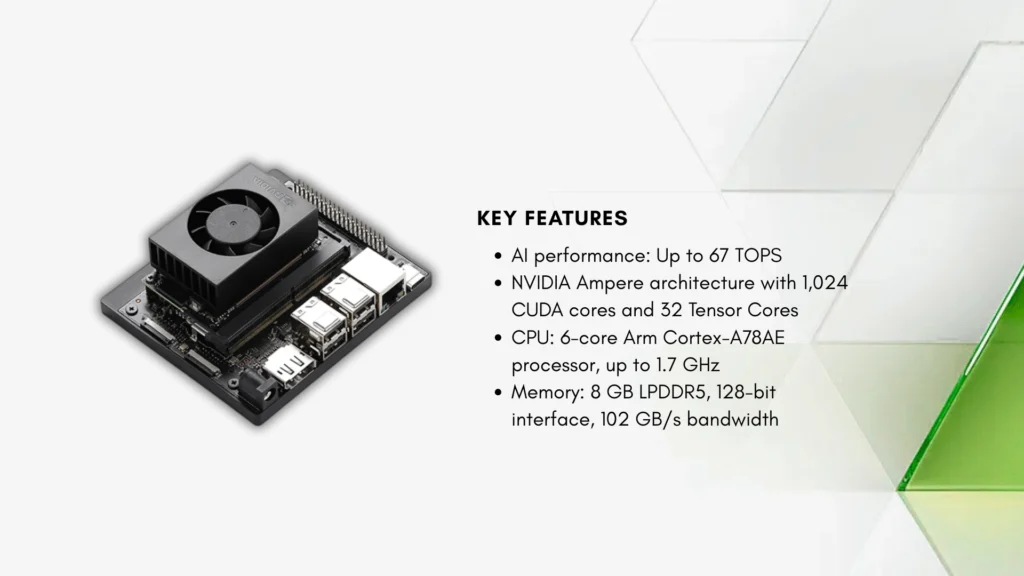
That software ecosystem matters more than the raw TOPS figure. Models and libraries built for NVIDIA hardware generally require less platform-specific conversion than they do on smaller NPU ecosystems, making the board a practical choice for object detection, robotics, and local generative-AI experiments. Power can be configured between 7W and 25W, while storage is added through microSD or NVMe.
The limitation is the fixed 8GB memory capacity. It is enough for many vision models and compact language models, but memory becomes the constraint well before the GPU architecture does on larger workloads.
3. Orange Pi 6 Plus – Best for Maximum ARM Compute
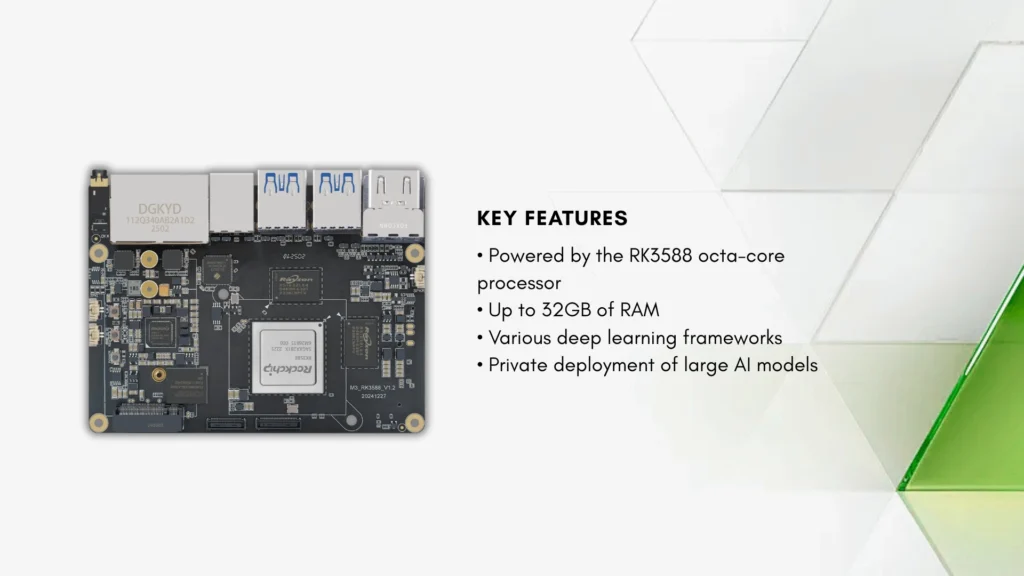
Orange Pi takes the most aggressive hardware approach in this list. The Orange Pi 6 Plus uses a 12-core 64-bit platform, offers 16GB, 32GB, and 64GB LPDDR5 configurations, supports M.2 NVMe storage, and advertises 45 combined TOPS across the CPU, GPU, and NPU.
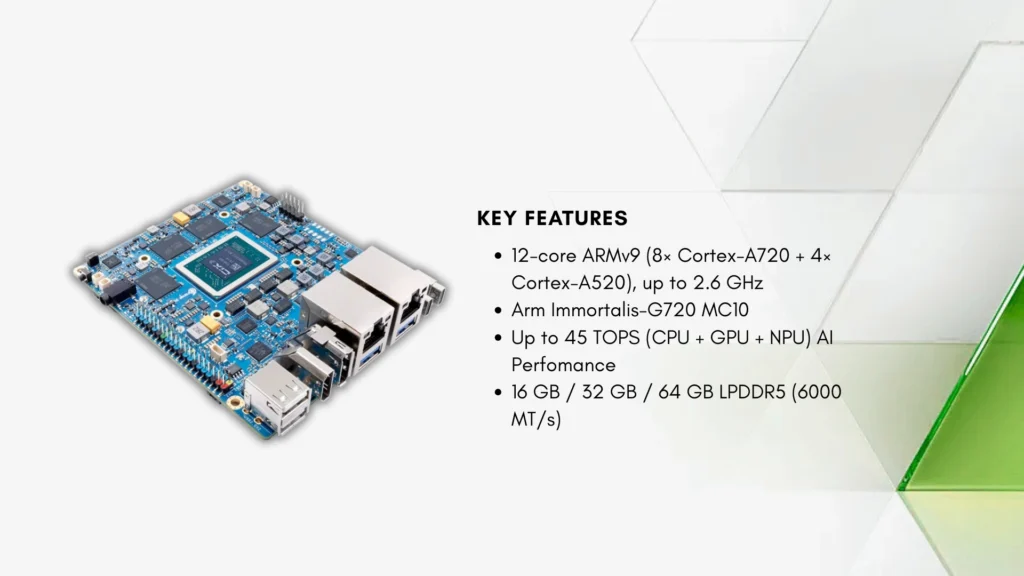
On paper, this is closer to a compact ARM workstation than a conventional hobby board. The large memory options are particularly relevant for compilation, containers, local models, and workloads that cannot fit comfortably into the 8GB or 16GB configurations common elsewhere.
But new hardware needs time to acquire mature kernels, drivers, tutorials, and third-party images. The combined 45 TOPS figure also should not be compared directly with a dedicated NPU rating, so the board makes the most sense for experienced users willing to validate the exact software path before committing to a project.
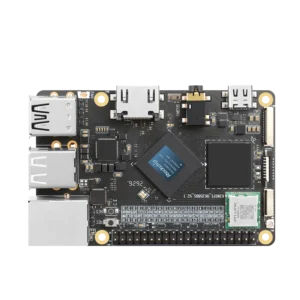
4. KiwiPi 5 – Best Compact RK3588S Generalist
The KiwiPi 5 product page places the same broad CPU, GPU, and NPU class into an 85 x 56mm board. Its RK3588S combines four Cortex-A76 cores at 2.2GHz, four Cortex-A55 cores at 1.8GHz, Mali-G610 MC4 graphics, and a 6 TOPS NPU. The standard specification includes 8GB LPDDR4X and 64GB eMMC, with options extending to 32GB of RAM and 512GB of eMMC.
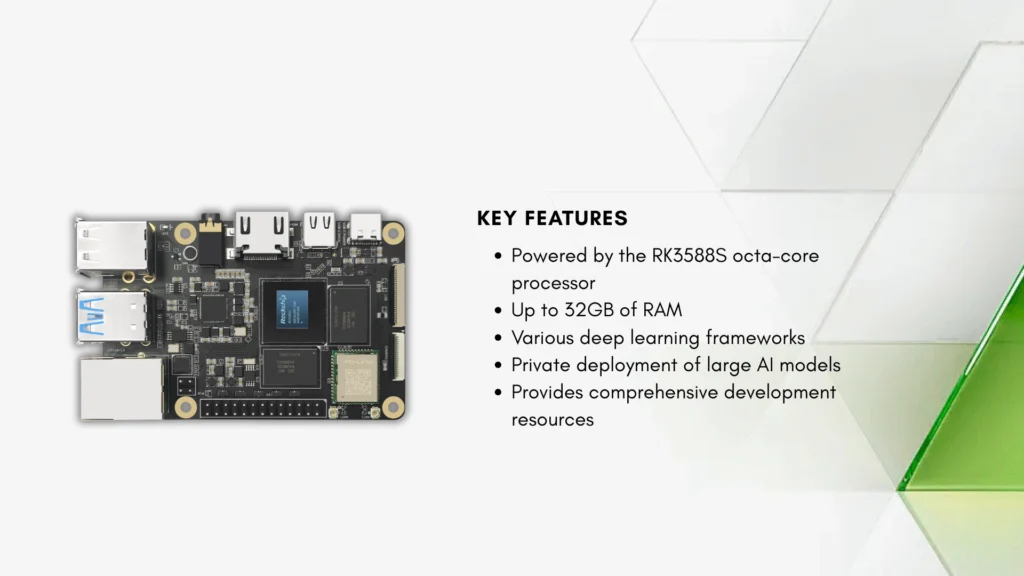
Connectivity includes Gigabit Ethernet, Wi-Fi 6, Bluetooth 5.4, HDMI 2.1, DisplayPort 1.4 over USB-C, two USB 3.0 ports, two USB 2.0 ports, two four-lane MIPI-CSI inputs, and a 26-pin expansion header. This makes KiwiPi 5 a sensible compact option for Linux desktops, 8K media, camera prototypes, and RKNN-based inference when dual 2.5GbE and full-speed NVMe are not required.
That last point defines the difference from the Pro. The supplied specification lists eMMC and microSD but no M.2 NVMe slot, while networking is limited to one Gigabit Ethernet port. KiwiPi 5 is the cleaner fit for compact general-purpose systems; Pro is the board for heavier storage and network I/O.
5. Radxa ROCK 5B+ – Best for Storage and Camera Expansion
The Radxa ROCK 5B+ is one of the more expandable RK3588 boards. It supports up to 32GB of memory, onboard eMMC up to 128GB, a microSD slot, and two M.2 M-key connectors, each carrying two lanes of PCIe 3.0. Radxa also includes onboard Wi-Fi 6 and Bluetooth 5.2, 2.5GbE with optional PoE support, HDMI input, and camera connectivity for as many as four two-lane MIPI cameras.
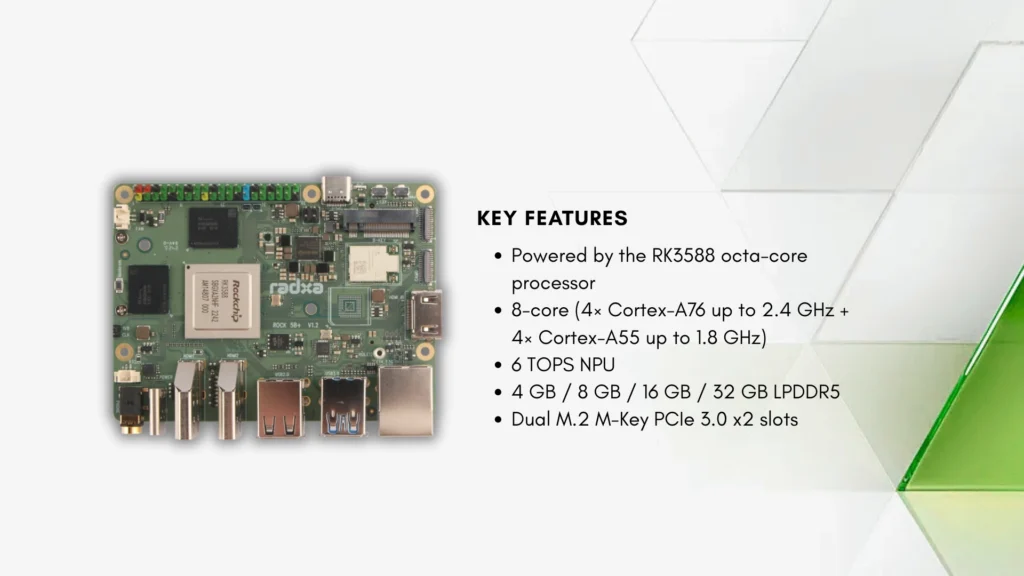
This layout is useful when one NVMe device is not enough or when storage and an accelerator need to coexist. The full-size HDMI input and multiple camera paths also make the board more interesting for capture, vision, and multi-display work than a typical Raspberry Pi replacement.
There is a practical distinction in the PCIe layout: the board provides two x2 links rather than one x4 link. That is more flexible for multiple devices, but a single high-performance SSD or accelerator will not receive four lanes from either slot.
6. ZimaBoard 2 – Best for x86 NAS and Containers
The ZimaBoard 2 hardware is built around an Intel N150 quad-core processor running at up to 3.6GHz, paired with 8GB or 16GB of LPDDR5x and 32GB or 64GB of eMMC. Its x86-64 architecture is the main advantage: server packages, container images, virtualization tools, and binary-only utilities are less likely to require ARM-specific workarounds.
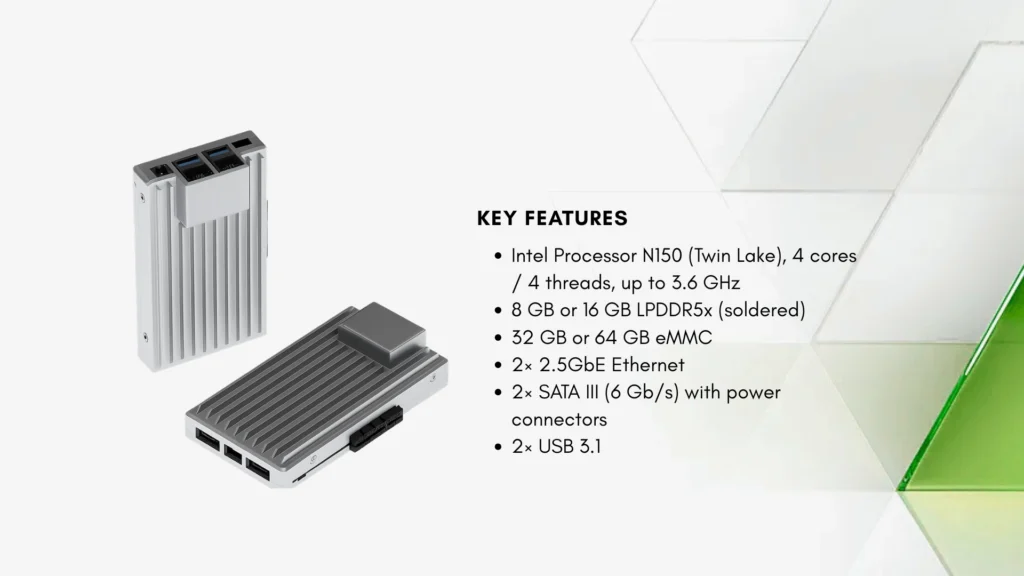
The physical interfaces are equally server-focused. ZimaBoard 2 has two powered SATA 3.0 connections, two 2.5GbE ports, two USB 3.1 ports, and a PCIe 3.0 slot that can accept an NVMe adapter, faster network card, GPU, or another expansion device. Passive cooling keeps the base system silent.
This is not the board to buy for GPIO experiments or an integrated NPU. It is also larger and more appliance-like than a Raspberry Pi, but for a small NAS, router, Home Assistant host, or container server, those compromises are usually easier to accept than ARM software compatibility issues.
7. BeagleY-AI – Best for Robotics and Open Hardware
BeagleY-AI takes a different route from the high-end Rockchip boards. Its Texas Instruments AM67A contains four Cortex-A53 CPU cores at 1.4GHz, two C7x DSPs with matrix accelerators providing 4 TOPS combined, and Cortex-R5 subsystems for low-latency control. The board has 4GB of LPDDR4, which makes its priorities clear: deterministic I/O, vision, and embedded development matter more than desktop performance.
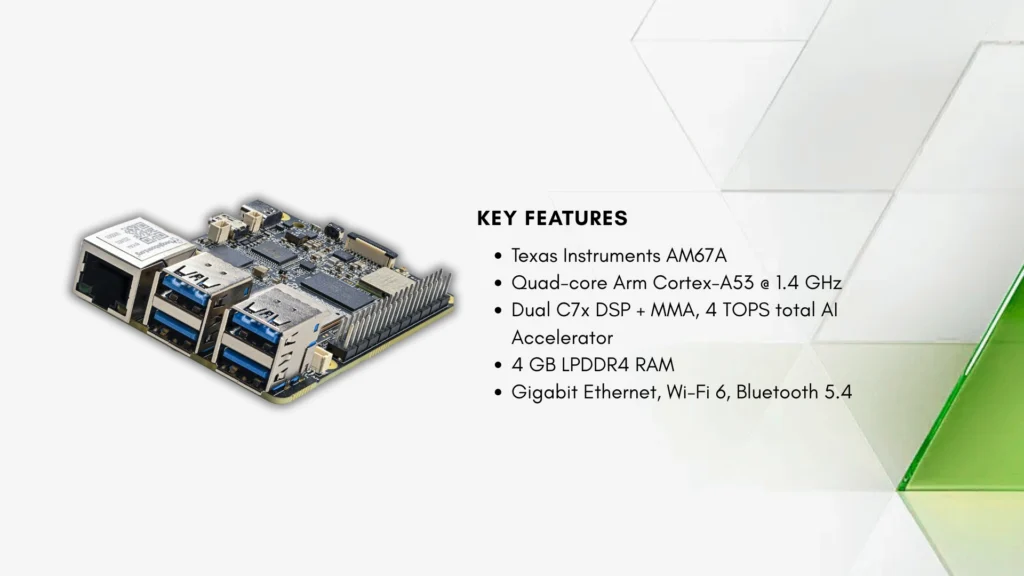
The design is unusually friendly to Raspberry Pi migration. It uses an 85 x 56mm form factor, a 40-pin header intended to support many Pi HATs, a Raspberry Pi 5-style PCIe connector, two camera/display connectors, four USB 3.0 Type-A ports, Gigabit Ethernet with optional PoE, and 2.4GHz Wi-Fi 6. BeagleBoard also publishes extensive design documentation and positions the board as open-source hardware.
There are real limits. Memory is fixed at 4GB, the onboard HDMI path tops out at 1080p60, and the Wi-Fi module does not support 5GHz or Bluetooth Classic. BeagleY-AI is a strong alternative for robotics and machine vision, not a faster Raspberry Pi desktop.
8. ODROID-M2 – Best for Efficient Headless Linux
The ODROID-M2 specifications combine an RK3588S2 with 8GB or 16GB of LPDDR5, a soldered 64GB eMMC device, microSD, and an M.2 NVMe connector using one lane of PCIe 2.1. It also includes Gigabit Ethernet, HDMI 2.0, DisplayPort over USB-C, GPIO, and the same 6 TOPS RKNN NPU class found across other RK3588-family boards.
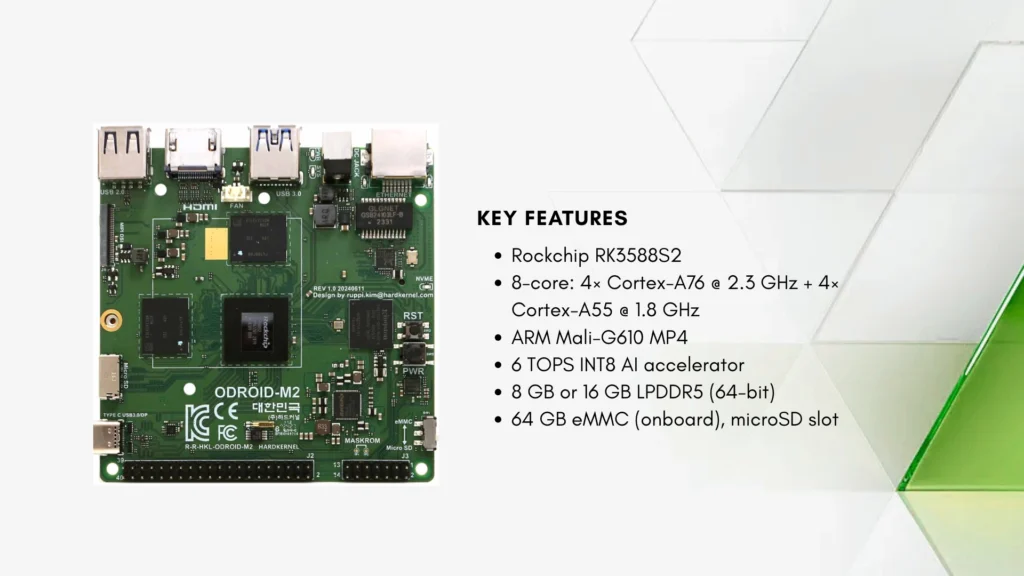
Hardkernel’s own measurements make the board particularly interesting for always-on systems. The company reports roughly 1W at idle without peripherals and around 7.5W under CPU stress, while its thermal test maintained the maximum clock with the stock heatsink in a 35 degrees Celsius room. Those are manufacturer tests rather than independent benchmarks, but they show what the board is designed to optimize.
The compromise is I/O bandwidth. Gigabit Ethernet and PCIe 2.1 x1 NVMe are enough for many headless services, but they fall well behind the dual 2.5GbE and PCIe 3.0 options elsewhere in this list.
9. Khadas Edge2 – Best Compact Wireless ARM Desktop
The Khadas Edge2 packages an RK3588S2, Mali-G610 MC4 GPU, and 6 TOPS NPU into an 89 x 62mm board. Basic and Pro configurations pair 8GB or 16GB of LPDDR4X with 32GB or 64GB of eMMC, while Wi-Fi 6, Bluetooth, HDMI 2.1, USB-C DisplayPort, and 8K video acceleration cover compact desktop and media use.
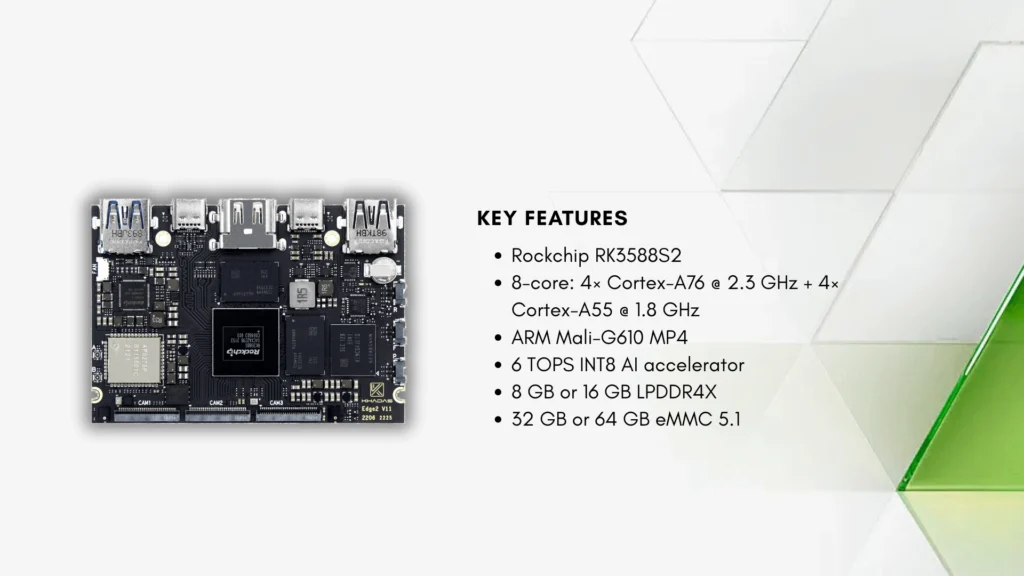
Khadas also includes its OOWOW recovery and installation environment, which reduces some of the friction normally associated with reflashing ARM boards. The result feels closer to a small wireless ARM PC than a bare industrial controller.
That focus also explains the limitation: Ethernet is not listed among the onboard interfaces, and expansion is more specialized than a standard Raspberry Pi header. Edge2 works best where compact size, built-in storage, and wireless connectivity matter more than wired networking or broad HAT compatibility.
10. Banana Pi BPI-M7 – Best Compact Dual-2.5GbE RK3588 Board
The Banana Pi BPI-M7 fits a full RK3588, up to 32GB of LPDDR4X, 64GB or 128GB of eMMC, M.2 NVMe, Wi-Fi 6, and two 2.5GbE ports onto a 92 x 62mm PCB. It also provides a 40-pin GPIO header, two MIPI-CSI interfaces, one MIPI-DSI interface, HDMI output, and the RK3588’s 6 TOPS NPU and 8K media engine.
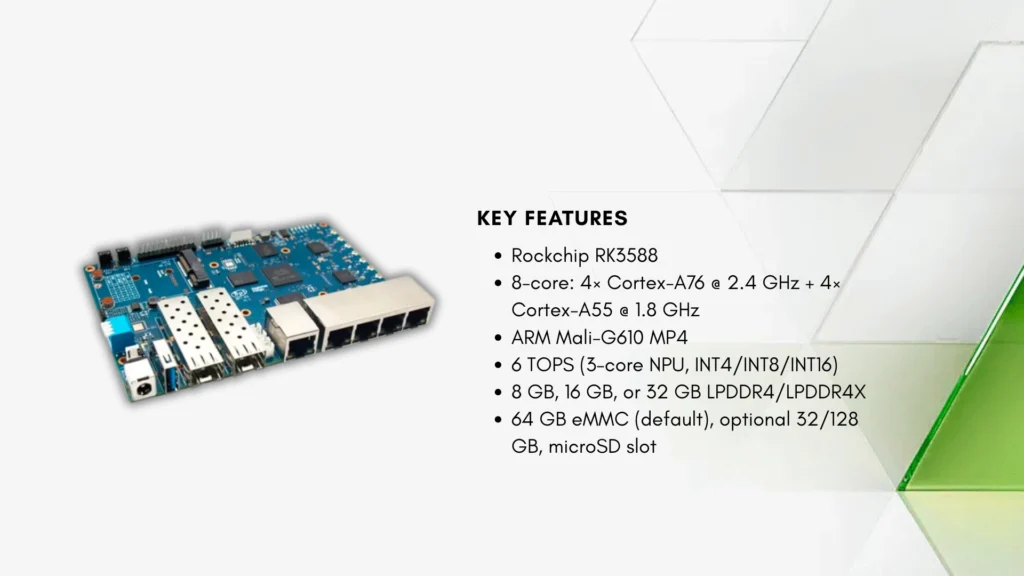
This is a useful combination for compact routers, NVRs, edge servers, and camera appliances that need more network bandwidth than Raspberry Pi 5 can provide without USB adapters. The 5V to 20V input range also gives system integrators more flexibility than a fixed-voltage USB-C design.
Software support is split between official Android, Debian, and Buildroot images and third-party distributions such as Ubuntu and Armbian. That is workable for experienced users, but the exact kernel and peripheral support should be verified before treating the board as a production platform.
Which Raspberry Pi Alternative Should You Choose?
The best replacement depends less on benchmark charts than on the problem that forced you to look beyond Raspberry Pi in the first place.
-
- For the least software friction: Raspberry Pi 5 still wins.
-
- For CUDA and optimized AI frameworks: Jetson Orin Nano Super is the clearest choice.
-
- For dual 2.5GbE, full-speed NVMe, and edge I/O: KiwiPi 5 Pro is the stronger fit.
-
- For a compact RK3588S board with built-in eMMC: KiwiPi 5 offers most of the compute capability with simpler I/O.
-
- For maximum RAM in a high-end ARM board: Orange Pi 6 Plus reaches 64GB, but its software path needs careful validation.
-
- For multiple NVMe devices and camera inputs: Radxa ROCK 5B+ has the more flexible layout.
-
- For an x86 NAS or home server: ZimaBoard 2 avoids many ARM compatibility problems.
-
- For robotics and open hardware: BeagleY-AI has the most deliberate Raspberry Pi migration path.
The Raspberry Pi ecosystem remains its strongest specification. Buy an alternative when a concrete hardware or software requirement outweighs that advantage, not simply because another board has more cores on its product page.
Frequently Asked Questions
What is the best alternative to Raspberry Pi 5?
There is no universal replacement. KiwiPi 5 Pro and Radxa ROCK 5B+ offer substantially more storage, networking, media, and AI hardware, while Jetson Orin Nano Super is better for NVIDIA-based AI development. Raspberry Pi 5 remains easier for beginners and projects that depend on its accessory ecosystem.
Which Raspberry Pi alternative is the most powerful?
Orange Pi 6 Plus has the most aggressive general-purpose specification in this list, with a 12-core platform and up to 64GB of LPDDR5. Jetson Orin Nano Super is the more established choice for accelerated AI workloads. These strengths are different, so one headline performance number cannot determine the winner.
Which alternative is best for AI projects?
Jetson Orin Nano Super is usually the safest option for CUDA, TensorRT, and models already optimized for NVIDIA. RK3588 boards such as KiwiPi 5 Pro, KiwiPi 5, ROCK 5B+, and BPI-M7 provide 6 TOPS NPUs that can be efficient for supported RKNN models. BeagleY-AI is better suited to TI-based machine-vision and real-time control projects.
What is the best Raspberry Pi alternative for a NAS?
ZimaBoard 2 is the most direct NAS option because it combines x86-64 software compatibility with two powered SATA ports and dual 2.5GbE. KiwiPi 5 Pro and Banana Pi BPI-M7 are stronger ARM choices when NVMe storage, compact size, and dual 2.5GbE are preferred.
Can Raspberry Pi HATs be used on these boards?
A 40-pin connector does not guarantee full compatibility. Voltage levels, reserved pins, device-tree overlays, and software libraries can differ even when the physical layout looks similar. BeagleY-AI explicitly aims to support many Raspberry Pi HATs, but every accessory should still be checked individually.
Do all Raspberry Pi alternatives support Linux?
All ten boards have a Linux path, but support quality varies. Some depend on vendor kernels or specific images for GPU, NPU, camera, and video acceleration. Check the current image, kernel, and peripheral documentation rather than assuming that generic Linux support exposes every hardware block, and be ready to remotely access the board over SSH from a Mac to verify what actually works on the board.
Are these boards drop-in replacements for Raspberry Pi?
Usually not. Cases, power supplies, camera cables, GPIO mappings, storage modules, and operating-system images often differ. Treat a Raspberry Pi alternative as a new platform unless the manufacturer documents mechanical, electrical, and software compatibility for the parts you plan to reuse.