

Docker's default json-file logging driver has no size limit unless you configure one. A container that keeps printing messages can fill the same filesystem that holds Ubuntu, even when the application itself stores very little data.
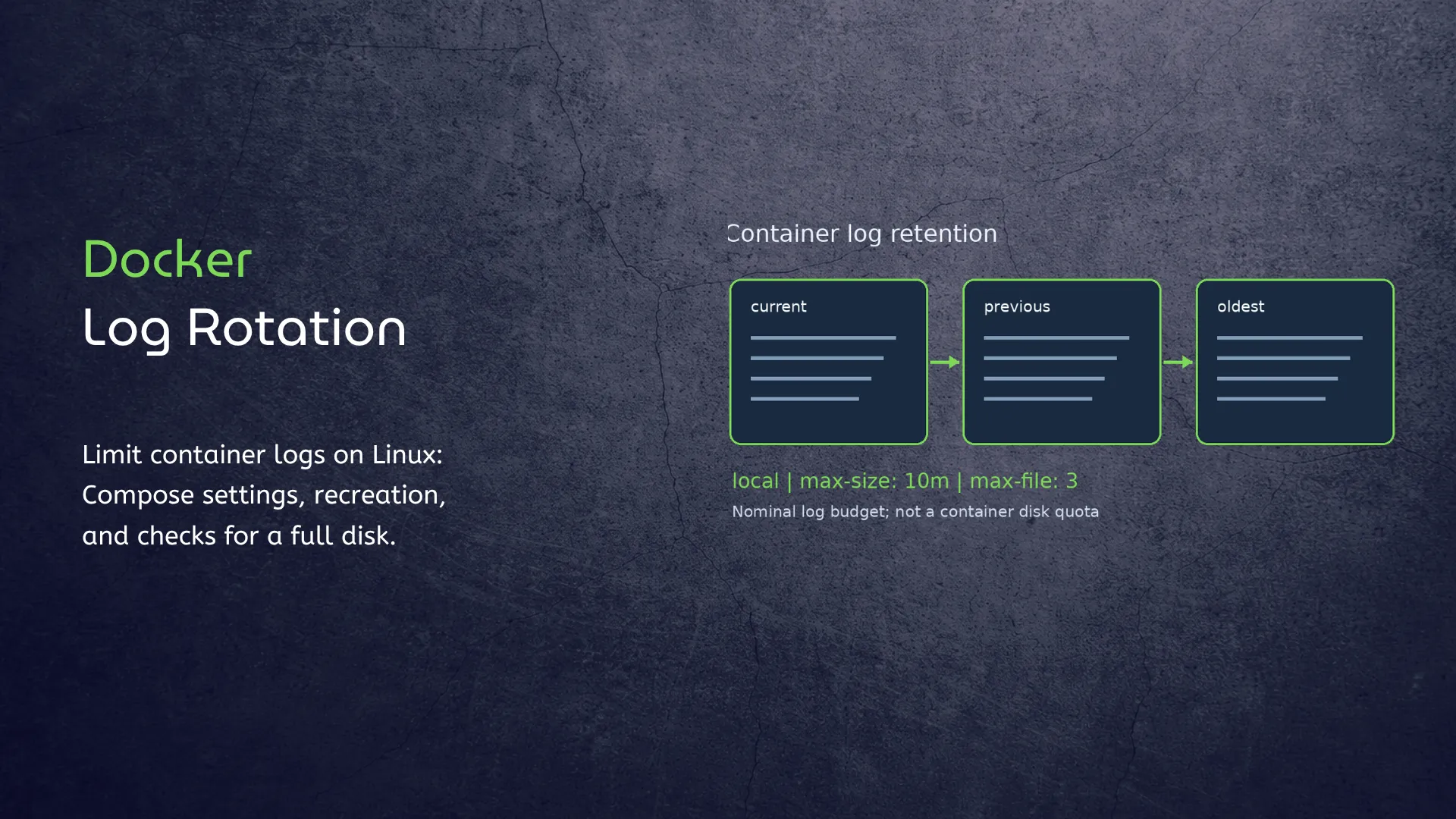
For a Linux SBC running a few Compose services, Docker recommends the local driver, which rotates logs automatically. You can set it per service, keep using docker compose logs, and avoid changing the whole daemon just to fix one noisy container.
Check the container and filesystem
Find the active logging driver
Start with the container you actually run. The daemon's default only tells you what a newly created container would inherit; an older one can still use another driver. Run these commands on the Linux host, replacing web with the Compose service name:
sudo docker info --format '{{.LoggingDriver}}'
sudo docker compose ps -a
sudo docker inspect --format '{{json .HostConfig.LogConfig}}' "$(sudo docker compose ps -a -q web)"
If Compose returns several container IDs, inspect each one separately. The final command above expects one container. Look for the driver type and its options, rather than assuming that installing a newer Engine changed an existing container's settings.
Separate logs from application data
A full disk still needs a little investigation. Our guide to checking disk space in Linux covers the host checks. Images, build cache, database volumes and application files can all consume space, and rotating stdout won't shrink a directory of camera recordings. Check the filesystem first, then ask Docker what it knows about its objects:
df -h
df -i
sudo docker system df -v
sudo docker compose logs --tail 50 web
The inode check matters when many small files exhaust a filesystem that still has free bytes. And Docker's disk-usage report isn't a complete filesystem audit: bind-mounted host directories and logging-driver storage need separate consideration. A small writable-layer size doesn't establish that the container's logs are small.
Set rotation in Compose
Add a limit to one service
Add this logging block beneath the existing service in compose.yaml. The Docker installation on Ubuntu guide supplies an example project. Keep the application's image, ports, environment and mounts; this is a fragment to merge, not a replacement project file:
services:
  web:
    logging:
      driver: local
      options:
        max-size: "10m"
        max-file: "3"
That gives the service a nominal three-file budget of about 30 MB before compression and storage overhead. It isn't a quota for the whole container. Docker rotates captured stdout and stderr; a program writing directly to /data/debug.log needs its own retention settings.
Docker's local driver defaults already include rotation, using five files of 20 MB each. The smaller values here are an example for a modest service, not a measured requirement for KiwiPi. If you need yesterday's diagnostic messages, choose a retention budget from the application's actual output rate or forward logs elsewhere.
Keep json-file when another tool needs it
If an existing log collector requires json-file, you can use the same size and file-count options with that driver. Check the collector's documentation before switching formats. Docker owns these files, so pointing a host logrotate job at its internal files isn't the way to configure this.
| Configuration | Rotation | What to check |
|---|---|---|
| json-file without limits | Disabled by default | Unbounded growth from noisy output |
| local defaults | 20 MB x 5, compression enabled | Retention may be shorter than needed |
| local example above | 10 MB x 3 | Applies separately to each container |
| Application file in a mount | Outside this setting | Configure application retention |
Recreate and verify
Apply the new container configuration
A restart doesn't apply a new logging configuration. Docker keeps those options with the container, so recreate the affected service after checking its persistent data. Files left only in the writable container layer disappear during replacement; a database needs a proper backup, even if it uses a volume.
Run the following from the project directory during an acceptable service interruption:
sudo docker compose config
sudo docker compose up -d --no-deps --force-recreate web
sudo docker inspect --format '{{json .HostConfig.LogConfig}}' "$(sudo docker compose ps -a -q web)"
sudo docker compose logs --tail 20 web
The inspect result should now show local and the two options. Reading recent messages checks that the normal log interface still works; it doesn't prove that a busy service has already rotated a file. Don't manufacture a flood of production errors just to make the directory change size.
Check what remains on disk
If disk use keeps rising, return to the application. A connection failure repeated every second needs fixing regardless of retention. Reduce unnecessary debug output, check mounted data directories and inspect the host's own journal separately. A cap on one log stream can't compensate for everything else writing to the card.
For a remote board, keep a copy of the Compose file and a current backup away from that board. The eMMC versus SD card test shows storage performance differences. It doesn't supply a retention policy. The same unbounded stream can eventually fill either device.
FAQ
Does this work on ARM64?
Yes. These are Docker Engine logging settings, not an x86 application. The container image still needs a compatible ARM64 build; changing the log driver doesn't fix an architecture error. See the Docker exec format error guide.
Will this erase database volumes?
The shown recreation command doesn't request volume deletion. Check the existing mounts and back up the database first; data stored only in the replaced container's writable layer won't survive.
Should I delete Docker's log files manually?
Docker's json-file documentation warns against external tools manipulating its logging files. Configure retention through Docker, preserve any messages you need, and recreate the affected container rather than deleting internal files underneath it.