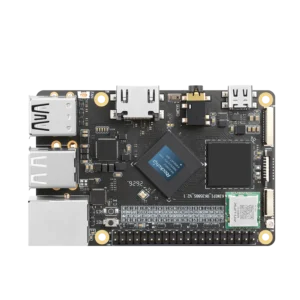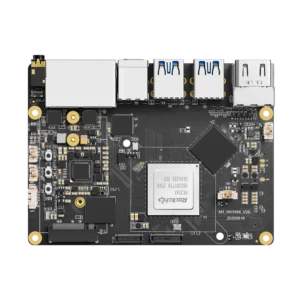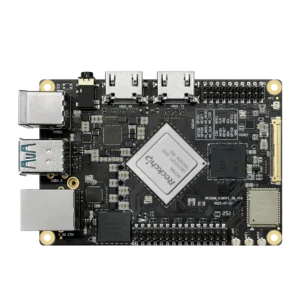


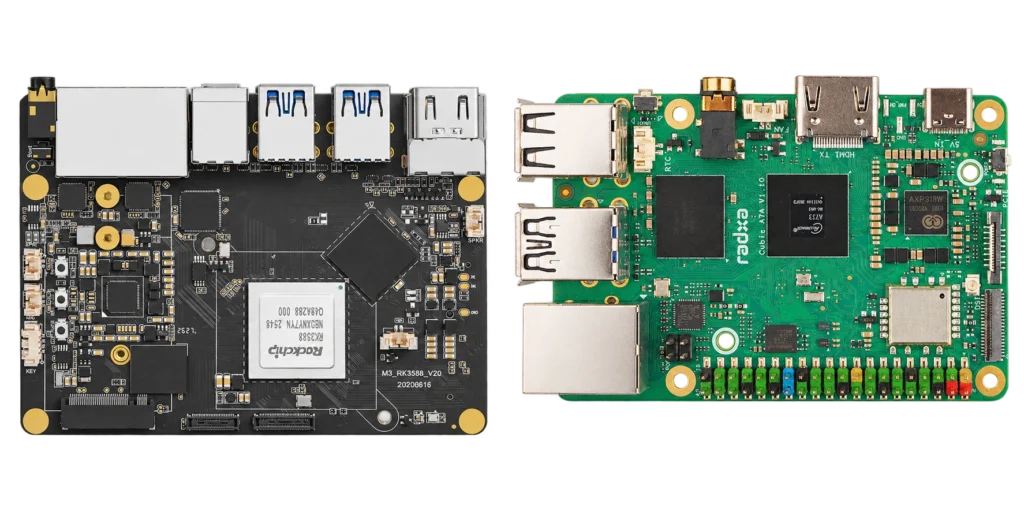
KiwiPi 5 Pro takes a 2280 NVMe SSD directly in its onboard M.2 slot. Radxa Cubie A7A, built around Allwinner A733, connects an NVMe drive through a PCIe ribbon connector and a separate M.2 adapter.
That’s already an extra part to mount. For a small server, it changes the enclosure, cabling, and shopping list before either CPU does any work. And the connections differ electrically: four PCIe 3.0 lanes on the KiwiPi, one on the Cubie.
Connecting storage and Ethernet
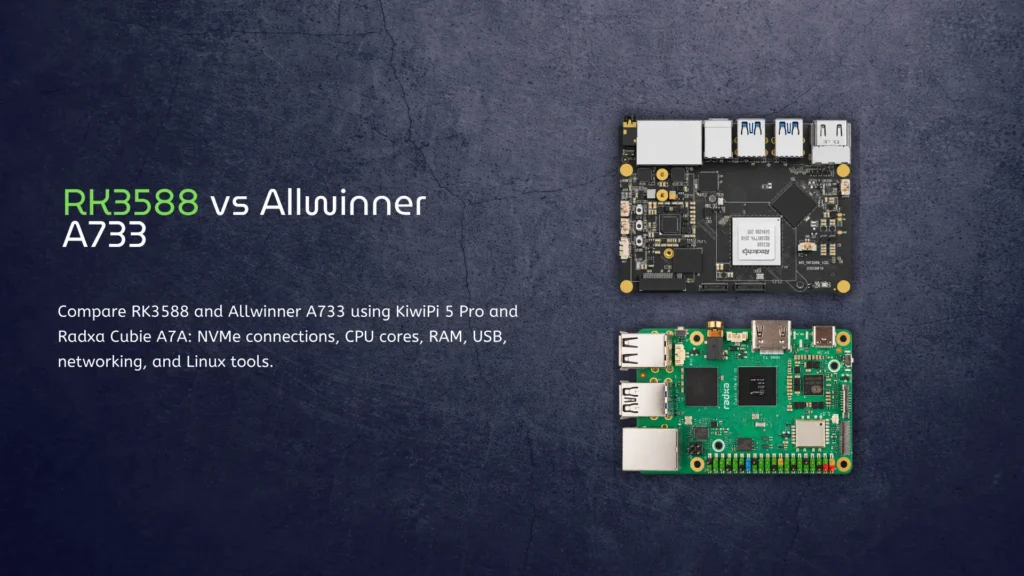
The broader Allwinner and Rockchip comparison covers several chip families. Here, the useful pairing is narrower: A733 against RK3588, using Cubie A7A and KiwiPi 5 Pro as board examples. Both can run a Linux system with solid-state storage. They give you quite different hardware to build around.
For a modest file server, the Cubie’s single Gigabit Ethernet port might be sufficient. KiwiPi 5 Pro has two 2.5GbE ports, which are useful if the rest of the network can use them. A computer connected through a Gigabit switch still has that Gigabit connection to work with.
The wider PCIe link also needs a workload that uses it. It provides more theoretical bandwidth, but we haven’t measured these two boards with the same SSD. Small database writes and large sequential transfers exercise the drive differently; four lanes won’t turn every storage operation into a fourfold speedup.
eMMC and UFS are options too
You don’t have to use NVMe, either. Cubie A7A supports eMMC and UFS modules alongside microSD, and KiwiPi 5 Pro has onboard eMMC. Our eMMC and microSD storage test is a useful example of why the actual device matters: the tested card and eMMC behaved very differently with small writes. Those results don’t establish a ranking for untested UFS or NVMe drives.
Two A76 cores or four
Rockchip’s RK3588 hardware specifications list four Cortex-A76 cores and four Cortex-A55 cores. A733 uses two A76 cores and six A55 cores. Both have eight CPU cores; RK3588 assigns more of them to the larger A76 design.
| Specification | RK3588 / KiwiPi 5 Pro | A733 / Cubie A7A |
| CPU | 4× Cortex-A76 + 4× Cortex-A55 | 2× Cortex-A76 + 6× Cortex-A55 |
| GPU | Mali-G610 MC4 | Imagination BXM-4-64 MC1 |
| Advertised NPU rating | 6 TOPS | 3 TOPS |
| Board RAM options | Up to 32GB LPDDR4X | Up to 16GB LPDDR5 |
| Board NVMe connection | Onboard M.2 2280, PCIe 3.0 x4 | PCIe 3.0 x1 FPC, M.2 adapter required |
| Board Ethernet | 2× 2.5GbE | 1× Gigabit Ethernet |
| USB Type-A host ports | 4× USB 3.0 | 1× USB 3.1 and 3× USB 2.0 |
That gives a parallel build or several CPU-heavy services more A76 cores to use. But the program has to split its work, and memory or storage can hold it up anyway. I wouldn’t attach a percentage to the difference without running the same job on both boards.
A single busy thread can’t occupy four A76 cores. If your application mostly waits for a sensor or serves a simple local interface, the extra cores may spend much of their time idle. Check that workload before paying for capacity you’ll leave unused.
Choose the RAM before ordering
RAM is easier to rule out early. Radxa lists Cubie A7A configurations up to 16GB of LPDDR5; KiwiPi 5 Pro offers up to 32GB of LPDDR4X. Neither has a memory slot for a later upgrade. A service that needs more than 16GB has already narrowed the choice.
LPDDR5 is a newer memory standard, but the label alone doesn’t establish application speed. Memory clocks, bus width, controller behavior, and access patterns all contribute. Comparing an 8GB board with a 16GB board also becomes less useful once the smaller system starts swapping.
Peripherals and Linux software
The USB ports deserve a look before ordering accessories. Cubie A7A lists one USB 3.1 Type-A host port and three USB 2.0 Type-A host ports. KiwiPi 5 Pro has four USB 3.0 host ports. A keyboard won’t mind USB 2.0; a second fast external drive has a more specific requirement.
And USB connector count doesn’t specify the available power. With several drives or cameras, check the board’s supply requirements and peripheral current draw. Adding a powered hub changes both the cost and the size of the finished setup.
Test the actual graphics and video path
A733 uses Imagination BXM-4-64 MC1 graphics, against Mali-G610 MC4 on RK3588. For a desktop or an emulator, I’d check the exact application on the intended image. The GPU’s advertised API support doesn’t tell you whether a particular game renders correctly.
Radxa does provide concrete video instructions. Its Cubie documentation uses GStreamer and OpenMAX components on Debian desktop images, with examples for decoding, encoding, and loopback testing. It also tells you to inspect which OMX plugins your image actually includes.
That’s a useful starting point for a camera application. Run the supplied pipeline first, then substitute your own input and output. If you need headless operation, test it without the desktop display sink as well. A working local playback window only verifies that particular path.
Different model conversion tools
The NPU tools differ too. Radxa documents a Vivante SDK and ACUITY workflow for A733; Rockchip uses RKNN for RK3588. Moving an existing compiled model between them means returning to the source model and converting it for the other target.
The published ratings are 3 TOPS for A733 and 6 TOPS for RK3588. Comparing NPU throughput ratings won’t give you the frame rate of an object detector. Conversion support, accuracy after quantization, and time outside inference still need checking. Use the same inputs and record the complete result.
Testing the board for your application
For a small web application, our KiwiPi single-board server test shows what an application-level measurement can look like. It covers KiwiPi 5 with RK3588S, so it isn’t a Cubie A7A benchmark or a measured result for KiwiPi 5 Pro. Its request types and concurrency levels are useful starting points for your own test.
I’d choose KiwiPi 5 Pro for a build that needs the onboard NVMe slot, several fast USB devices, or two faster Ethernet connections. For a Cubie A7A build, price the required storage adapter and check the supplied Linux examples before comparing the total. If your application already fits its RAM and interfaces, the other board’s unused ports won’t improve it.
FAQ
Can Allwinner A733 use an NVMe SSD
Yes. On Cubie A7A, Radxa documents a PCIe 3.0 x1 ribbon connection to a PCIe-to-M.2 M Key adapter. Include that adapter when planning the enclosure and budget.
Is RK3588 twice as fast as A733
There is no matched benchmark in this comparison. Twice the A76 core count or twice the advertised TOPS doesn’t establish a twofold improvement in the application.
Does Cubie A7A support more than microSD
Yes. Radxa lists eMMC and UFS module support, along with PCIe expansion for NVMe storage. Check the installation instructions for the selected storage device and OS image.