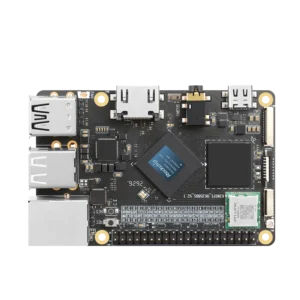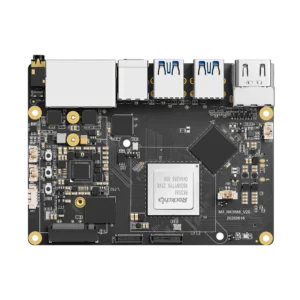


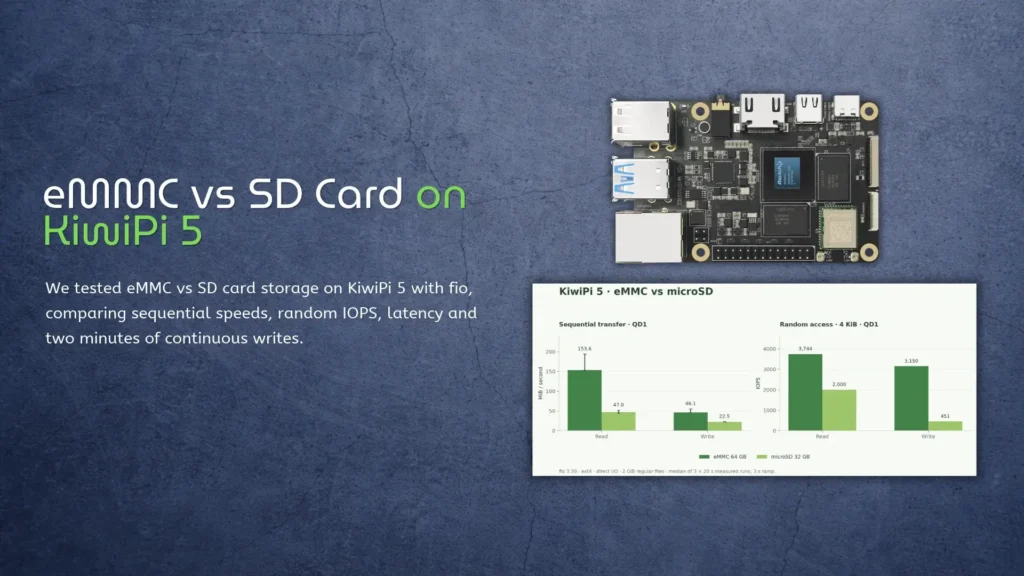
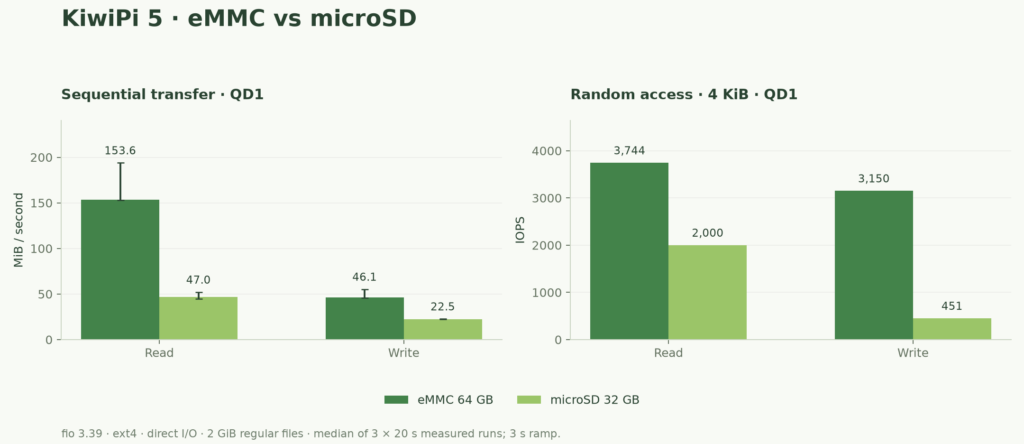
The 64GB eMMC on our KiwiPi 5 read sequential data at 153.6MiB/s, against 47.0MiB/s for a 32GB microSD card. Its biggest lead came with small random writes: roughly 3,150 operations per second, compared with 451 on the card.
That’s a sevenfold difference in one workload. Our eMMC vs SD card test used a SanDisk Ultra 32GB A1 card; these numbers describe that card and the board’s eMMC in this setup, rather than every device you might buy.
What we tested
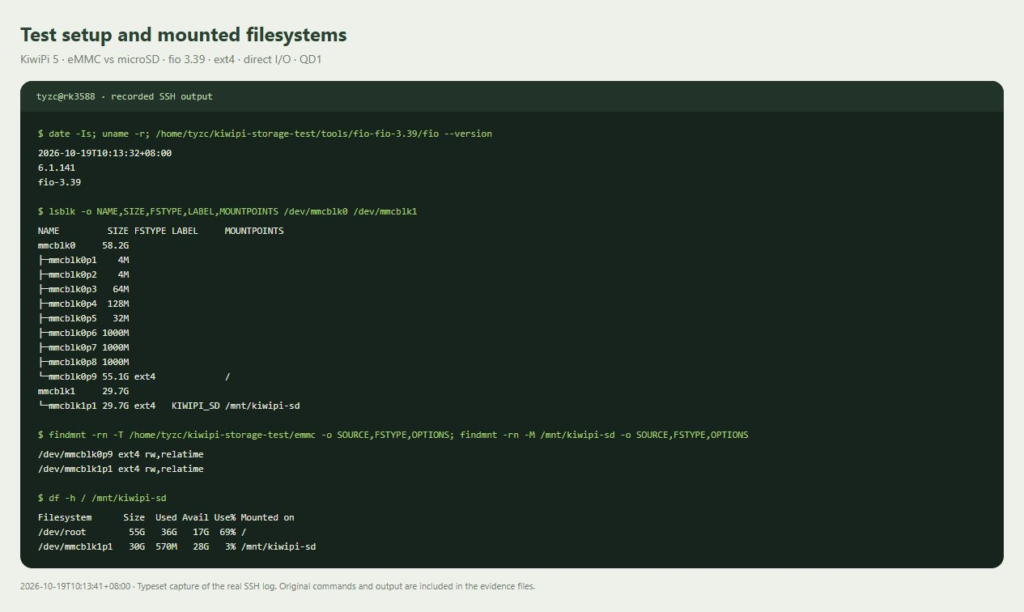
We used an 8GB KiwiPi 5 with the RK3588S, running Ubuntu 24.04.3 LTS and Linux 6.1.141. The operating system stayed on eMMC throughout; fio tested ordinary files on both drives, without formatting the system partition.
The SanDisk Ultra 32GB A1 card appeared as SD32G in Linux, and the eMMC as 064G38. Both filesystems used ext4 with rw,relatime, which removes a filesystem-format difference from the comparison, but leaves the devices’ controllers and flash configuration as variables.
eMMC packages flash memory with a controller, usually installed on the board. A microSD card also has its own controller, inside a removable package; the connector alone doesn’t establish how quickly either device handles small writes.
And their starting conditions weren’t equal. The eMMC was an existing system drive, about 65% full before the test files, while the microSD had a fresh ext4 filesystem with roughly 28GiB free. We didn’t isolate the effects of fill level or previous use.
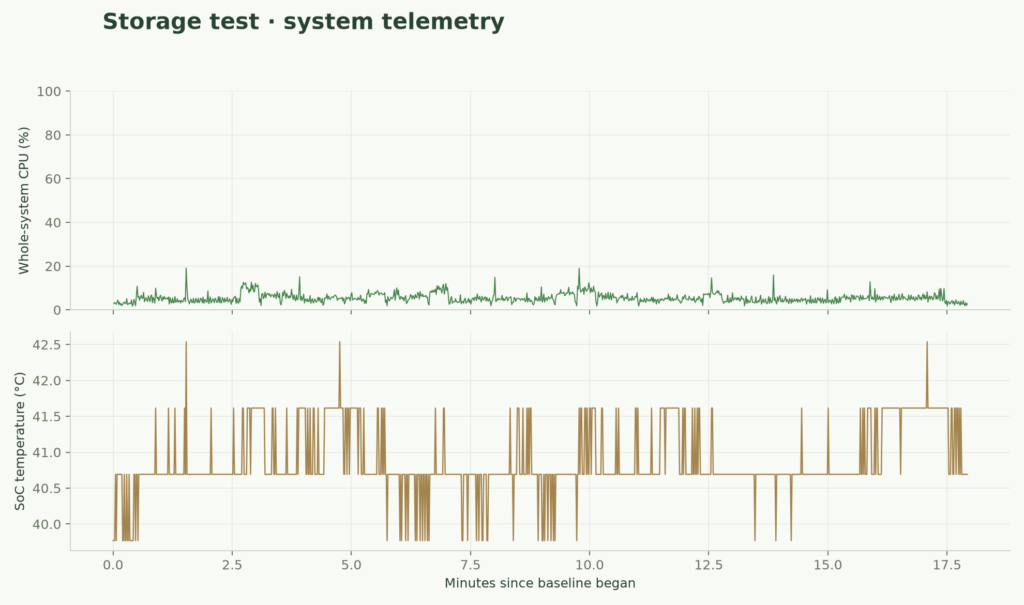
Server Lab and its collector were stopped. GNOME and KiwiDrop remained running, with average whole-system CPU usage at 3.1% during the 30-second baseline.
The fio settings
Each measured run used a fully written 2GiB file, one fio 3.39 job, the synchronous psync engine and queue depth one. We tested 1MiB sequential reads and writes, then 4KiB random reads and writes, repeating each workload three times with 20 seconds of measurement after a three-second warmup.
The direct=1 setting bypasses the ordinary Linux data cache, not the storage controller’s internal caches. We used end_fsync=1 to sync at the end of a write stage; the fio I/O option reference explains those settings.
There were 24 measured runs, with the device order changed between repetitions. Including file preparation, continuous writes and final verification, all 30 fio jobs completed without errors; no separate benchmark application was used.
eMMC vs SD card results
| Workload | eMMC | microSD | eMMC advantage |
|---|---|---|---|
| Sequential read, 1MiB | 153.6MiB/s | 47.0MiB/s | 3.3x |
| Sequential write, 1MiB | 46.1MiB/s | 22.5MiB/s | 2.1x |
| Random read, 4KiB | 3,743.8 IOPS | 2,000.0 IOPS | 1.9x |
| Random write, 4KiB | 3,149.9 IOPS | 451.3 IOPS | 7.0x |
Large transfers
The eMMC led both sequential workloads, with a much larger gap in reads than writes. These are medians of three runs, in binary units: 1MiB is 1,048,576 bytes, and IOPS means I/O operations per second.
The eMMC read results also varied: 153.07–193.92MiB/s across three runs, versus 44.84–52.08MiB/s for microSD. Presenting the fastest run as typical performance would overstate what we measured.
A network copy adds other limits, including the connection and transfer software. Our Mac to Linux SCP guide covers copying files to the board; its transfer rate won’t necessarily match a local fio read or write.
Small writes and waiting time
Random writes separated the drives much more sharply: about 12.30MiB/s on eMMC and 1.76MiB/s on microSD with 4KiB requests.
Those operations matter when a system updates small files or writes application state. Our KiwiPi single-board server test used an eMMC-hosted application and SQLite database, but it didn’t repeat the server workload on microSD. The storage result gives us a reason to try that comparison, not a sevenfold prediction for HTTP throughput.
| 4KiB workload | eMMC p95 | eMMC p99 | microSD p95 | microSD p99 |
|---|---|---|---|---|
| Random read | 0.36ms | 0.38ms | 0.65ms | 0.73ms |
| Random write | 0.29ms | 2.28ms | 7.96ms | 22.41ms |
Each latency entry is the median of three runs’ completion-latency percentiles, rather than a percentile pooled across every operation. The card’s 22.41ms random-write p99 also shows why average throughput alone leaves out useful information.
But we didn’t sync after every write. These timings don’t describe a database transaction that waits for durable storage after each commit.
Two minutes of continuous writing
We also wrote continuously for 120 seconds per device, averaging 48.4MiB/s on eMMC and 22.6MiB/s on microSD. Each run looped over the same 2GiB file; it wasn’t a write across the drive’s entire capacity.
The microSD averaged 22.5MiB/s in both the first and last 30 seconds. The eMMC went from 47.1 to 50.6MiB/s over those intervals, with larger second-to-second swings visible in the graph.
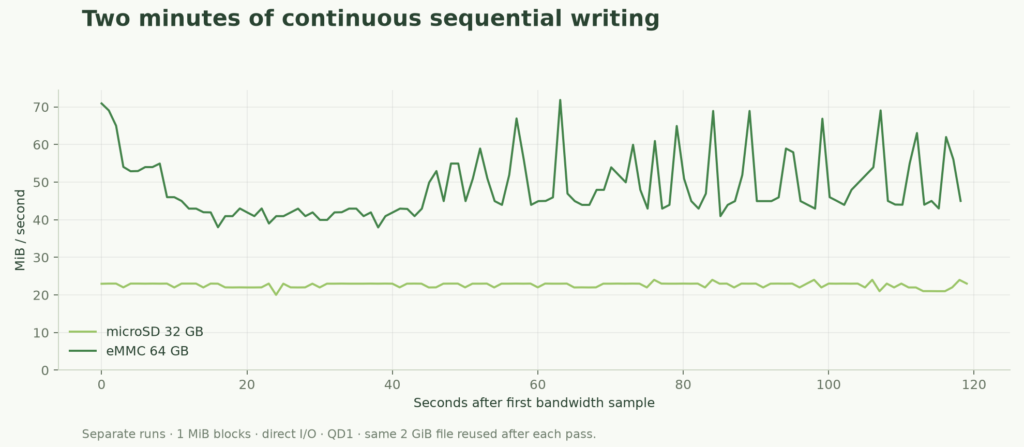
Neither device showed a lower final-interval average in this short test. Two minutes and a 2GiB working area still aren’t enough to establish what happens after every controller cache is exhausted.
We used a heatsink and fan without an enclosure. The highest sampled SoC temperature was 42.5°C; room temperature wasn’t measured, and these readings don’t establish performance in a sealed case.
Which storage would we use
For this board, we’d keep Linux and frequently updated application files on eMMC. It won all four measured workloads, particularly random writes, without requiring a change to the running system.
Installing another OS is a separate operation. The Rockchip Batch Tool flashing guide covers compatible packaged firmware on Windows; follow the board manufacturer’s image and tool instructions rather than treating a storage benchmark as a flashing procedure.
The microSD remains useful for removable files and trying another supported system image. If you’re selecting one for an application, test that actual card—this SanDisk Ultra result doesn’t establish what another model or revision will do.
Both devices passed a final 64MiB CRC32C write-and-read check. That confirms the checked data matched; it doesn’t test the entire capacity, flash lifetime or recovery after losing power.
FAQ
Is eMMC faster than an SD card
It was faster in every workload here, by 1.9x to 7.0x. The size of the lead depends on the workload and the particular card, controller and board connection.
Will eMMC boot Linux three times faster
We didn’t time boot or application startup. A 3.3x sequential-read result doesn’t translate directly into the same reduction in boot time.
What does A1 mean on the card
A1 is an application-performance class with requirements for random I/O and sustained sequential writing under specified test conditions. The SD Association application classes describe those requirements; our ext4 fio runs aren’t a certification test, so their IOPS figures shouldn’t be treated as one.
Does eMMC last longer than microSD
This experiment doesn’t answer that. We measured short-term I/O performance and checked a small data region; endurance and power-loss behaviour need separate evidence for the actual devices.