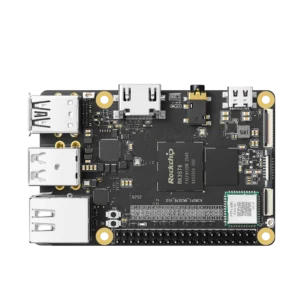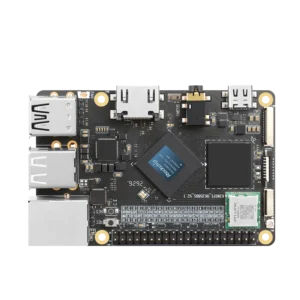


Rockchip’s RK3576 has eight CPU cores and a dedicated NPU rated at 6 TOPS for INT8, with a sparsity footnote attached to that figure. An application still uses the CPU to feed that NPU, handle its output, and run the rest of the system.
The 6 TOPS figure doesn’t cover the rest of that work. The NPU runs supported parts of a neural network; it doesn’t take over the camera driver, Linux, or all the code around the model.
The model is one part of the job
Take an object detector connected to a camera. The application has to get a frame into memory and prepare an input the model accepts – often a particular size, color order, and pixel format. Some boards can offload parts of that work to an image processor or a 2D engine. The CPU still organizes the job and deals with anything those blocks don’t handle.
Then the NPU runs the model. This is the part a figure like 6 TOPS describes, under the conditions Rockchip used for that rating. It isn’t the frame rate of the finished camera application. Our guide to interpreting NPU TOPS ratings explains what that number measures.
The model might return thousands of candidate boxes. Code has to reject low-confidence detections, remove overlapping boxes, and decide whether the same object appeared in the previous frame. If the system sends an alert or stores a clip, that happens afterward too.
| Stage | CPU | NPU or other hardware |
| Camera frame | Runs the capture app and camera driver | Camera interface and ISP may process the image; NPU is not involved |
| Model input | Arranges the required size and format | A 2D engine may handle resize or conversion |
| Inference | Submits input and receives output | NPU runs the supported model operations |
| Result | Filters detections, tracks objects, sends alerts | NPU usually has no role after the model returns |
You can get a fast inference result and a slow application.
For example, suppose inference takes 12 ms, while getting the frame into the required format takes 18 ms and processing the detections takes another 15 ms. Those are illustrative numbers, not a benchmark for any KiwiPi board. They do show why timing the NPU alone would miss most of the 45 ms path (and why a camera advertised at 30 fps might still be a problem for a particular model).
The model needs a matching runtime, too. Rockchip’s RKNN-Toolkit2 converts supported models into the format its newer NPUs use, and Rockchip provides a runtime for deploying them. A model that runs on a desktop in PyTorch or ONNX doesn’t automatically run, unchanged, on an RK3576 or RK3588 NPU; the RK3588 NPU and its runtime are documented in more detail if you want the full platform picture.
Some operators may need a different model implementation or another execution path. Before buying hardware for one specific network, check the conversion result, the actual model output, and the runtime version supplied with the board image. A successfully converted file is a start; it isn’t a correctness test.
RK3399 has no NPU
The standard Rockchip RK3399 processor makes the distinction unusually clear. It has two Cortex-A72 cores and four Cortex-A53 cores, along with interfaces including PCIe, but no integrated NPU. It can run Linux and process a camera feed, and it can run a compatible model on its CPU. How useful that is depends on the model and the response time you need.
RK3399Pro is a different chip. Its NPU doesn’t appear on an RK3399 board just because the model names look similar; Rockchip also lists RK3399Pro under an earlier RKNN toolkit, not the RKNN-Toolkit2 platform used for RK3576 and RK3588.
If you already have a working RK3399 product, adding an external accelerator could be worth investigating. Check that the board actually exposes a compatible USB or PCIe connection, that its power and cooling are adequate, and that the accelerator’s software supports your model. Replacing a stable deployed board is a bigger job than plugging in a module. For a new design, though, the integrated NPU and current software support of a newer platform are easier to justify.
What a dedicated AI box changes
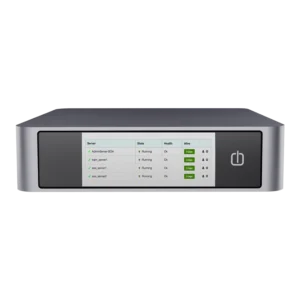
The Rockchip automotive AI box uses the RK3576M as its main controller in a dedicated in-vehicle AI computer. It moves the AI workload into a separate system so that the main cockpit processor can keep doing its own job.
That doesn’t make an ordinary RK3576 board automotive-grade. The separate box can receive data, run inference locally, and send results back without moving the entire cockpit software stack onto the AI hardware.
Measure the complete application
On an SBC or industrial box, record the time spent capturing a frame, converting it, running inference, and interpreting the result. Measure the complete path as well, since buffer copies and waiting between stages can disappear from tidy per-stage numbers.
Run the test long enough for the system to reach its normal operating temperature. Check that the model produces the right results before celebrating a low inference time. And use the same camera input and model when you compare boards – otherwise you’re measuring a different application.
If inference dominates the timing, a better NPU or a smaller model may help. If resizing, copies, or tracking take most of the time, a bigger TOPS figure won’t fix those stages. The CPU matters in either case, just not in the same way the NPU does.
FAQ
Can you run edge AI without an NPU?
Yes. A CPU can run a compatible model; the question is whether it returns a result soon enough for your application. The standard RK3399, for example, has no integrated NPU. Test your actual model before deciding it needs an accelerator.
Will any ONNX model run on a Rockchip NPU?
No. Convert it for the target chip, check for unsupported operators, and compare its output with the original model. You’ll also need a compatible runtime on the board. A successful conversion alone doesn’t establish that the result is correct.
What should you time besides inference?
Start when the application receives a frame and stop when it has a usable result. That includes input preparation, the model, and whatever you do with its output. Run the same test after the board has warmed up; the first result after boot won’t tell you whether performance holds.