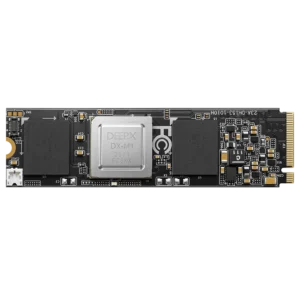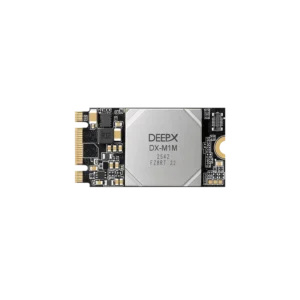


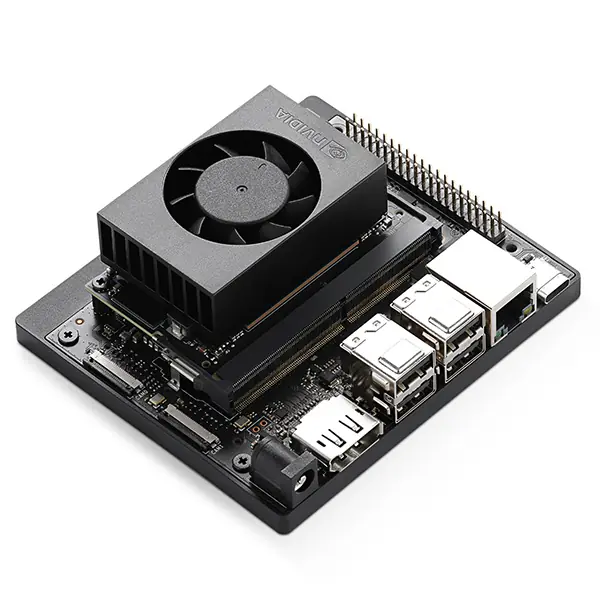
You’re choosing hardware for an edge AI project. One board has a 6 TOPS NPU, a DeepX module offers 25 TOPS, and NVIDIA’s Jetson Orin Nano Super is rated at 67 TOPS.
So the Jetson is roughly eleven times faster than the 6 TOPS board… right?

Not really. It might be much faster for your model, and probably will be for some workloads. But TOPS is not a benchmark result. It’s the maximum number of certain operations the hardware can theoretically complete every second, usually at a specific numerical precision and under the right conditions.
That’s useful information. It just isn’t the answer people often want it to be.
The number is real. The comparison often isn’t
TOPS means trillions of operations per second. In AI specifications, a multiplication and addition are commonly counted as two operations. That means a 6 TOPS accelerator can theoretically perform six trillion supported operations per second – or three trillion complete multiply-accumulate calculations, depending on how you prefer to count them.
The first catch is precision.
Rockchip rates the RK3588 NPU at 6 TOPS using INT8 calculations. NVIDIA lists 67 INT8 TOPS for the Jetson Orin Nano Super. At least those two numbers are talking about the same data type, although the hardware underneath is completely different.
Now put an INT4 result beside them. INT4 uses half as many bits per value, so compatible hardware can process considerably more operations in the same time. The TOPS figure goes up. Model accuracy may go down, and the model has to survive conversion to INT4 in the first place.
That’s not a minor footnote. A vendor can advertise its largest low-precision number while your model actually runs in INT8 or FP16. Both claims can be correct, but they’re not describing the same job.
| Platform | Advertised AI performance | Stated precision or context | What the number doesn’t tell you |
| Rockchip RK3568 | Up to 1 TOPS | Integrated NPU | Whether a larger model fits or every operator is supported |
| Rockchip RK3576 | 6 TOPS | Integrated RKNN NPU with mixed-precision support | How much the Cortex-A72/A53 host affects the full pipeline |
| Rockchip RK3588 | 6 TOPS | 6 TOPS at INT8; three-core NPU | CPU, memory, video, and I/O contribution outside inference |
| DeepX DX-M1 | 25 TOPS | Discrete M.2 accelerator | PCIe transfer overhead and compatibility with the model |
| Jetson Orin Nano Super | 67 TOPS | INT8; 7–25 W power modes | Actual latency at your batch size, clocks, and cooling |
This table is useful for placing the hardware in broad performance classes. It is not a ranking. In particular, the two 6 TOPS Rockchip processors do not create identical systems, while the discrete DeepX module depends on a separate host that is not included in its TOPS figure.
Your model may not use all of the NPU
An NPU doesn’t run any model you give it. First, the model goes through the vendor’s conversion and compilation tools. Rockchip uses RKNN Toolkit2; NVIDIA has TensorRT; DeepX provides its own toolchain.
If the compiler supports every important operator, great – the model can stay on the accelerator. If it doesn’t, one part may fall back to the CPU, or conversion may simply fail. Now the system is moving tensors between two processors, and that impressive TOPS number is sitting idle during part of the workload.
This is why I’d rather see a benchmark of the actual model than another specification table. A well-supported 6 TOPS NPU can be the better choice than a 25 TOPS accelerator that needs workarounds for a critical layer. Not because 6 is somehow more than 25, but because usable performance matters more than silicon that your software can’t reach.
Our guide to RK3588 specifications and performance covers the chip’s three-core NPU, but also the CPU, GPU, memory, and media engine around it. For a real AI product, those other blocks don’t disappear once inference starts.
Then the camera gets involved
Imagine a fairly ordinary vision system. It receives several camera streams, decodes the video, resizes and normalizes frames, runs object detection, tracks the results, saves events, and sends metadata over the network.
Only one part of that pipeline is the neural network.
The NPU could finish inference quickly and still spend most of its time waiting for the CPU or memory. Or the host could prepare frames easily, but the accelerator might not have enough memory bandwidth to keep all its compute units busy. Peak TOPS assumes the data is already where it needs to be – which is a generous assumption for a complete system.
An M.2 accelerator makes this especially visible. The DeepX DX-M1 and DX-M1M modules offer much more nominal AI throughput than the NPU inside RK3588. For compatible vision models, that can be a serious upgrade. But frames still travel from the host over PCIe, and the host CPU still handles everything outside the model.
With large batches, the transfer overhead may barely matter. With one frame at a time in a latency-sensitive camera, it can.
RK3576 and RK3588 both have 6 TOPS
This is probably the best example of why the specification needs context.
RK3576 and RK3588 both advertise a 6 TOPS NPU. If AI performance were determined by that number alone, there would be little reason to choose the more expensive RK3588 for an inference project.
For the NPU part of a compatible model, the difference may actually be small. But RK3588 also has four Cortex-A76 and four Cortex-A55 CPU cores, Mali-G610 graphics, a wider memory interface, and more high-speed I/O. RK3576 uses Cortex-A72/A53 cores and a Mali-G52 GPU. It is a more modest system surrounding a similarly rated NPU.
That doesn’t make the Rockchip RK3576 platform a bad AI option. In fact, it may be the better value when inference is the main workload and the rest of the application isn’t especially heavy. Paying for RK3588 and then leaving most of its CPU, GPU, and I/O unused would be its own kind of bad decision.
But add several video streams, a graphical interface, local storage, or substantial preprocessing, and the extra system performance starts to matter. Same TOPS, different computer.
At the other end, the Rockchip RK3568 capabilities include an NPU rated at only 1 TOPS. Next to 25 or 67 TOPS, that looks obsolete. For a small classifier, basic object detection, or an inspection task that runs occasionally, it may already meet the required latency.
If 1 TOPS does the job, 67 TOPS doesn’t make the product 67 times better. It makes it more expensive.
Frames per second can hide the problem too
Let’s say one accelerator processes 200 frames per second. That sounds like an easy win until you find out the test used a batch of 16 images.
Batching is good for throughput because the accelerator can work on several inputs together. But the first image may wait for the rest of the batch before processing begins. A video analytics server handling many streams might be perfectly happy with that. A robot waiting to react to one camera frame won’t be.
So which result matters: frames per second or milliseconds per frame?
It depends on the product, which is exactly the point. You also need the input resolution, batch size, model version, precision, power mode, and cooling setup. Without those, even a real benchmark number can be nearly as misleading as TOPS.
The Jetson Orin Nano Super, for example, can operate from 7 W to 25 W. Its highest performance requires an appropriate power mode and enough cooling. A passively cooled device inside a sealed box has a different problem to solve than a development kit running on a desk.
What I would compare instead
TOPS is still a useful first filter. I wouldn’t test a large multi-camera model on every 1 TOPS device I could find, and I wouldn’t buy a 67 TOPS platform for a tiny classifier without a reason.
But once two candidates are in roughly the right class, I’d stop comparing TOPS and check:
-
- whether the model converts without unsupported operators;
-
- latency at the required resolution and batch size;
-
- sustained throughput, not a short peak;
-
- accuracy after INT8 or INT4 quantization;
-
- CPU, memory, and PCIe use during the full pipeline;
-
- power consumption after the system warms up.
And, less exciting but often decisive: how difficult is the SDK? Can the same model be rebuilt six months from now? Is the runtime included in a maintained Linux image, or does deployment depend on one old vendor package?
A 25 TOPS accelerator isn’t a bad choice because it fails to deliver exactly four times the performance of a 6 TOPS NPU. That’s the wrong promise to expect from it. TOPS tells you how much low-precision arithmetic the hardware can theoretically perform. It doesn’t tell you how much of your model will use that hardware – or what the rest of the device is doing while it waits.
Use TOPS to make the shortlist. Let the model choose the winner.
FAQ
Is higher TOPS always better?
Only when the figures use comparable precision and the model can use the accelerator efficiently. Higher theoretical throughput cannot fix unsupported operators, limited memory bandwidth, or a slow host pipeline.
Can INT4 and INT8 TOPS be compared?
Not directly. INT4 can deliver a larger TOPS figure, but the model must be quantized to INT4 and retain acceptable accuracy. Compare results using the precision you will actually deploy.
How many TOPS does object detection need?
There is no fixed requirement. Model size, input resolution, frame rate, number of streams, and latency target matter more than the words “object detection.” A lightweight model may run adequately on 1 TOPS; a multi-camera system may justify much more.