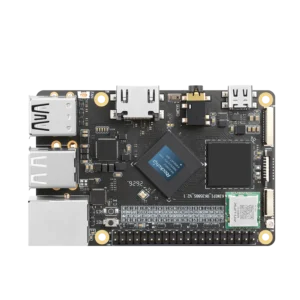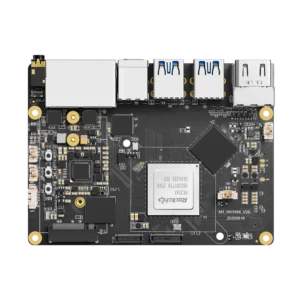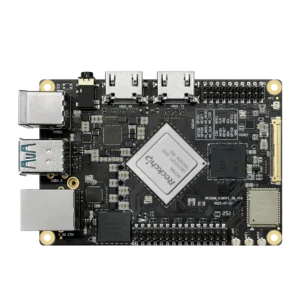


Rockchip RV1106 has a single 32-bit Cortex-A7 CPU, a camera ISP and an NPU. The RV1106G2 configuration combines up to 0.5 TOPS with 128MB of integrated DDR3L and supports 5-megapixel video encoding at 30fps.
The RV1126B camera processor we covered previously has four Cortex-A53 cores and a 3 TOPS NPU. RV1106 puts a much smaller CPU and memory allocation around the camera hardware. A camera that detects an approaching person is a reasonable project to evaluate; a Linux workstation with several services is a different purchase.

G2 and G3 variants
The suffix matters here.
Rockchip’s RV1106 revision 1.7 datasheet lists G2 and G3 separately. G3 gets 1 TOPS, 2Gb of DDR3L and an 8MP15 encoding mode. That’s 256MB of RAM, because the memory figure is in gigabits. G2’s 1Gb means 128MB, not 1GB. Check the actual board specification before downloading a model that already needs most of that memory.
The table below keeps those variants separate. RV1106B is another processor again; don’t transfer its specifications to an RV1106 board because a shop listing omits the last letter.
| Feature | RV1106G2 | RV1106G3 | RV1126B |
| Main CPU | Single Cortex-A7, 32-bit | Single Cortex-A7, 32-bit | Four Cortex-A53 cores, 64-bit |
| Published NPU rating | Up to 0.5 TOPS | Up to 1 TOPS | Up to 3 TOPS |
| Memory | 1Gb integrated DDR3L, 128MB | 2Gb integrated DDR3L, 256MB | 32-bit DDR/LPDDR interface; board determines capacity |
| Imaging | Up to 5MP30 | Up to 8MP15 | Up to 12MP30 ISP; 8MP30 AI-ISP |
| H.264/H.265 encoding | Up to 5MP30 | Up to 8MP15 | Up to 4K45 |
The RV1106 columns follow revision 1.7. These are documented capabilities, not results from a shared benchmark or a promise that all functions run at their maxima together.
Camera and model deployment
Start with a sensor the board vendor already supports. The ISP handles image processing such as exposure-related adjustments, HDR merging and noise reduction, but it still needs a working driver and suitable tuning. Two sensors with the same connector can require different software (and the connector pinout needs checking too).
The encoder also has its own job. It compresses video into H.264 or H.265 so the device can record or transmit it without asking the Cortex-A7 to encode every frame in software. It doesn’t tell you how quickly a detector returns boxes.
Memory needs the same attention. Linux, video buffers and application code all occupy RAM before the model starts. Ask for the free-memory figure with recording active, then check the model’s peak allocation. A download size alone doesn’t cover intermediate tensors or the buffers around them.
On a single Cortex-A7, copying frames and filtering detections also compete with the rest of the application. Hardware acceleration helps with supported work; it doesn’t give unrelated CPU code another core. Our CPU and NPU workload breakdown explains where that remaining work goes.
Likewise, interpreting NPU performance ratings requires the numerical precision and workload. Rockchip lists INT4, INT8 and INT16 operations for this family. Don’t treat every quoted TOPS figure as interchangeable, or multiply an RV1106 benchmark by six to predict RV1126B performance.
RKNN software
Rockchip lists RV1106 under RKNN-Toolkit2. Conversion happens on the development computer, with a model built for the target chip and a compatible runtime on the board. Keep those versions with the application rather than collecting unrelated SDK packages until something loads.
There’s a useful qualification in Rockchip’s Model Zoo: RV1103 and RV1106 have limited support. The repository contains RV1106 examples, but the platform list beside each model still matters. Support for one YOLO example doesn’t establish support for every newer detector.
Its YOLOv5 instructions use the rv1106 target and armhf architecture, with a Rockchip uClibc cross compiler. That is a different build from the aarch64 application you might use on KiwiPi 5. Match the compiler and libraries to the supplied firmware.
Also check the deployment API. A Python conversion tool on your computer doesn’t promise a Python inference environment on the camera. Start with the vendor’s working C/C++ example, inspect its input and output formats, then change one part at a time.
Before timing it, compare detections against the original model using the same images. Include missed objects and false alarms, not just successful frames. Then measure the complete camera path with streaming or recording enabled, after the device has warmed up.
Video and a separate server
RV1106 includes a Fast Ethernet PHY and USB 2.0, alongside storage interfaces such as SDIO and eMMC. Which connectors you get depends on the board. Wireless networking needs the appropriate hardware and firmware; it doesn’t appear merely because SDIO is available.
RV1126B adds CPU cores, a larger NPU rating and higher-resolution imaging modes. Those are reasons to evaluate it when an RV1106 design runs out of resources. First identify what stopped working: model conversion, memory allocation, camera throughput or application response time. A replacement board needs to solve that particular problem.
FAQ
How much power does RV1106 use?
Rockchip’s brief quotes typical consumption for a particular imaging mode. Measure the complete board with its sensor, network connection and illumination active before sizing a supply or battery. The SoC figure alone leaves those loads out.
Can RV1106 run Python?
That depends on the firmware, available memory and packages. For NPU deployment, verify the board’s supported API independently; the presence of a Python interpreter doesn’t establish a working Python NPU runtime.
Is RV1106 suitable for local LLMs?
This configuration is a constrained vision platform. A supported small detector is a sensible starting point; don’t buy a 128MB camera board expecting the local chatbot setup used on a multi-gigabyte SBC.