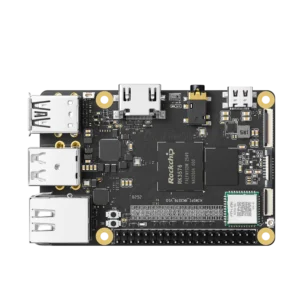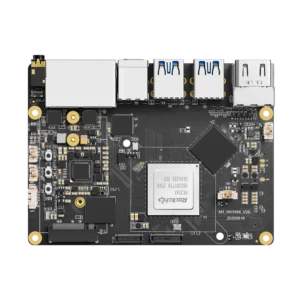


The RK3568 has two Gigabit Ethernet controllers and a separate PCIe 3.0 controller (one x2 link or two x1 links). That gives a board maker room for an NVMe slot and separate WAN and LAN ports on the same board.
Both chips use four Cortex-A55 cores and a Mali-G52-2EE GPU. For a little file server with one Ethernet cable and an external USB SSD, a board with an RK3566, a Gigabit port, and USB 3.0 is a reasonable place to start.
The CPU is much the same
Clock speed needs a board name
Four Cortex-A55 cores tell you the CPU architecture, not the sustained speed of a finished computer. A board’s firmware sets its operating points, and the cooling and power supply affect how long it can hold them. Comparing a quoted maximum frequency on one product page with a default frequency on another doesn’t establish a performance lead. The RK3566 specifications give the background for this shared CPU and GPU configuration.
Rockchip lists 1 TOPS for both NPUs in its brief datasheets. If you have an ONNX model in mind, try converting it with RKNN-Toolkit2 for the chip you’re considering (some models use operators the converter doesn’t support). Then check the board’s Linux image for an RKNN runtime and NPU driver that can run the converted model.
Video hardware still needs software
Rockchip lists up to 4K at 60 fps decoding and 1080p at 60 fps encoding for both chips. Those are hardware capabilities with codec and format restrictions, not a promise that any browser, media player, or container will use acceleration. Check the board image and the application’s supported video path before planning a media server around either chip. Extra PCIe lanes won’t fix software decoding on the CPU.
PCIe and network ports change the choice
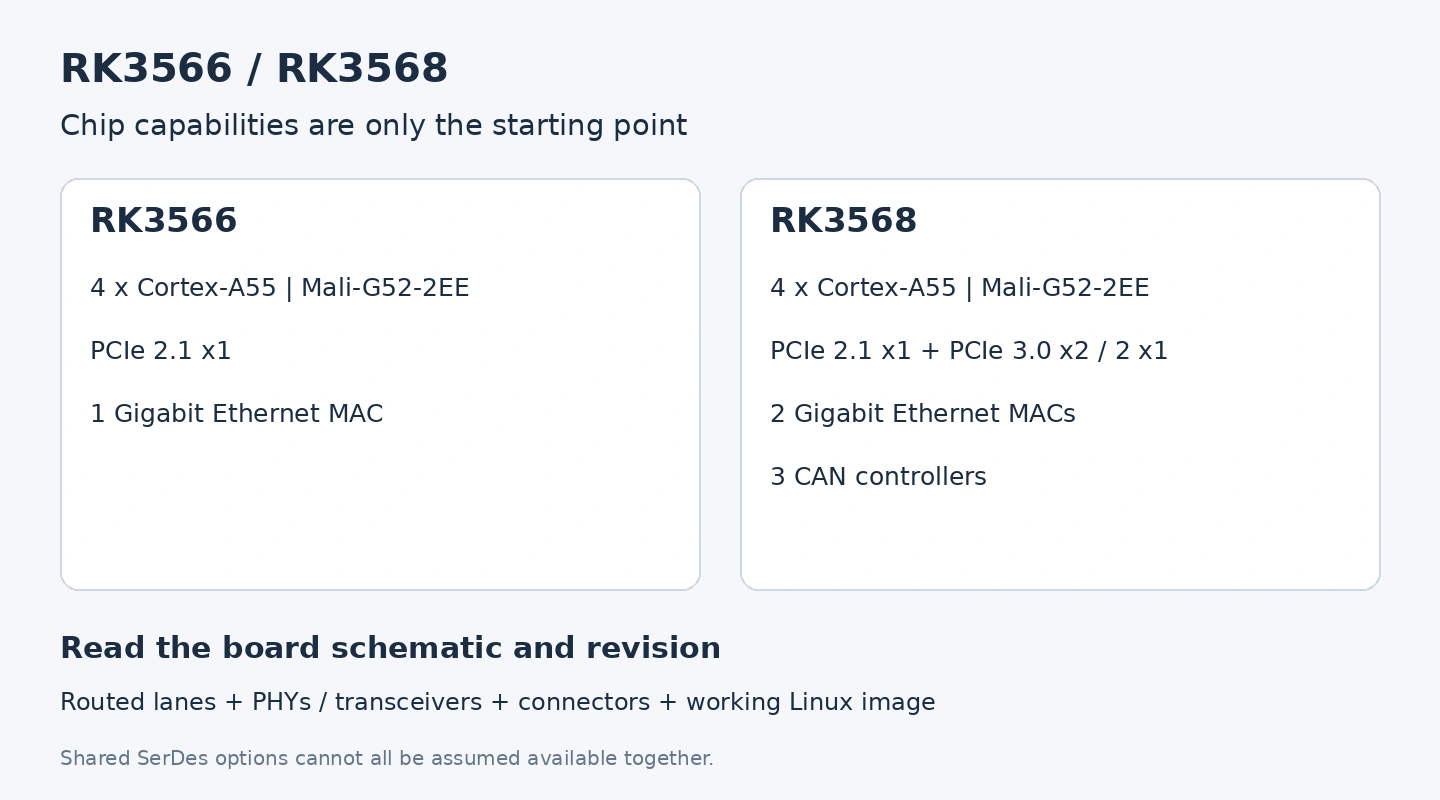
| Capability | RK3566 | RK3568 | What to check on the board |
|---|---|---|---|
| CPU and GPU | 4 Cortex-A55, Mali-G52-2EE | 4 Cortex-A55, Mali-G52-2EE | Actual clocks and cooling |
| PCIe expansion | PCIe 2.1 x1 | PCIe 2.1 x1 plus PCIe 3.0 x2 or two x1 links | Routed lanes and connector wiring |
| Gigabit Ethernet MACs | One | Two | PHYs, sockets, and drivers |
| CAN | No integrated CAN controller listed | Three controllers | Transceivers, pins, and isolation |
| High-speed peripheral routing | Shared interface options | Shared options plus separate PCIe 3.0 | Schematic and board revision |
A large slot can still have one lane
RK3568’s PCIe 3.0 controller can run as one two-lane link or two single-lane links. That gives a board designer more room for an NVMe SSD or additional controllers. It doesn’t mean every RK3568 board exposes both lanes. An RK3566 design can fit a physical x4 slot and wire just one Gen2 lane to it. Connector length is a poor substitute for reading the specifications.
There is another catch in the RK3568 block diagram. Its PCIe 2.1, SATA, USB 3.0, and QSGMII options share three SerDes lanes. The headline maximum counts aren’t a list of ports you can necessarily use together. The separate PCIe 3.0 block helps, but the schematic still decides which remaining interfaces are available. The broader RK3568 interface overview is useful when checking a carrier board or an SBC listing.
Two MACs don’t guarantee two sockets
Rockchip’s RK3568 DDR4 evaluation board actually has two Gigabit Ethernet ports. One is at the top edge in Rockchip’s photo and the other is on the bottom edge. The chip provides two MACs, but each external port needs a PHY, board routing and a connector. For a gateway with separate WAN and LAN cables, check for both ports in the board’s port map and confirm that the OS detects both interfaces.
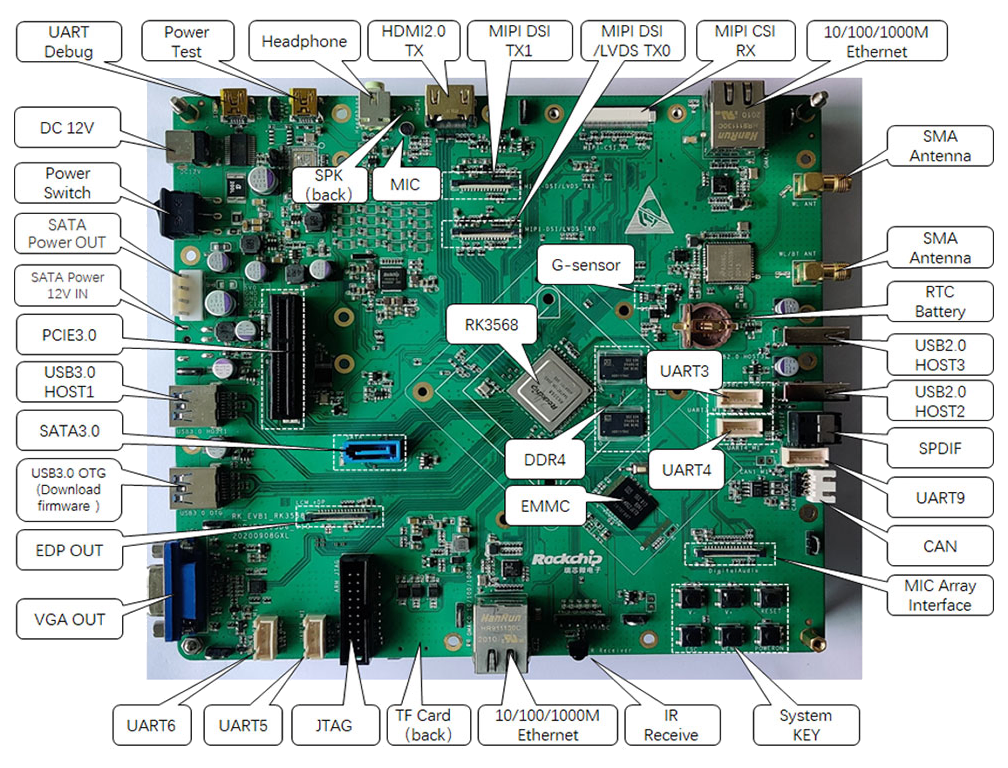
CAN needs a similar check. RK3568 provides three controllers, but a controller isn’t a complete physical bus interface. A board may expose logic-level CAN signals on a header and still need an external transceiver. Industrial wiring may also call for isolation. Confirm what the connector carries before attaching equipment, and budget for the interface hardware alongside the SBC.
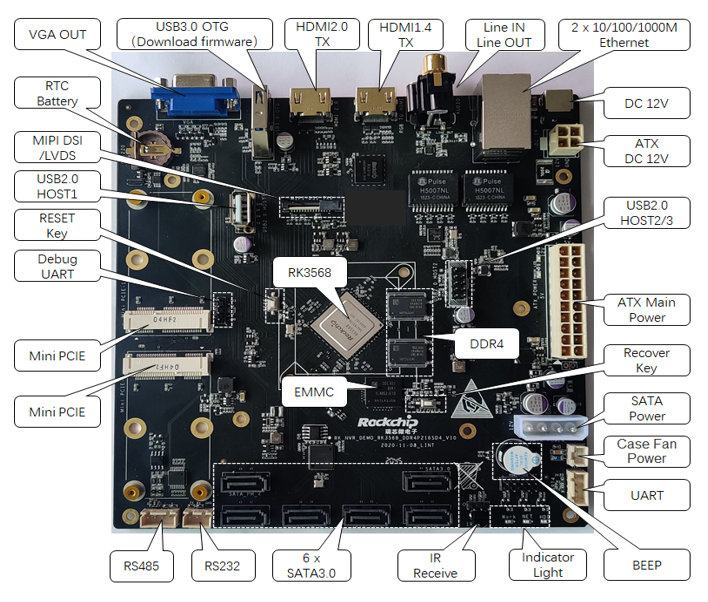
Check the image before buying accessories
Confirm the running platform
A Linux image should name the exact board and revision. Shared CPU cores don’t make RK3566 and RK3568 firmware interchangeable: boot configuration, memory setup, device trees, and peripheral wiring differ. Once Linux is running, these read-only checks help identify the selected platform and enumerated PCIe devices:
tr '\0' '\n' < /proc/device-tree/compatible
uname -r
lspci -nn
The compatible strings describe the loaded device tree; they aren’t a benchmark or a complete inventory of silicon features. And lspci requires the pciutils package. An absent SSD can mean power, routing, firmware, or driver trouble, so don’t treat an empty list as proof that the chip lacks PCIe. Keep a known bootable card while checking another image, especially if the system normally starts from eMMC.
Pay for the interface you need
If you plan to boot from an NVMe SSD, find the slot’s PCIe generation and lane count, then check whether the bootloader can start from it. Linux may see the SSD just fine on a board that still needs a microSD card or eMMC to boot. If you’re building a router, look for two RJ45 jacks and check that the Linux image supports both ports.
If the job is CPU-bound, start with the RK3568 and RK3576 comparison. The RK3576 and RK3588 comparison covers the next step up if you still need more CPU headroom.
FAQ
Is RK3568 faster than RK3566?
It has more expansion options. A CPU speed claim needs measurements from named boards, images, and cooling setups; this article provides no new measurements.
Can RK3566 use an NVMe SSD?
Yes, on a board exposing a suitable PCIe connection, with compatible firmware and an adapter or socket. Check the lane count and boot support separately.
Are two Ethernet ports enough for a fast router?
They establish connectivity. Routing throughput still depends on the workload, drivers, offloads, packet sizes, and any encryption, and needs testing on the actual system.